Azure / Azure/azure-quickstart-templates
Post Deployment Solution Errors - Failed to resolve entity VHDUri_s and MaxDiskIO_d
- Dominant language
- Bicep
- Stars
- 14.9k
- Forks
- 16.2k
- Avg merge
- 6d 21h
- Merged PRs (30d)
- 6
Description
### Issue Details
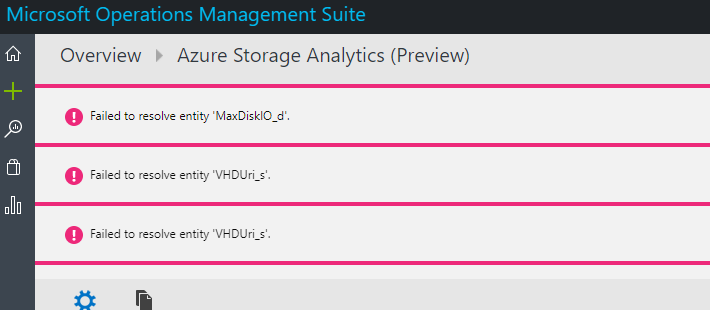
After seemingly successful installation, the Azure Storage Analytics Solution is constantly throwing errors regarding failure to resolve entities "MaxDiskIO_d" and "VHDUri_s" (see images below).
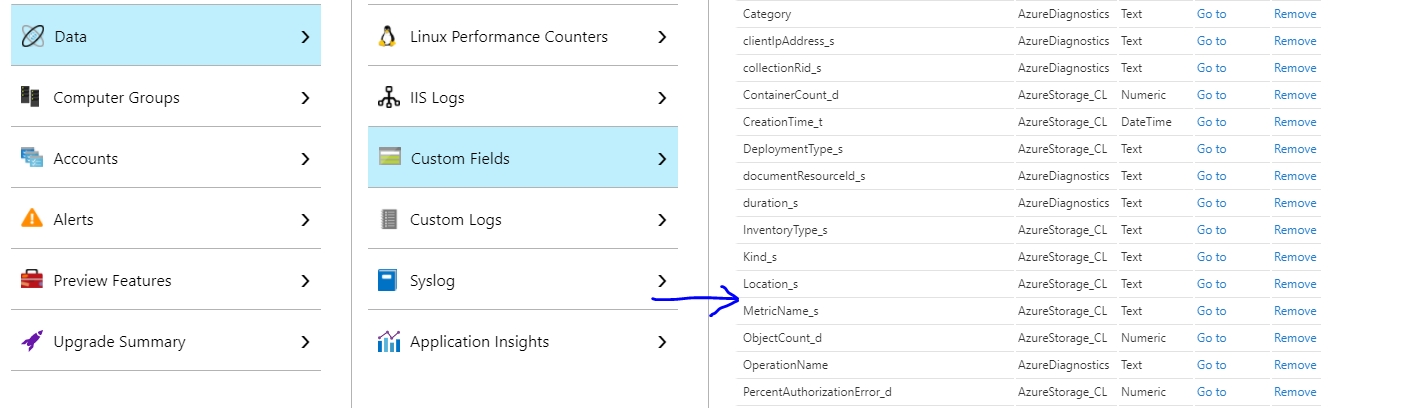
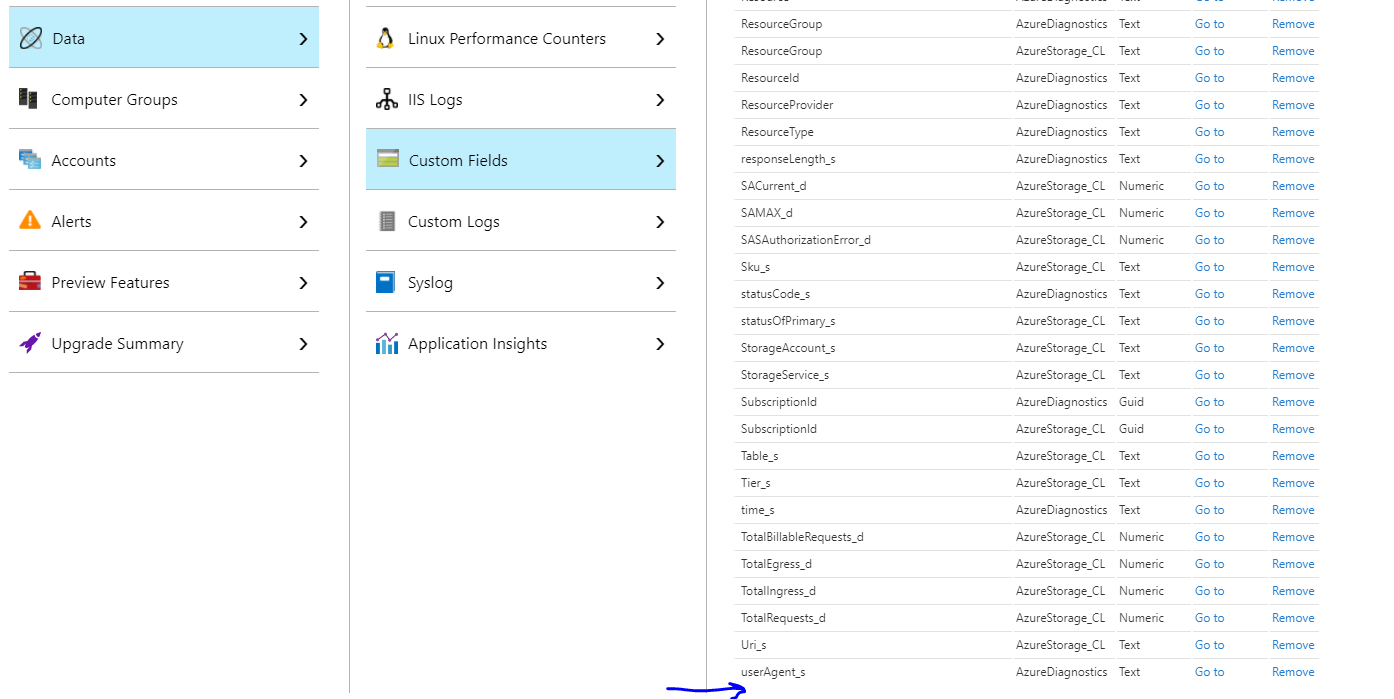
Neither of those fields appear in the Custom Fields menu under Settings -> Data. Should they have been created? Should they be created manually in order to resolve the error?
Contributor guide
No contributing guide indexed for this repository
Research direction
No files, tests, or code entry points are identified. Start by reviewing the Azure Storage Analytics Solution deployment and the reported errors for MaxDiskIO_d and VHDUri_s, then verify whether the required custom fields are created and whether the unresolved-entity errors stop.
Written by the indexing model from the issue text.
Assessment
- Tech stack
- azure
- Domain
- cloud
- Issue type
- Bug
- Difficulty
- 4/5
- Estimated time
- 3-5 days
- Activity status
- Stale
- Clarity
- Needs clarification
- Newbie friendliness
- 20/100