Azure / Azure/azure-quickstart-templates
Cannot publish the API Developer Portal with 201-front-door-standard-premium-api-management-external
- Dominant language
- Bicep
- Stars
- 14.9k
- Forks
- 16.2k
- Avg merge
- 6d 21h
- Merged PRs (30d)
- 6
Description
[201-front-door-standard-premium-api-management-external](https://github.com/Azure/azure-quickstart-templates/tree/f6f6508ef6fbbb4687c2870c46341bd35e4cc141/201-front-door-standard-premium-api-management-external)
### Issue Details
The template for creating an APIM instance protected behind an Azure FrontDoor seems to work as expected - with one exception. The Developer portal cannot be published from Azure Portal, it seems that the network security group is preventing the request to publish the developer portal. Is there a known workaround for this? Or should the template be updated with some additional configuration to allow the request from Azure Portal to APIM?
### Repro steps
1. Deploy the template to Azure.
2. Navigate to the API Management resource in Azure Portal
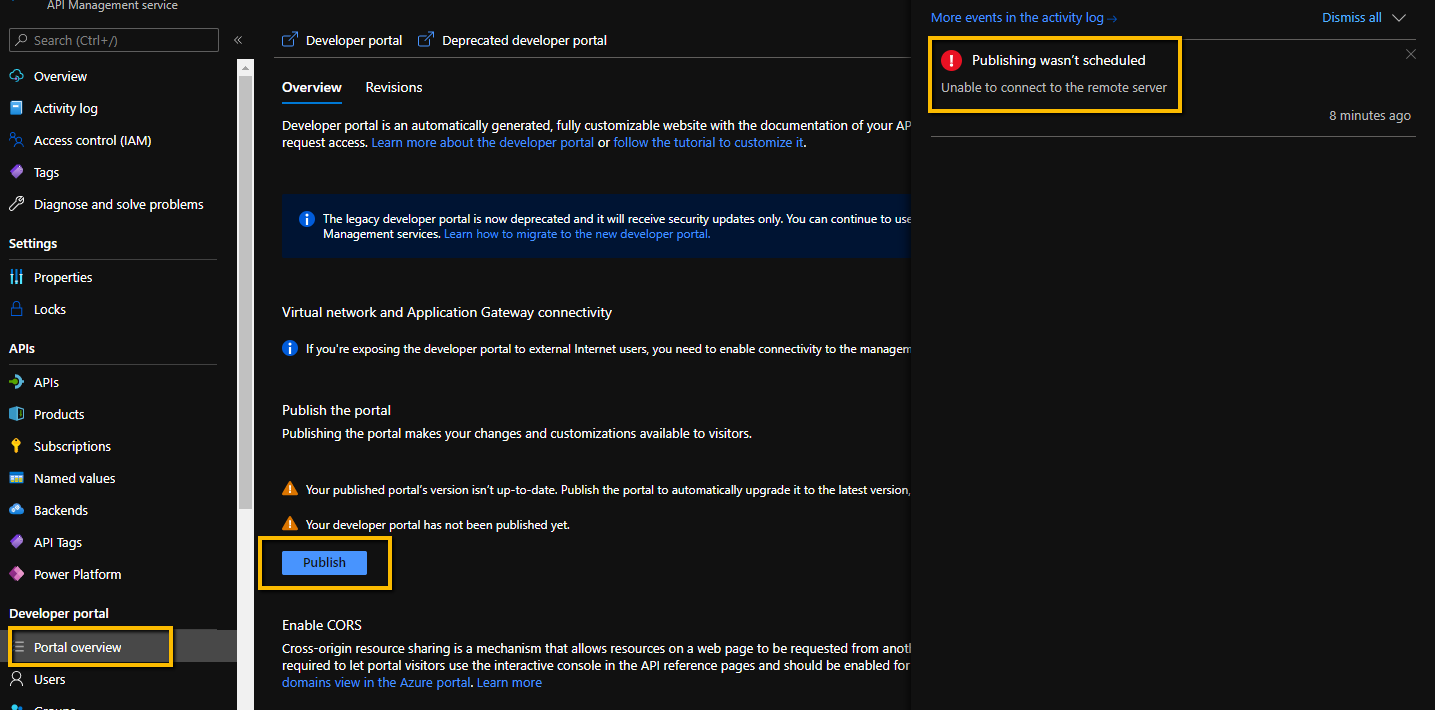
3. Select the Portal overview menu item in the APIM blade.
4. Press the Publish button
5. Wait for operation and observe that it fails with the error:
```
Publishing wasn’t scheduled
Unable to connect to the remote server
```
Contributor guide
No contributing guide indexed for this repository
Research direction
Start with the linked 201-front-door-standard-premium-api-management-external template and reproduce the Developer portal publish failure using the listed steps. Inspect the template's network security configuration and determine whether publishing can succeed; done means the portal publishes successfully or a documented workaround is added.
Written by the indexing model from the issue text.
Assessment
- Tech stack
- azure
- Domain
- api, cloud, networking
- Issue type
- Bug
- Difficulty
- 4/5
- Estimated time
- 3-5 days
- Activity status
- Stale
- Clarity
- Mostly clear
- Newbie friendliness
- 35/100