Unable to remove all App Registration App Roles.
- Dominant language
- Python
- Stars
- 4.6k
- Forks
- 3.5k
- Avg merge
- 3d 2h
- Merged PRs (30d)
- 60
Description
**Describe the bug**
I have created an App Registration, and now I'm trying to perform Adds, Updates and Deletes of App Roles.
I can Add, Update and Delete all but the last App Roles. The last App Role will always remain.
**To Reproduce**
I've created the following script.
```ps1
$appId = ""
$appReg = az ad app show --id $appId | ConvertFrom-Json
$AppRolesJson = '[{\"allowedMemberTypes\":[\"User\"],\"description\":\"Approvers can mark documents as approved\",\"displayName\":\"Approver\",\"isEnabled\":true,\"value\":\"approver\"}]'
# Loop through and disable first as no changes can be made when app role is enabled!
$currentAppRoles = $appReg.appRoles
$currentAppRoles | ForEach-Object { $_.isEnabled = $false }
$currentAppRolesJson = $($currentAppRoles | ConvertTo-Json -Depth:100 -Compress) -replace '"', '\"'
# If single array, brackets do not get added to string.
if($currentAppRoles.Count -lt 2){
$currentAppRolesJson= "[$currentAppRolesJson]"
}
az ad app update --id $appId --app-roles $currentAppRolesJson
# Add / update / delete
az ad app update --id $appId --app-roles $AppRolesJson
```
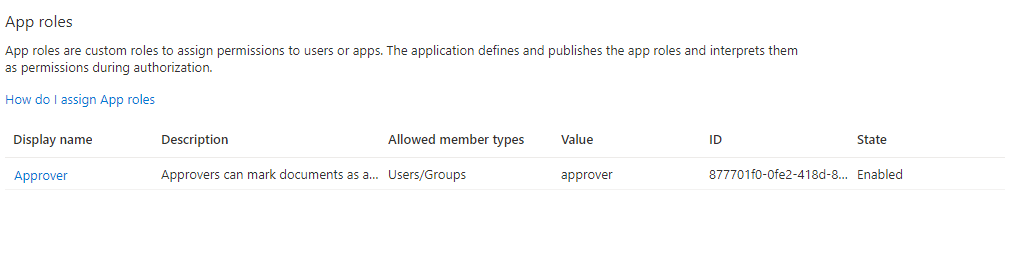
Now if you run the script again but change the $AppRolesJson to the following it will update and both will be in the app roles.
```ps1
$AppRolesJson = '[{\"allowedMemberTypes\":[\"User\"],\"description\":\"Approvers can mark documents as approved\",\"displayName\":\"Approver\",\"isEnabled\":true,\"value\":\"approver\"},{\"allowedMemberTypes\":[\"Application\"],\"description\":\"Application Approvers can mark documents as approved\",\"displayName\":\"Approver\",\"isEnabled\":true,\"value\":\"approver.all\"}]'
```
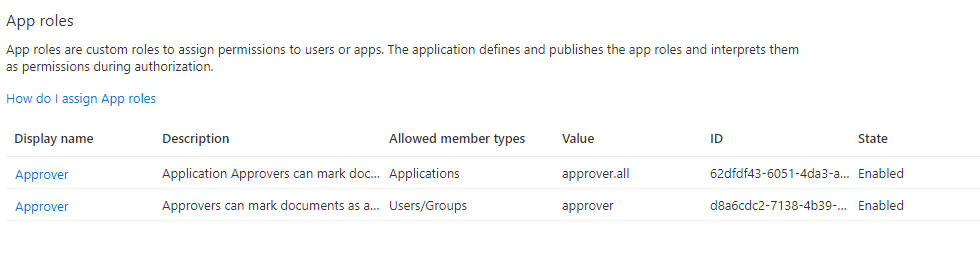
Now if you run the script again but change the $AppRolesJson back to the original, it removes one of the app roles.
```ps1
$AppRolesJson = '[{\"allowedMemberTypes\":[\"User\"],\"description\":\"Approvers can mark documents as approved\",\"displayName\":\"Approver\",\"isEnabled\":true,\"value\":\"approver\"}]'
```
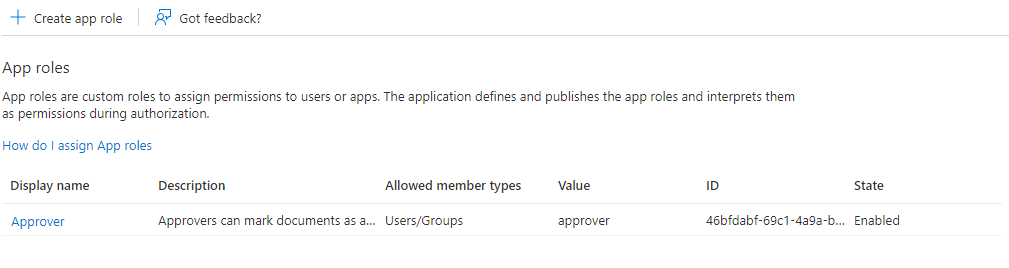
Lastly, if you set $AppRolesJson to empty array it successfully succeeds, but it never removes the last App Role.
```ps1
$AppRolesJson = '[ ]'
```
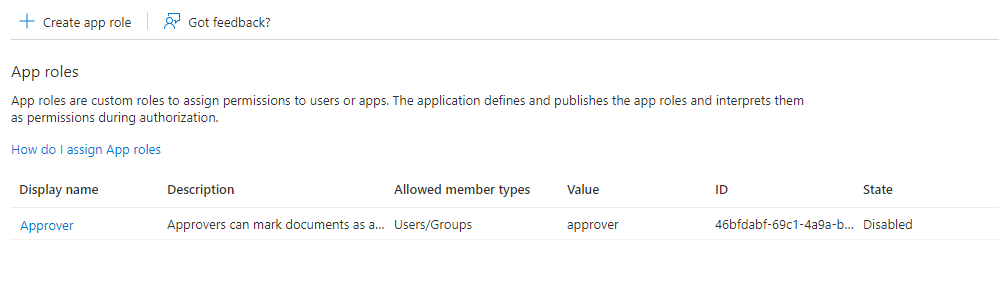
I have to put something in $AppRolesJson otherwise I get an error.
**Expected behavior**
To be able to clear all App Roles from an App Registration.
**Environment summary**
Installed AZ from MSI Windows installer.
CLI Version = 2.30.0
Windows 10
PowerShell Core. (7.2)
Contributor guide
Assessment
This issue has not been assessed yet.