Azure / Azure/api-management-developer-portal
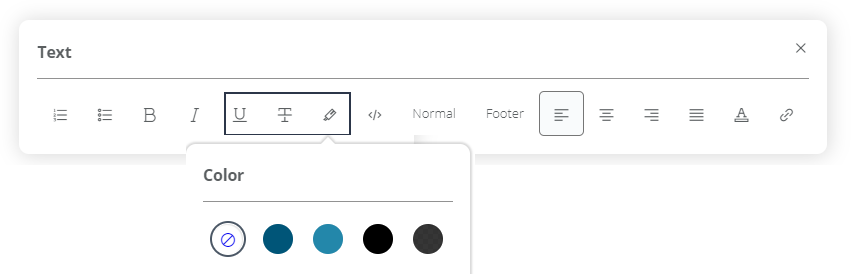
Color selection for text modifier
- Dominant language
- TypeScript
- Stars
- 545
- Forks
- 360
- PR merge metrics
- No merged PRs in 30d
Description
## Bug description
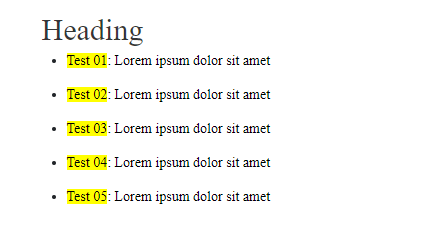
Currently when highlighting text in the editor mode of the DevPortal only yellow is available as color.
In future it should be possible to select the color for the text modificators like "strike-through" and "underline", but most importantly "highlight".
In the end the editor should, for example, be able to highlight code references in sentences more clearly with color coding.
For example:
`*Code with keywords*`
- `keyword1:` explanation
- `keyword2:` explanation
Intended use: similar styling/color to signal the code references.
Right now only the basic modifications are possible.
---
@AnRei123
Contributor guide
No contributing guide indexed for this repository
Research direction
No files, tests, or entry points are named. Start by locating the DevPortal editor's text-modifier and highlight implementation and reproduce the current yellow-only behavior; done means selecting colors for highlighting, strike-through, and underline, with code references rendered distinctly.
Written by the indexing model from the issue text.
Assessment
- Tech stack
- typescript
- Domain
- frontend
- Issue type
- Feature
- Difficulty
- 3/5
- Estimated time
- 1-2 days
- Activity status
- Stale
- Clarity
- Mostly clear
- Newbie friendliness
- 35/100