[ENHANCEMENT] Cluster Name Object (CNO) needs correct permissions to Install-AksHci
- Dominant language
- PowerShell
- Stars
- 118
- Forks
- 63
- PR merge metrics
- No merged PRs in 30d
Description
**Describe the bug**
If the CNO does not have appropriate permissions in AD to create new objects in its OU, the starting of the CA Generic Service will fail.
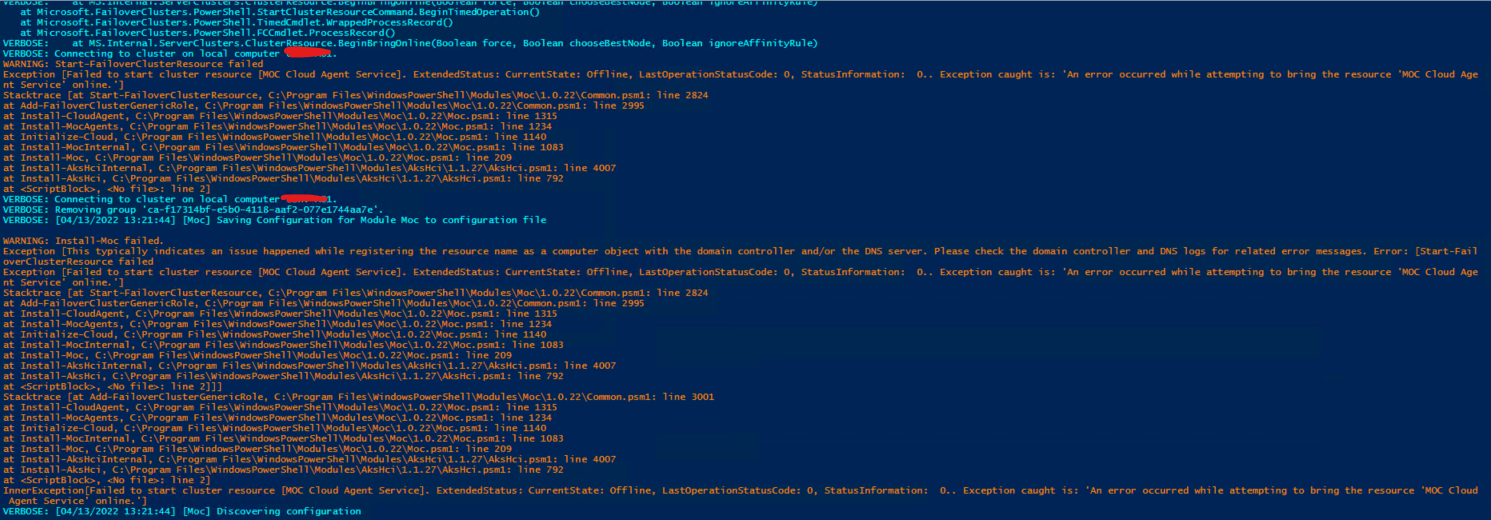
At this point in `Install-AksHci`, the entire process should gracefully fail and clean up. It should then alert the user of potential problems as to why that Resource cannot start, give suggestions as to fixes, and inform the user to run `Uninstall-AksHci` to cleanup anything.
In the interim, some of this should be added to AD Requirements page:
https://docs.microsoft.com/en-us/azure-stack/aks-hci/system-requirements?tabs=allow-table#active-directory-requirements
**To Reproduce**
Run `Install-AksHci` on a cluster who's CNO is located in a different OU than default.
Alternatively, run the following raw commands, taken from `Add-FailoverClusterResource` cmdlet inside **Moc Common.psm1**:
```
$clusterGroupName = "ErnieTestGroup"
$staticIpCidr = "172.23.16.89/24"
$subnetMask = "255.255.255.0"
# 0 - Prerequisite
Add-ClusterGroup -Name $clusterGroupName -GroupType GenericService -ErrorAction Stop | Out-Null
$dnsName = Add-ClusterResource -Name "$clusterGroupName" -ResourceType "Network Name" -Group $clusterGroupName -ErrorAction Stop
$dnsName | Set-ClusterParameter -Multiple @{"Name"="$clusterGroupName";"DnsName"="$clusterGroupName"} -ErrorAction Stop
# 1.b Static IP Case
$staticIpCidrArray = $staticIpCidr.Split("/") #Split a string of format x.x.x.x/pp to an array of x.x.x.x and pp
if ($staticIpCidrArray.Length -eq 1)
{
$prefixLength = Get-ClusterNetworkPrefixForIp -IpAddress $staticIpCidrArray[0]
}
else
{
$prefixLength = $staticIpCidrArray[1]
}
# Commenting this out as we hardcoded subnet mask above
#$subnetMask = Get-Ipv4MaskFromPrefix -PrefixLength $prefixLength
$IPResourceName = "IPv4 Address $($staticIpCidrArray[0])"
$IPAddress = Add-ClusterResource -Name $IPResourceName -ResourceType "IP Address" -Group $clusterGroupName -ErrorAction Stop
$IPAddress | Set-ClusterParameter -Multiple @{"Address"=$staticIpCidrArray[0];"SubnetMask"=$subnetMask;"EnableDhcp"=0} -ErrorAction Stop
Add-ClusterResourceDependency -Resource "$clusterGroupName" -Provider $IPResourceName -ErrorAction Stop | Out-Null
try
{
# This fails
Start-FailoverClusterResource -resourceName $IPResourceName -waitTimeMinutes 5
}
catch
{
$errorMessage = Write-ModuleEventException -message "Start-FailoverClusterResource failed." -exception $_ -moduleName $global:MocModule
Remove-ClusterGroup -Name $clusterGroupName -RemoveResources -Force -ErrorAction Ignore
throw $([System.Exception]::new([System.String]::Format([System.Globalization.CultureInfo]::InvariantCulture, $GenericLocMessage.comm_invalid_ip_address, $($staticIpCidrArray[0]), $errorMessage), $_.Exception))
}
```
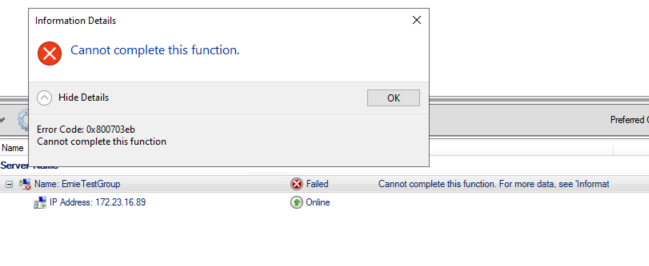
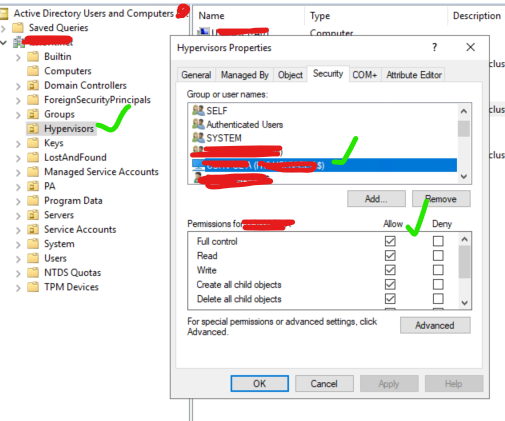
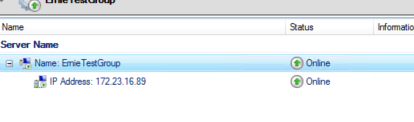
By adding the CNO with Full Control permission (probably _way_ too much, but for now who cares), it allows the Resource to start up:
**Expected behavior**
Graceful termination of install with some information to help users.
Examples and workarounds on Docs page.
Contributor guide
Assessment
This issue has not been assessed yet.