No consent popup and website empty
- Dominant language
- PowerShell
- Stars
- 524
- Forks
- 610
- PR merge metrics
- No merged PRs in 30d
Description
I have been attempting to deploy this to my WVD environment, but I never get a consent popup after deployment when I access the URL I have created. It opens an empty Windows Virtual Desktop management web site. I cannot log in or out of it or do anything with it other than refresh the page.
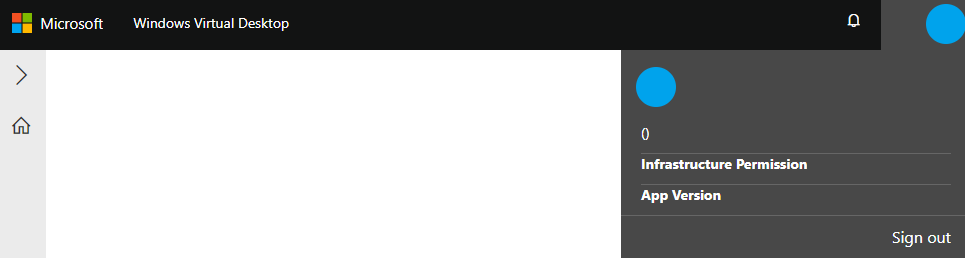
I have deleted the objects created by the deployment and recreated them several times to no avail. I am using the service principal to deploy that I created to deploy my WVD environment. IsServicePrincipal is set to true for the deployment. I am deploying to the North Central US region into the same Resource Group where my WVD deployment exists. Please let me know if it is anything I am doing wrong. Thanks in advance!
Contributor guide
No contributing guide indexed for this repository
Research direction
Start by reviewing the deployment parameters and service-principal settings, especially IsServicePrincipal, then compare the deployed objects in the North Central US resource group with the WVD deployment flow. Reproduce the deployment and verify that the site shows the consent popup and provides usable login and logout controls.
Written by the indexing model from the issue text.
Assessment
- Tech stack
- azure, powershell
- Domain
- cloud, devops
- Issue type
- Bug
- Difficulty
- 4/5
- Estimated time
- 3-5 days
- Activity status
- Stale
- Clarity
- Needs clarification
- Newbie friendliness
- 25/100