Automattic / Automattic/wp-calypso
Add a dropdown list for category selection on Blog Posts Block
- Dominant language
- TypeScript
- Stars
- 12.6k
- Forks
- 2k
- Avg merge
- 1d 17h
- Merged PRs (30d)
- 552
Description
### What
When users click the selection box to add categories to the Blog Posts Block, include a dropdown of all existing categories with the option to type the name in order to sort them.
### Why
When users click the selection box to add categories to the Blog Posts Block, nothing happens. They must start typing the name of a category in order to select it. This is unintuitive and can cause confusion. It can also make it difficult if you have numerous categories and can't remember every category you wish to include since it will only show the ones corresponding to the characters you type.
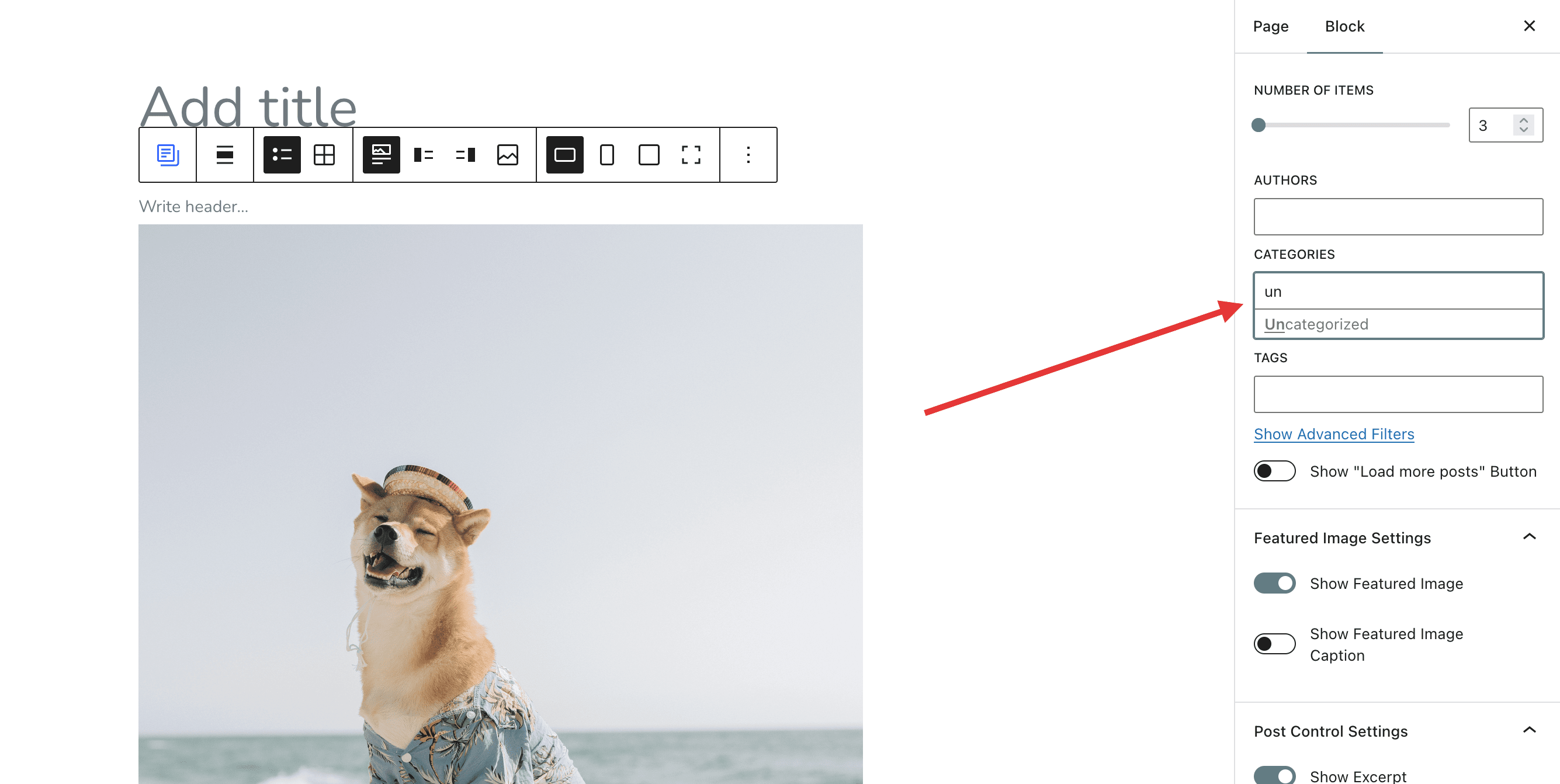
Corresponding user chat: 37270798-hc
### How
Just a simple dropdown similar to the existing one but with all available categories.
Contributor guide
Research direction
No file or test is named. Start at the Blog Posts Block category-selection control and trace how categories are loaded and filtered; done means clicking the control shows all existing categories while still allowing typing to narrow the list.
Written by the indexing model from the issue text.
Assessment
- Tech stack
- react, typescript
- Domain
- frontend
- Issue type
- Feature
- Difficulty
- 3/5
- Estimated time
- 1-2 days
- Activity status
- Stale
- Clarity
- Mostly clear
- Newbie friendliness
- 35/100