Automattic / Automattic/wp-calypso
Signup: Password hide/show toggle interferes with Safari's password tools
- Dominant language
- TypeScript
- Stars
- 12.6k
- Forks
- 2k
- Avg merge
- 1d 17h
- Merged PRs (30d)
- 552
Description
### Quick summary
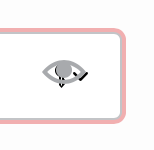
When creating a new account at `https://wordpress.com/start/user` the little "eye" icon (which hides/shows the password text) interferes with Safari's password management. This makes it hard to use my stored passwords, or have Safari suggest a new password when creating an account.
### Steps to reproduce
Goto `https://wordpress.com/start/user` using Safari and try to open the password dropdown.
### What you expected to happen
I expected to see Safari's list of existing passwords or the ability to create a new password.
### What actually happened
Instead, the "eye" icon makes it impossible to use Safari's password tools — toggling the display of my password in the field.
### Context
_No response_
### Browser
Apple Safari
### Simple/Atomic
_No response_
### Other notes
_No response_
### Reproducibility
Consistent
### Severity
Some (< 50%)
### Available workarounds?
_No response_
### Workaround details
_No response_
Contributor guide
Research direction
Start by reproducing the issue at https://wordpress.com/start/user in Apple Safari, then trace the signup password field and its hide/show toggle. Done means Safari's existing-password and suggested-password tools can be opened and used while the password toggle still works.
Written by the indexing model from the issue text.
Assessment
- Tech stack
- react, typescript
- Domain
- authentication, frontend
- Issue type
- Bug
- Difficulty
- 3/5
- Estimated time
- 1-2 days
- Activity status
- Stale
- Clarity
- Mostly clear
- Newbie friendliness
- 35/100