Automattic / Automattic/simplenote-macos
Weird behavior when typing asterisks ("*")
- Dominant language
- Swift
- Stars
- 1.6k
- Forks
- 172
- Avg merge
- 11h 17m
- Merged PRs (30d)
- 3
Description
### Disclaimer
First of all, I wish I knew how to solve this bug. I'm a beginner-level programmer, but I have zero experience on Electron or Swift, that's why I decided to open this issue.
### Expected
When I type, for example, three asterisks in a row and then I hit Enter/Return, I expect it to show three asteriks and then take me to the next line.
### Observed
Instead, Simplenote for macOS (either Mojave and Catalina) shows 3 asterisks in the first line, and 1 extra asterisk in the next line.
### Reproduced
> 1. Open Simplenote
> 2. Open a new note (or start a new line)
> 3. Type one or more asterisks
> 4. Hit enter
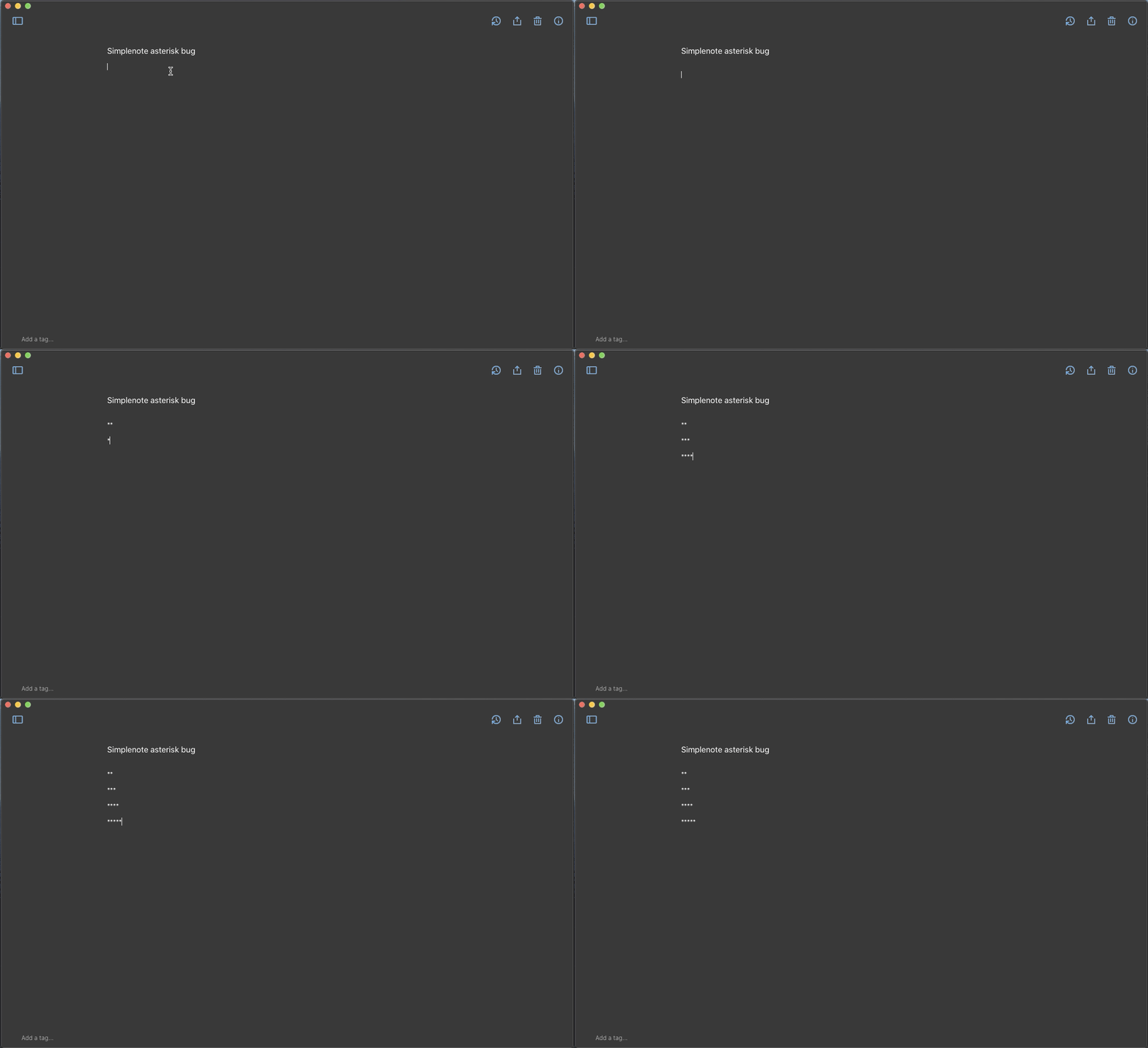
Make|Model|macOS Version|App Version
-|-|-|-
SYSTEM_MAKE|MacBook Air (Late 2015)|macOS 10.15.3 (Catalina) | Simplenote 1.9.1
Contributor guide
Research direction
Reproduce the asterisk and Return-key behavior in Simplenote for macOS using the listed macOS and app versions. No source file, test, or entry point is named; trace the macOS text-input handling and confirm that the extra asterisk no longer appears on the next line.
Written by the indexing model from the issue text.
Assessment
- Tech stack
- swift
- Domain
- desktop
- Issue type
- Bug
- Difficulty
- 3/5
- Estimated time
- 1-2 days
- Activity status
- Stale
- Clarity
- Mostly clear
- Newbie friendliness
- 35/100