Automattic / Automattic/simplenote-macos
Nested list adds new line space in Markdown Preview
- Dominant language
- Swift
- Stars
- 1.6k
- Forks
- 172
- Avg merge
- 11h 17m
- Merged PRs (30d)
- 3
Description
### Expected
Creating a list in markdown will render the same as the original list.
### Observed
After a nested list item, there is a new line added by the preview.
### Reproduced
1. Open a note
2. Create a markdown formatted list with dash or asterisk.
3. Have a nested item and other list items
### Screenshot and a gif
#### Markdown (from user)

#### Preview (from user)
Note the gap between the first nested items and the second list item

#### Gif
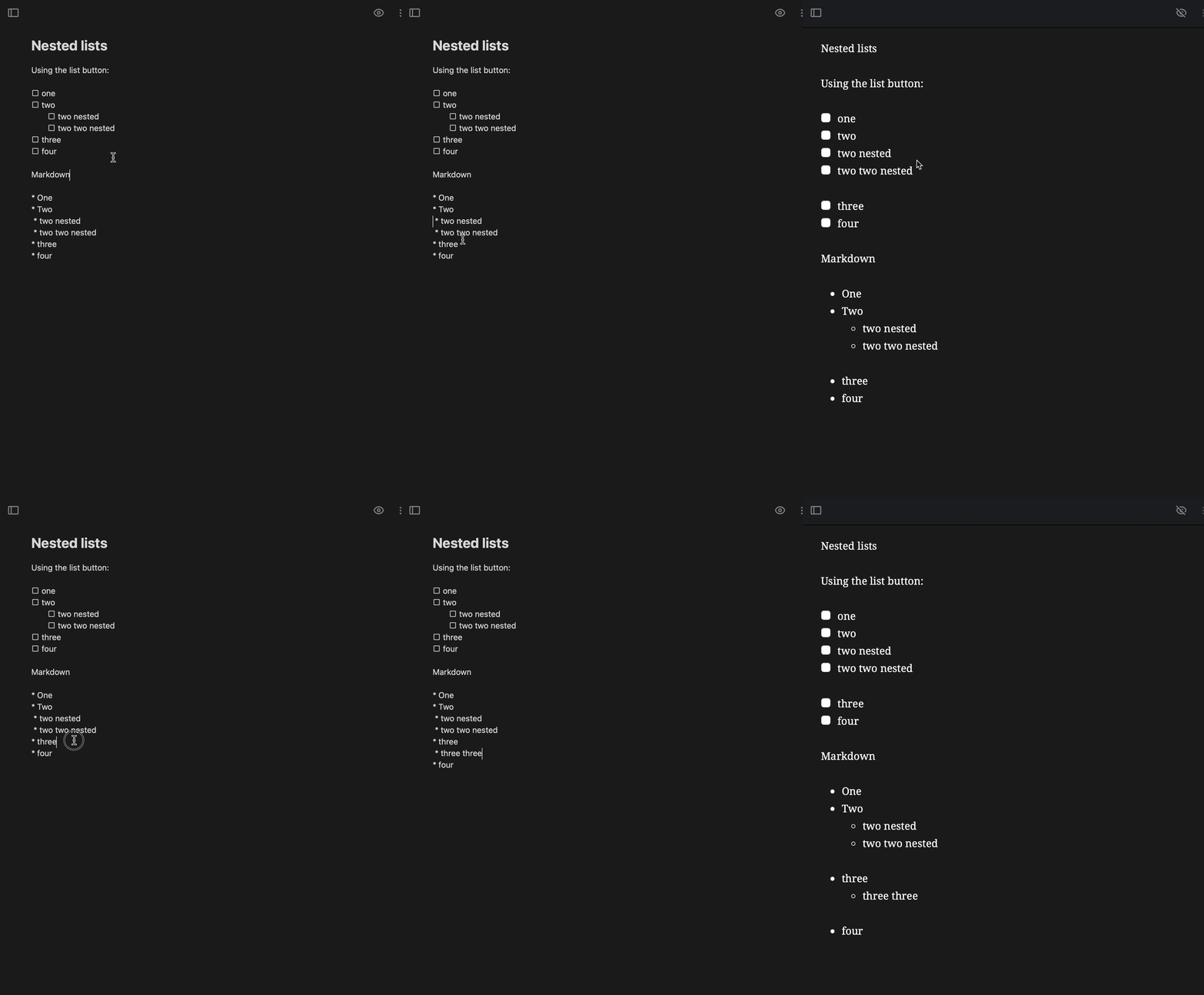
Identical to iOS here -
https://github.com/Automattic/simplenote-ios/issues/245
Make|Model|macOS Version|App Version
-|-|-|-
Apple | iMac | 11.6 Big Sur | 2.17
Contributor guide
Research direction
Reproduce the issue in the macOS app using the listed steps: create a Markdown list with a nested item and subsequent list items, then compare the preview with the source and screenshots. Done means nested lists render without the extra line space; the payload does not identify a source file or test to run.
Written by the indexing model from the issue text.
Assessment
- Tech stack
- swift
- Domain
- desktop
- Issue type
- Bug
- Difficulty
- 3/5
- Estimated time
- 1-2 days
- Activity status
- Stale
- Clarity
- Mostly clear
- Newbie friendliness
- 30/100