Automattic / Automattic/simplenote-macos
Dark Mode: code block is not dark in note preview
- Dominant language
- Swift
- Stars
- 1.6k
- Forks
- 172
- Avg merge
- 11h 17m
- Merged PRs (30d)
- 3
Description
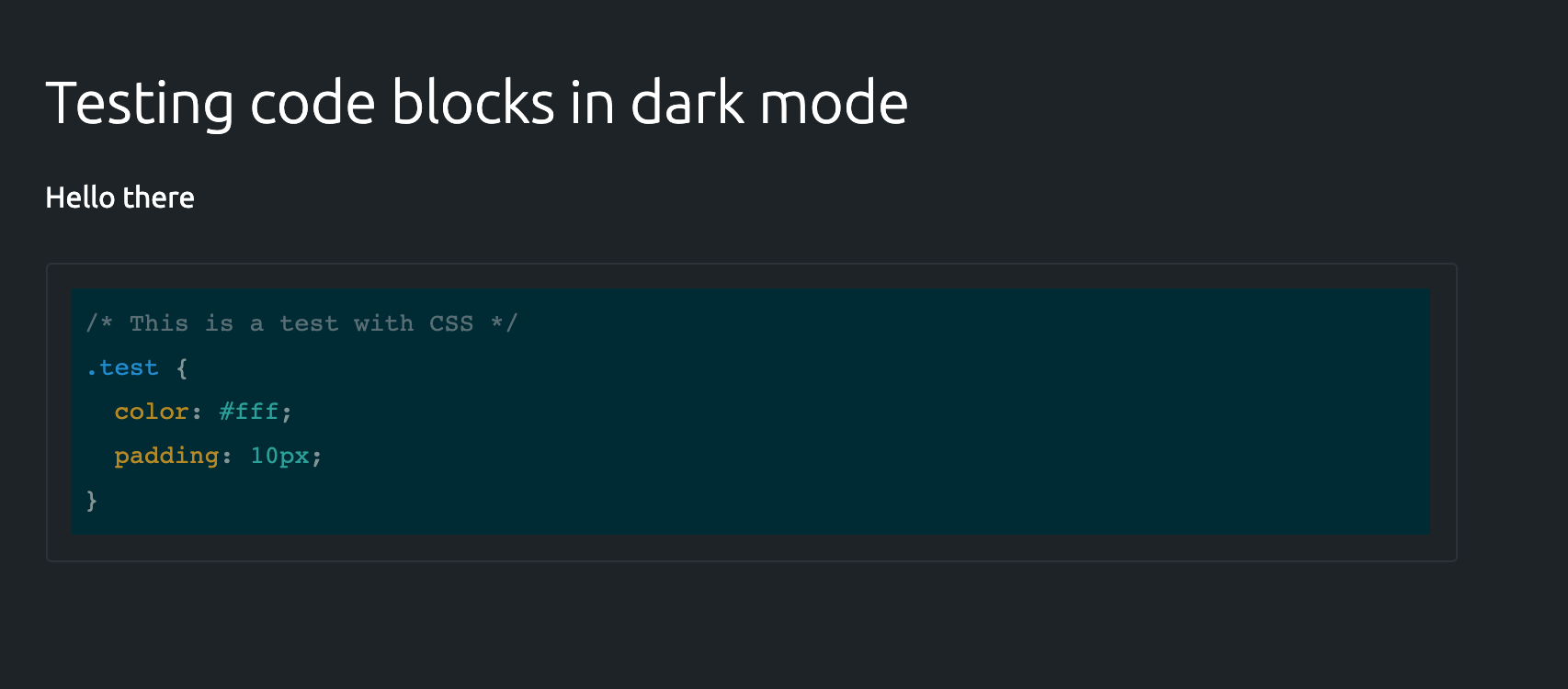
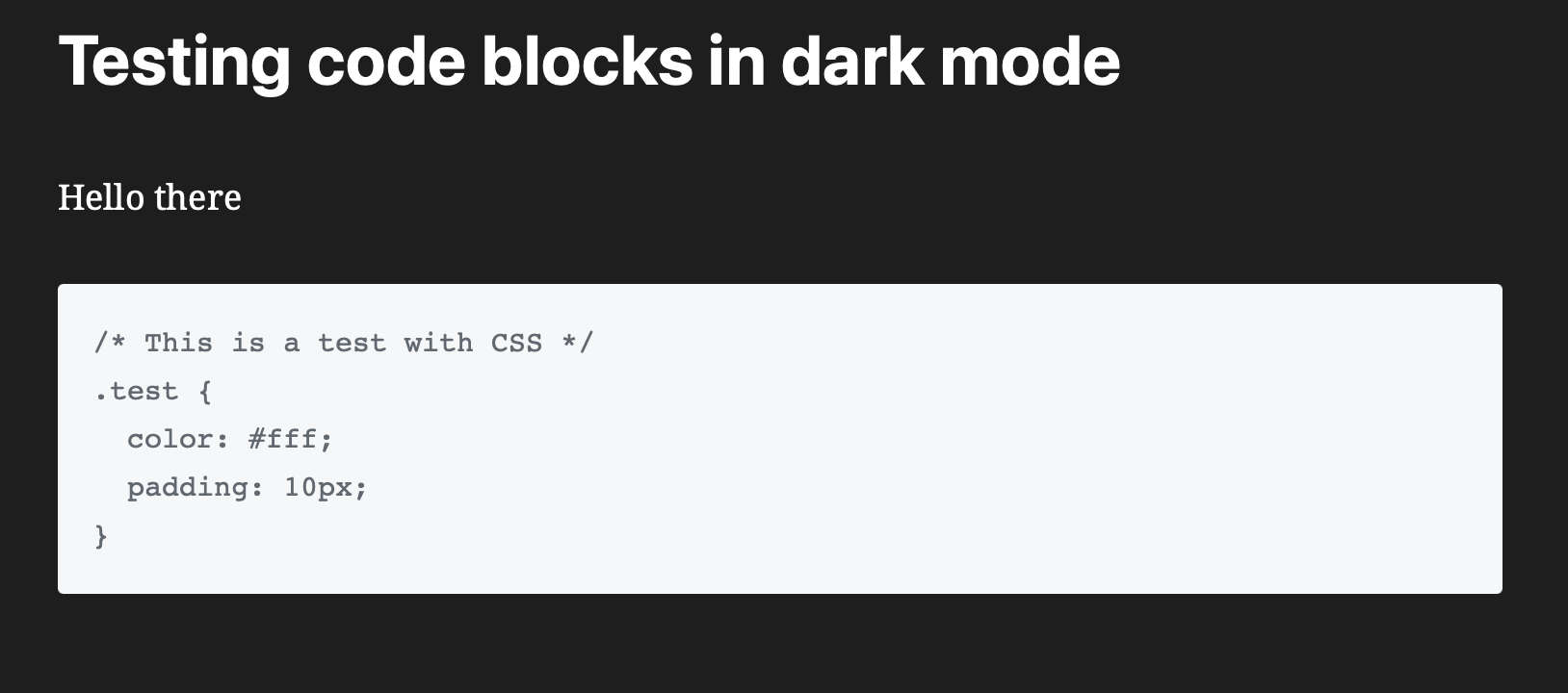
When using dark mode, the preview note option in the web app shows a nice dark color scheme for code blocks. The same does not happen when previewing the note from the MacOS app instead.
### Expected
To see code blocks in a dark color scheme like we do in the web app:
### Observed
Code blocks are not changed at all:
### Reproduced
1. Add a code block to a note
2. Change the theme to dark
3. Choose to preview the note
#### Internal reference: p1616480324000200-slack-C0133BTEDLJ
Contributor guide
Research direction
Reproduce the issue in the macOS app by adding a code block, switching to dark mode, and previewing the note. Find the note preview rendering entry point and compare its code-block styling with the expected web-app behavior; done means code blocks use a dark color scheme in macOS preview.
Written by the indexing model from the issue text.
Assessment
- Tech stack
- swift
- Domain
- desktop
- Issue type
- Bug
- Difficulty
- 3/5
- Estimated time
- 1-2 days
- Activity status
- Stale
- Clarity
- Mostly clear
- Newbie friendliness
- 35/100