Automattic / Automattic/simplenote-ios
Can scroll sidebar while dragging it closed
- Dominant language
- Swift
- Stars
- 2.2k
- Forks
- 297
- Avg merge
- 13h 25m
- Merged PRs (30d)
- 6
Description
### Expected
I expect to be able to _either_ scroll the sidebar up/down or drag the sidebar open/closed.
### Observed
I can scroll the sidebar up/down _while_ I drag the sidebar open/closed. This only happens when I start both actions at the same time. (If I scroll first and then try to drag, or drag first and then try to scroll, it doesn't happen.)
### Reproduced
1. Open the sidebar.
2. Swipe at a diagonal that starts a sideways motion and an up or down motion at the same time. This starts both the scroll and swipe-to-close actions simultaneously.
3. Continue holding your finger down as you scroll up/down or drag left/right, and note that both actions happen.
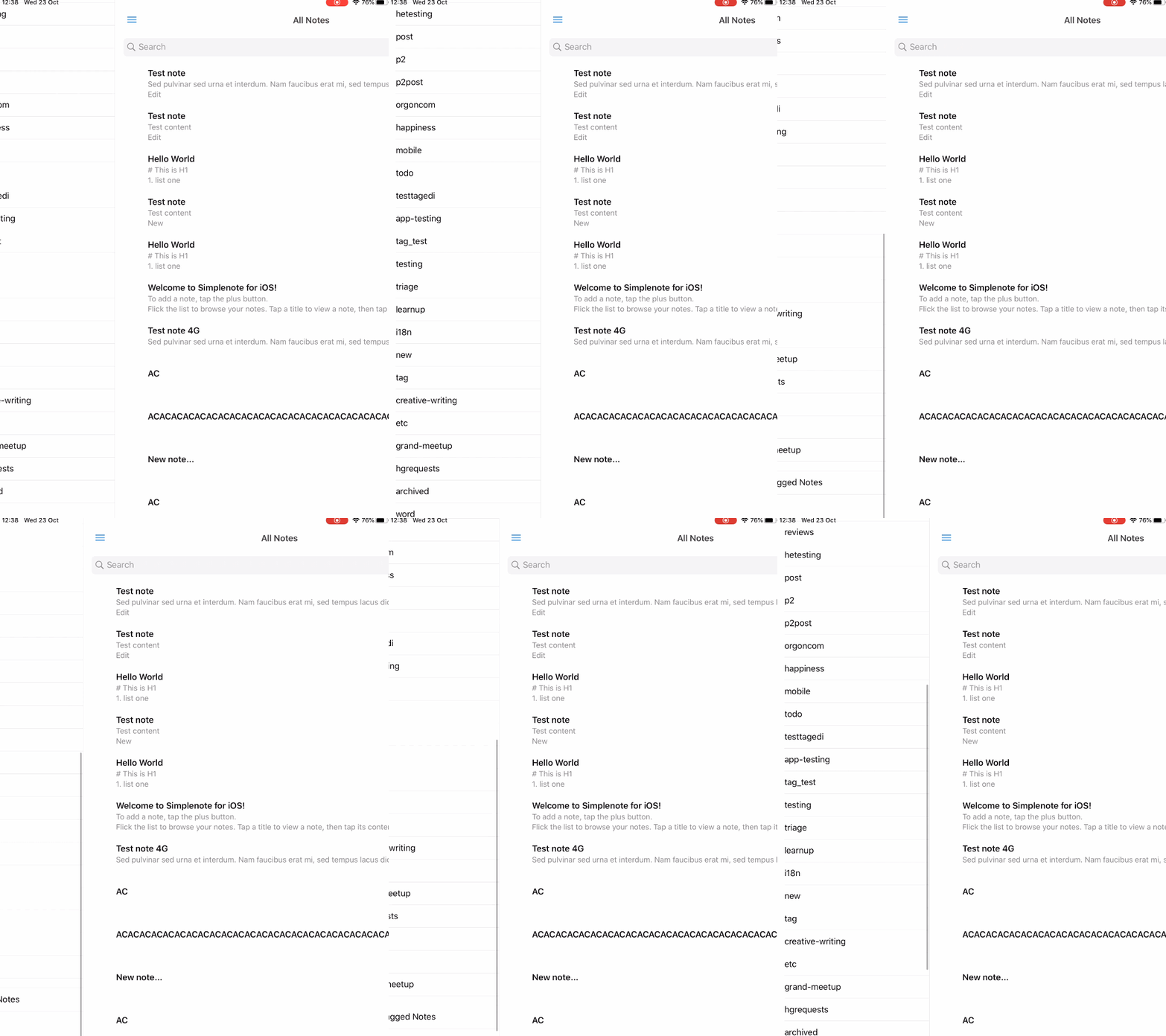
Make|Model|iOS Version|App Version
-|-|-|-
Apple|iPad Mini|13.1.2|4.12.0.1 beta
Contributor guide
Research direction
Start by reproducing the diagonal swipe on the iPad sidebar described in the issue, using the listed iOS and app versions if available. Trace the sidebar's scroll and swipe-to-close entry points, then verify that a diagonal gesture activates only one action rather than both.
Written by the indexing model from the issue text.
Assessment
- Tech stack
- swift
- Domain
- mobile
- Issue type
- Bug
- Difficulty
- 3/5
- Estimated time
- 1-2 days
- Activity status
- Stale
- Clarity
- Mostly clear
- Newbie friendliness
- 42/100