Automattic / Automattic/simplenote-ios
Markdown live preview
- Dominant language
- Swift
- Stars
- 2.2k
- Forks
- 297
- Avg merge
- 13h 25m
- Merged PRs (30d)
- 6
Description
Currently when markdown is enabled in the editor, the user has to flip to preview mode in order to see how their marked-up text renders:
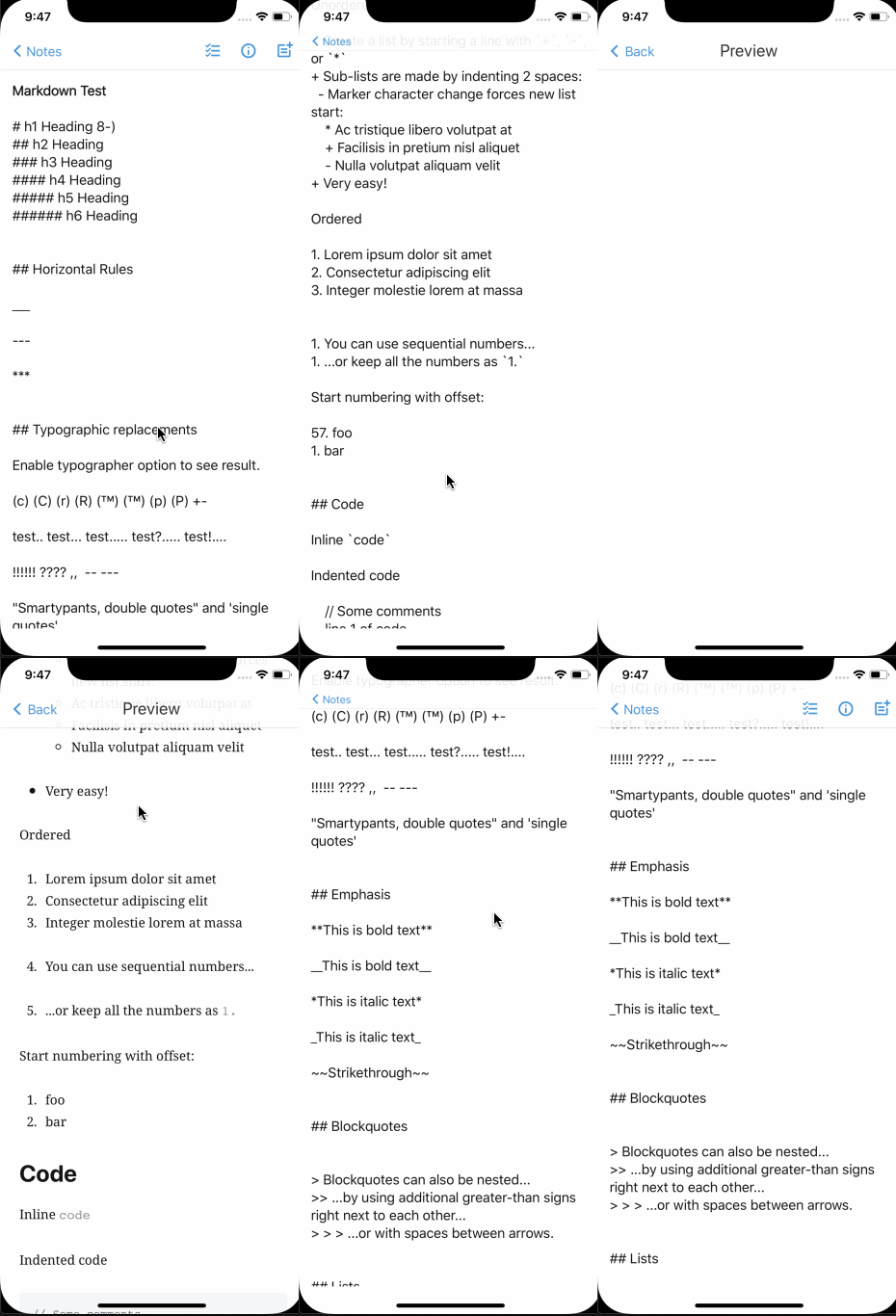
This dual-mode experience presents a few issues:
* Swiping left from the editor screen is not intuitive/obvious
* Many users continually flip back and forth between modes while editing
* (Subjective) Markdown markup doesn't look as nice as already-formatted text
* Users coming from more traditional editors (Notes.app, Word, etc) are not used to this
* The markup causes the user to lose focus on their content
So, my suggestion here is that we implement a live markdown preview where markup is rendered in real time. At the lowest levels, notes are still markdown...stored exactly as they are today. There are a few editors that already do this — a great example is [Typora](https://typora.io/).
Additionally, this new mode could be a global (and/or note-level) setting (on by default) that users can disable if they prefer the "classic" Simplenote editor experience.
Ref: https://github.com/Automattic/simplenote-macos/issues/326
Contributor guide
Research direction
Start by reviewing the Simplenote iOS editor and the referenced simplenote-macos issue 326 to understand the existing markdown and preview modes. Define how live rendering should behave while preserving markdown storage, then determine the scope of the global or note-level setting and validate the experience on iOS.
Written by the indexing model from the issue text.
Assessment
- Tech stack
- swift
- Domain
- frontend, mobile
- Issue type
- Feature
- Difficulty
- 5/5
- Estimated time
- Over a week
- Activity status
- Quiet
- Clarity
- Mostly clear
- Newbie friendliness
- 35/100