Automattic / Automattic/simplenote-electron
Web app: High storage usage on browser (Google Chrome)
- Dominant language
- TypeScript
- Stars
- 5.3k
- Forks
- 588
- Avg merge
- 9h 45m
- Merged PRs (30d)
- 4
Description
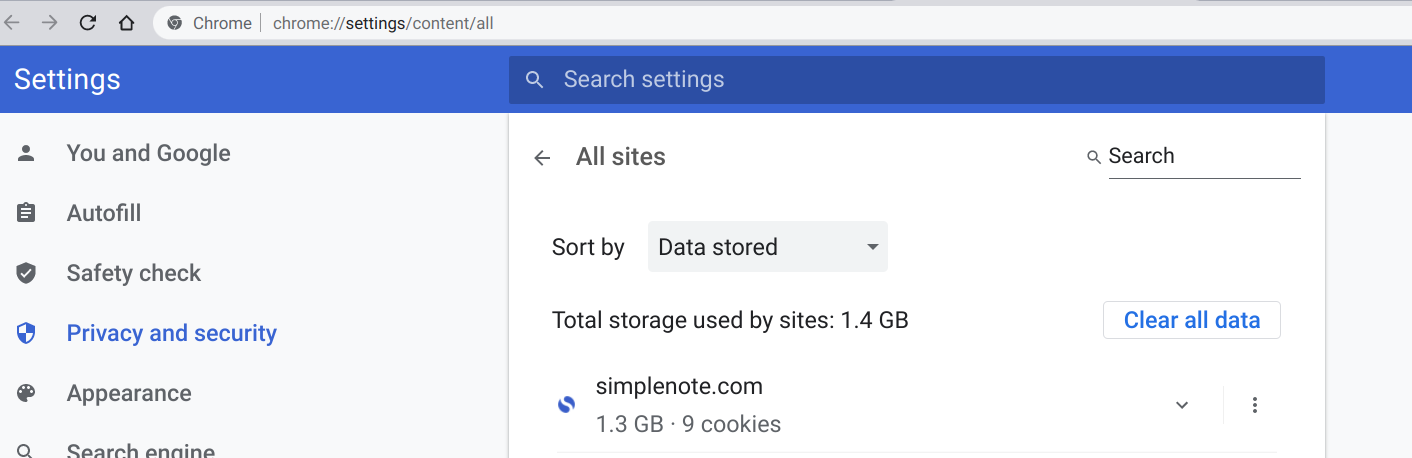
Reported in 4461980-zd-woothemes. The user has 33 notes under their Simplenote account but the storage used on Google Chrome is over 1 GB.
### Expected
The user expects that the storage used by the web app will not be that high since they have only 33 notes under their account.
### Observed
The total storage used on Google Chrome for the web app is over 1 GB.
### Reproduced
The user performed some tests:
```
I made a simple test. I cleared the local storage for
app.simplenote.com, and started using the web app a little. I went to
a note, kept adding and deleting lines, and the storage started
growing again. In 1-2 minutes it was already 1.7Mb. Maybe it's saving
all file changes locally? I don't know, but since I was actively using
simplenote yesterday, it's no wonder it became 1.3Gb.
I started randomly clicking on my notes just to view them, and the
data storage starting growing, but it didn't exceed 5Mb. Then again, I
didn't perform much testing.
```
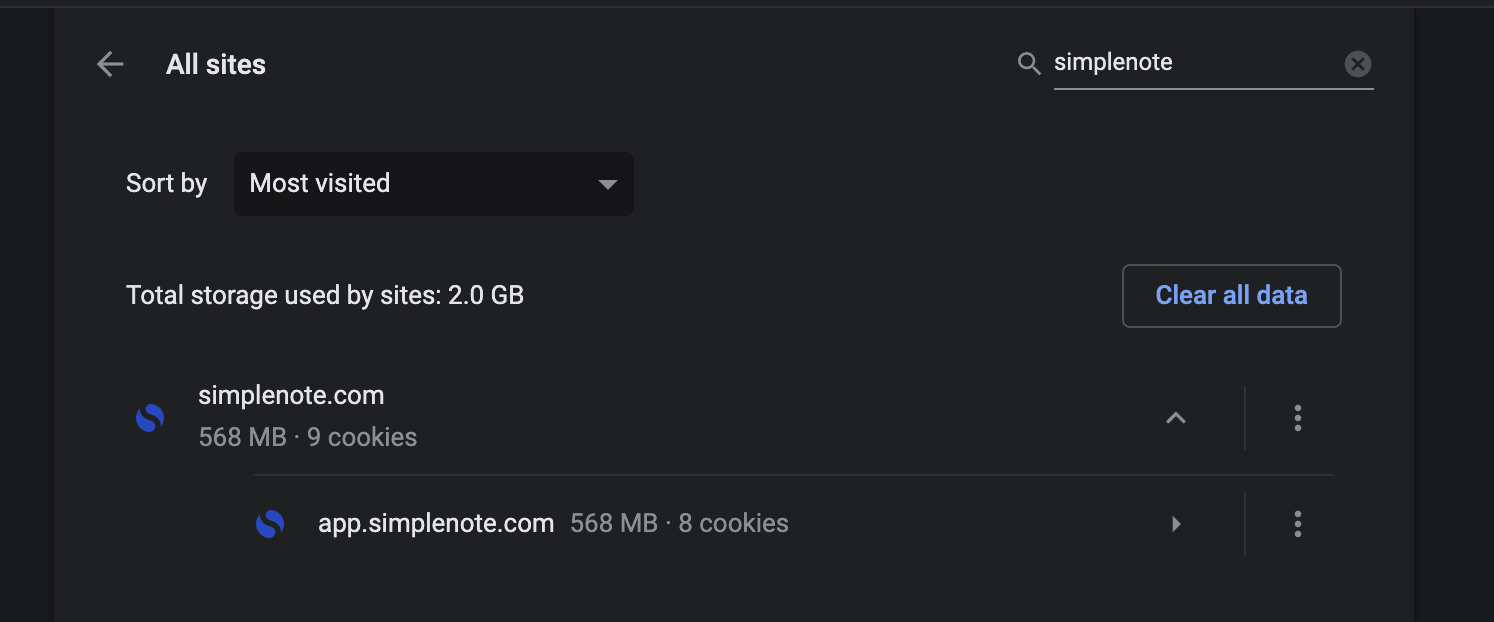
I'm using the web app on Google Chrome (Version 96.0.4664.55 (Official Build) (x86_64)) with only 35 notes and I'm seeing high local storage used too.
### Where did you see the bug
- System Make: Dell
- System Model: Chromebook 11 3120 (CANDY) BayTrail
- OS: Chrome OS
- OS version: 93
- Browser (if applicable): Google Chrome
- Browser version (if applicable): 93.0.4577.107
- Simplenote app version: 2.19.1 (web app)
Contributor guide
Research direction
No source files, tests, or entry points are named. Start by reproducing the report in Google Chrome with a small set of notes, then compare browser storage while editing, deleting, and viewing notes. Done means identifying the source of the unexpected growth and confirming storage remains reasonable during those actions.
Written by the indexing model from the issue text.
Assessment
- Tech stack
- typescript
- Domain
- frontend, performance
- Issue type
- Bug
- Difficulty
- 4/5
- Estimated time
- 3-5 days
- Activity status
- Stale
- Clarity
- Needs clarification
- Newbie friendliness
- 35/100