Automattic / Automattic/simplenote-electron
[Accessibility] VoiceOver focus gets trapped in semaphore buttons after hover
- Dominant language
- TypeScript
- Stars
- 5.3k
- Forks
- 588
- Avg merge
- 9h 45m
- Merged PRs (30d)
- 4
Description
_Only for Electron on macOS_
### Expected
The interaction with app's semaphore should be similar to some native apps experience (e.g. take macOS `Settings` for example).
The scenario described below does not occur with native apps and with some Electron apps I've tried (Spotify and GH Desktop). As soon as one of the semaphore buttons looses focus, VoiceOver should 'forget' about it.
### Observed
This is reproducible with the following setting selected in VoiceOver Utility:
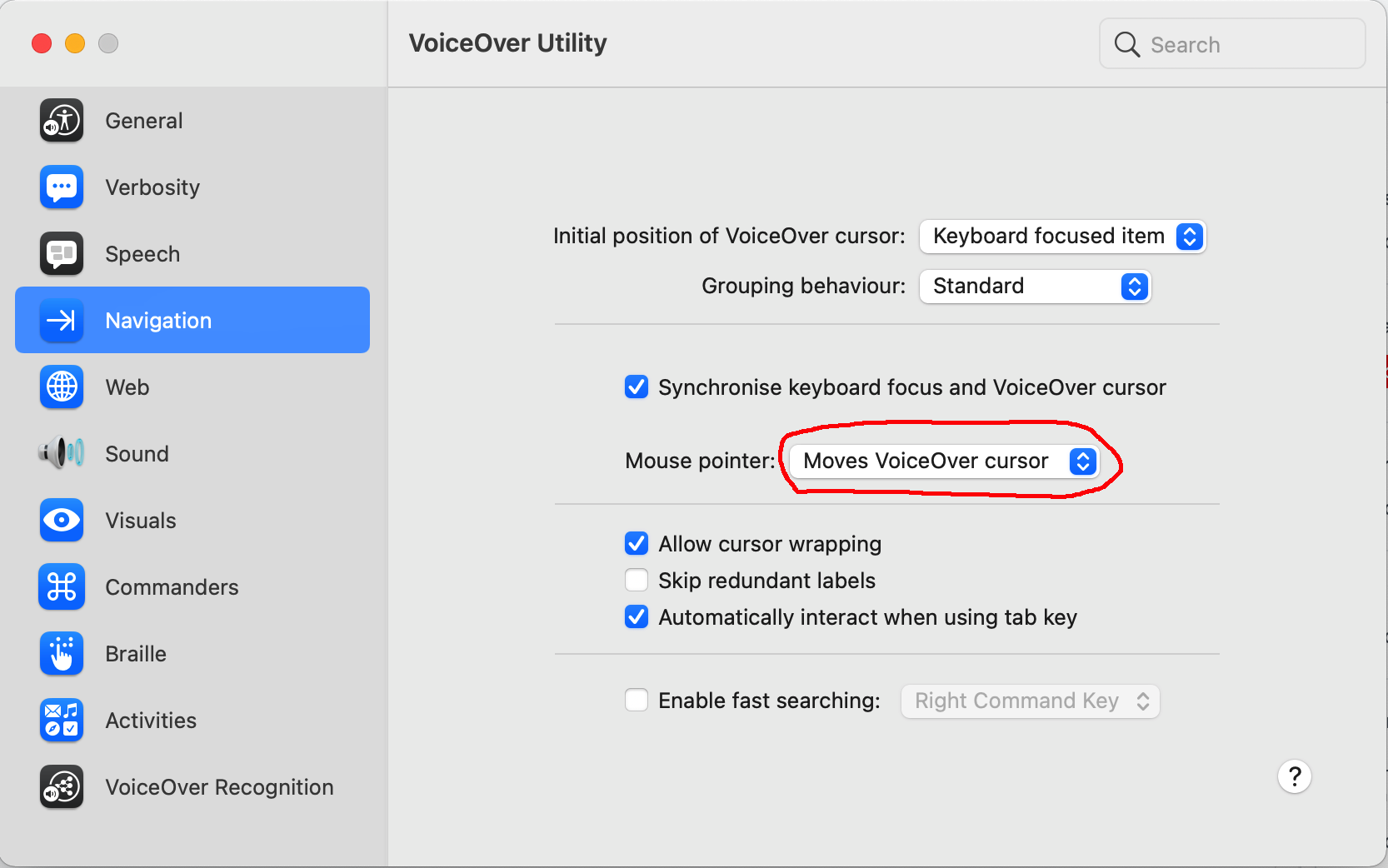
See the video. As soon as the pointer hovers above one of the semaphore buttons (take `close` button for example), the focus gets trapped there, and even after clicking other controls, it will remain there (e.g. second 22, note the VoiceOver memo):
https://user-images.githubusercontent.com/73365754/112197888-39fcc200-8c15-11eb-8145-18c903d9b413.mov
Note that the VoiceOver grey box shows this even after opening `Shortcuts` dialog:

### Reproduced
1. Open `VoiceOver Utility` ~> `Navigation` ~> enable `Synchronize keyboard focus and VoiceOver cursor` and select `Mouse pointer: Moves VoiceOver cursor`
2. Enable VoiceOver in Accessibility (macOS `Settings`)
3. Open Simplenote
4. Hover above the semaphore `close` button and note it's focused (with black rectangle), also pay attention to description given by VoiceOver:
5. Click anywhere else in Simplenote (e.g. open `Menu` ~> `Settings`), and note that black rectangle is no longer shown for `close` semaphore button
6. Wait for VoiceOver to finish describing the Settings dialog, and then start describing `close` button again. Pressing the `CapsLock + Space` will close the app (I have CapsLock selected as VoiceOver modifier in Voice Over Utility General)
### Where did you see the bug
- System Model: MBP 16"
- OS: macOS
- OS version: 11.2.3 (Big Sur)
- Simplenote app version: 2.9.0-beta1 Desktop
Contributor guide
Research direction
Reproduce the issue in Simplenote on macOS with VoiceOver Utility set to synchronize keyboard focus and move the VoiceOver cursor with the mouse pointer. Begin with the semaphore close button and the Menu > Settings flow; done means VoiceOver no longer describes or activates the semaphore button after focus moves elsewhere.
Written by the indexing model from the issue text.
Assessment
- Tech stack
- electron, macos
- Domain
- accessibility, desktop
- Issue type
- Bug
- Difficulty
- 4/5
- Estimated time
- 3-5 days
- Activity status
- Stale
- Clarity
- Mostly clear
- Newbie friendliness
- 38/100