Automattic / Automattic/simplenote-electron
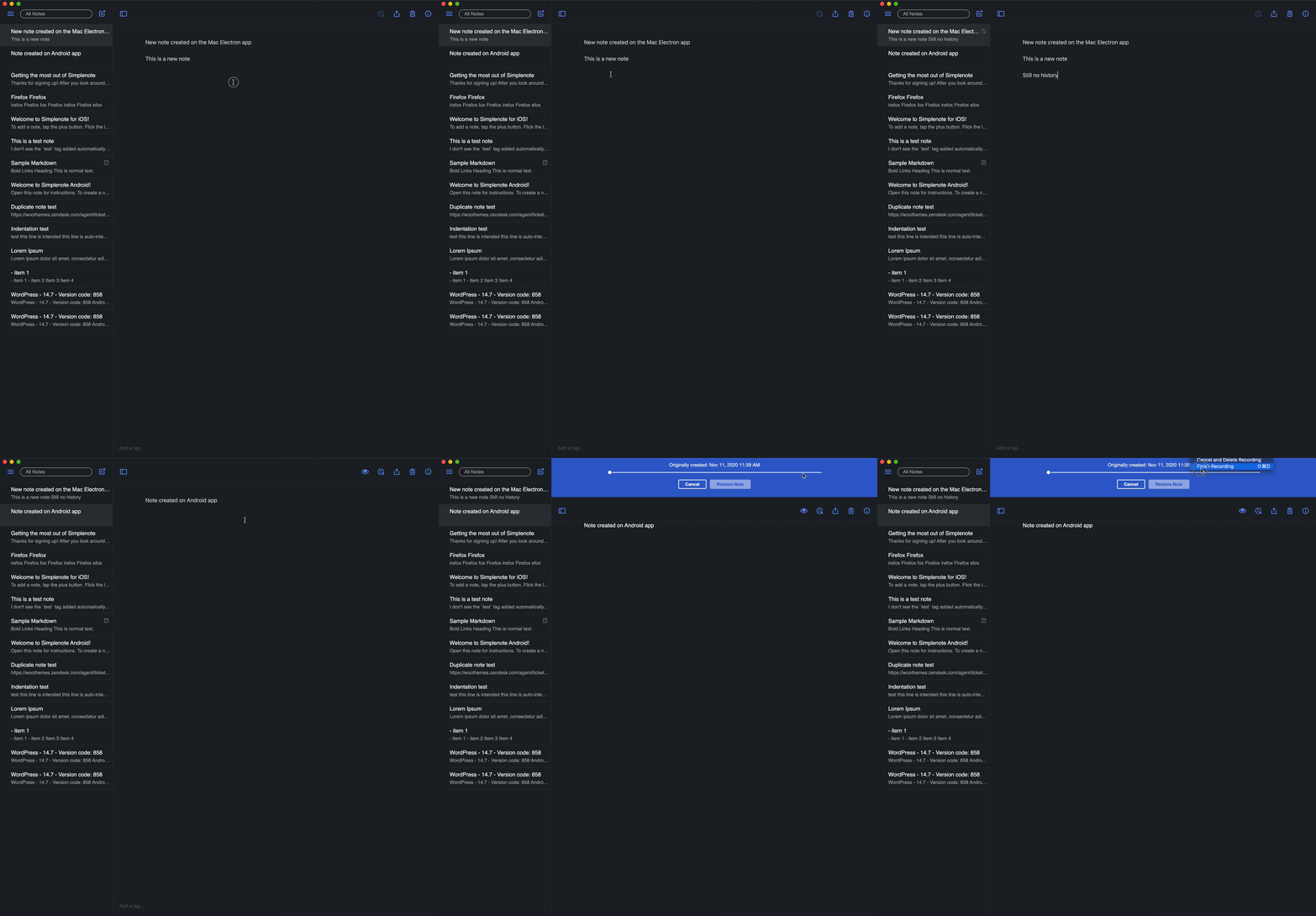
History icon greyed out when the note was created on the Windows app
- Dominant language
- TypeScript
- Stars
- 5.3k
- Forks
- 588
- Avg merge
- 9h 45m
- Merged PRs (30d)
- 4
Description
Reported in 3475633-zen.
> Basically, in a small number of my notes, this History button is greyed out, and the alt text is History (unavailable) when I hover over it.
> I’ve tried a couple of things. If I create a new note in the Android version, history works on that note in the Windows app. If I create a new note in the Windows app, history is unavailable in Windows app but available in the Android app.
### Expected
I would expect the History icon works/clickable for the note created with the Electron app.
### Observed
The History icon greyed out when I created a note with the Electron app. But if I created a note in the Android/iOS apps, I can click on the History icon.
### Reproduced
1. Create a new note with the Electron app.
2. Notice the History icon greyed out.
3. Create a new note with the Android/iOS app.
4. The History icon of the note created in Step 3 can be clicked.
5. Edited the note created in Step 1 with the Android/iOS app, the History icon still greyed out on the Electron app but I was able to access the History of the same note with the Android/iOS app.
### Where did you see the bug
*As reported in 3475633-zen*
- OS: Windows
- OS version: 10 Home version 2004
- Simplenote app version: 2.0
*Reproduced with the following device*
- OS: macOS
- OS version: 10.15.7 (19H2)
- Simplenote app version: 2.0
Contributor guide
Research direction
Start by reproducing the issue in the Electron app using the listed steps, then compare a note created in Electron with one created on Android or iOS. The bug is fixed when the History icon is enabled and opens history for notes created in the Electron app.
Written by the indexing model from the issue text.
Assessment
- Tech stack
- electron, typescript
- Domain
- desktop
- Issue type
- Bug
- Difficulty
- 3/5
- Estimated time
- 1-2 days
- Activity status
- Stale
- Clarity
- Mostly clear
- Newbie friendliness
- 35/100