Automattic / Automattic/simplenote-electron
Web app: Triple-click to select paragraph displays strangely with Arabic text
- Dominant language
- TypeScript
- Stars
- 5.3k
- Forks
- 588
- Avg merge
- 9h 45m
- Merged PRs (30d)
- 4
Description
### Expected
For latin characters/English text, you can triple-click to select a full paragraph. This also works for Arabic in the native Mac Simplenote app. I expected that triple-click would select a paragraph in Arabic on the web app as well.
### Observed
On app.simplenote.com, specifically with Arabic text (and possibly other non-Latin characters), triple-click appears to not work. (Double-click to select a word does work.) It does not show the text selected, HOWEVER it does appear to select it. This is a rough user experience and was reported as the selection not working
### Reproduced
1. Log into app.simplenote.com
2. Add some Arabic text (I used an Arabic lorem ipsum)
3. Triple-click
4. You'll see that it "unselects" after the second click and the cursor jumps to the end of a paragraph instead
5. Hit Ctrl+C and then paste it somewhere.
6. You'll now see that the text was indeed selected, but didn't look like it.
This is the expected behavior, displayed on Simplenote (native) Mac:
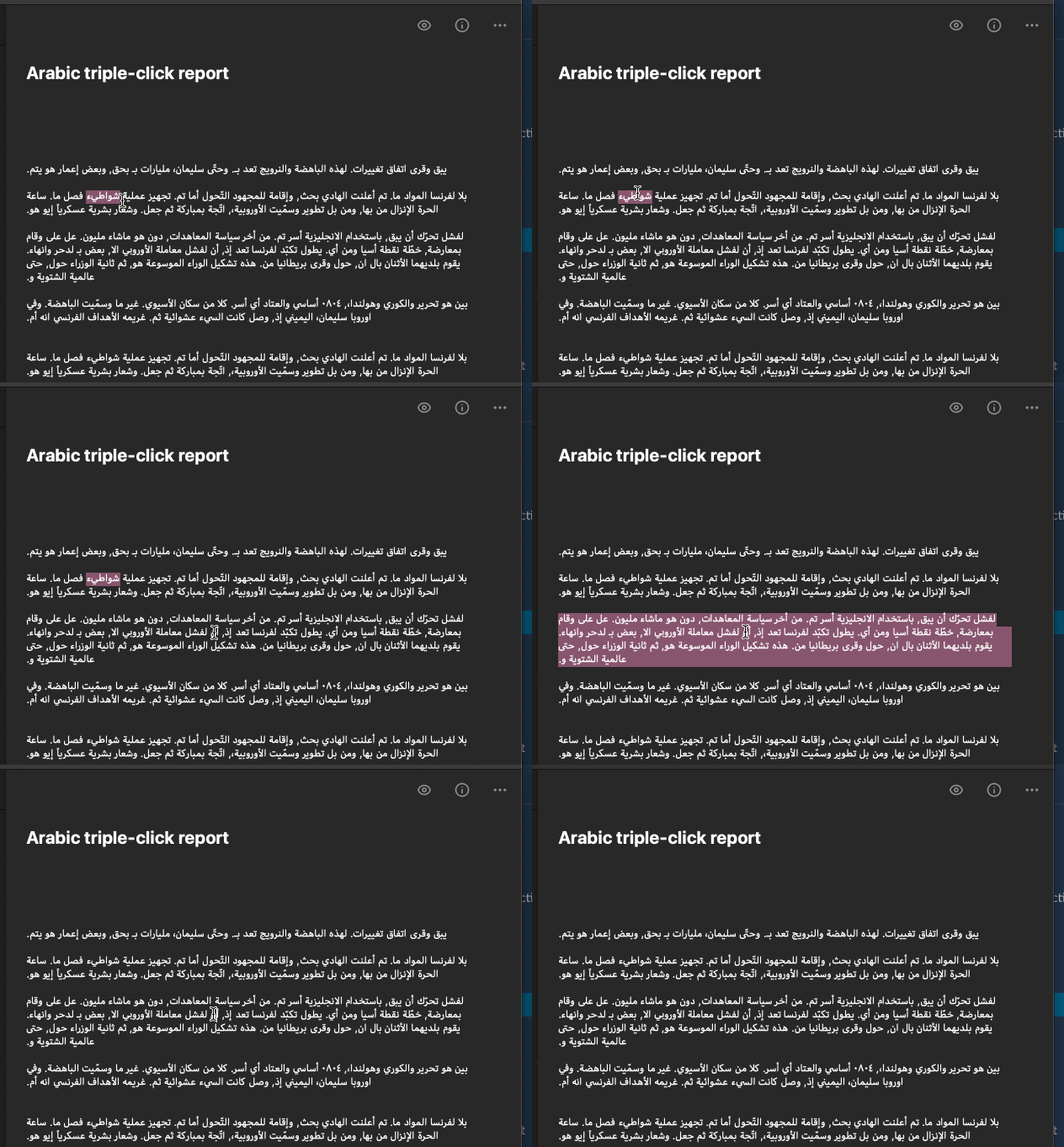
This is what happens on web:

### Where did you see the bug
Simplenote web app, 2.0.0-rc5
Chrome Version 84.0.4147.105
Also replicated in Safari Version 14.0 (14610.1.28.1.9)
Contributor guide
Research direction
Reproduce the issue in the Simplenote web app using Arabic text in Chrome and Safari, then trace the web editor's paragraph-selection behavior. Done means triple-click visibly selects the paragraph and copied text remains correct, matching the native Mac behavior.
Written by the indexing model from the issue text.
Assessment
- Tech stack
- typescript
- Domain
- frontend, internationalization, web-dev
- Issue type
- Bug
- Difficulty
- 3/5
- Estimated time
- 1-2 days
- Activity status
- Stale
- Clarity
- Mostly clear
- Newbie friendliness
- 45/100