Automattic / Automattic/simplenote-android
Email address was broken (ie. it flowed onto two lines) in account deletion dialog
- Dominant language
- Java
- Stars
- 1.9k
- Forks
- 318
- Avg merge
- 15h 23m
- Merged PRs (30d)
- 5
Description
Email address was broken (ie. it flowed onto two lines) in the account deletion dialog even when the email can be placed in one line without breaking it. The email is broken after a dot.
### Expected
The dialog shows the complete email in one line if it fits the dialog.
### Observed
The email is broken onto two lines even if it fits one line of the dialog.
### Reproduced
Note: try a long email account.
1. Go to Settings on the left panel's menu
2. Scroll down and tap on `Delete Account`
3. Tap to confirm account deletion
4. Email is broken after dots in the dialog even after rotation when the dialog has enough space to hold the email in one line
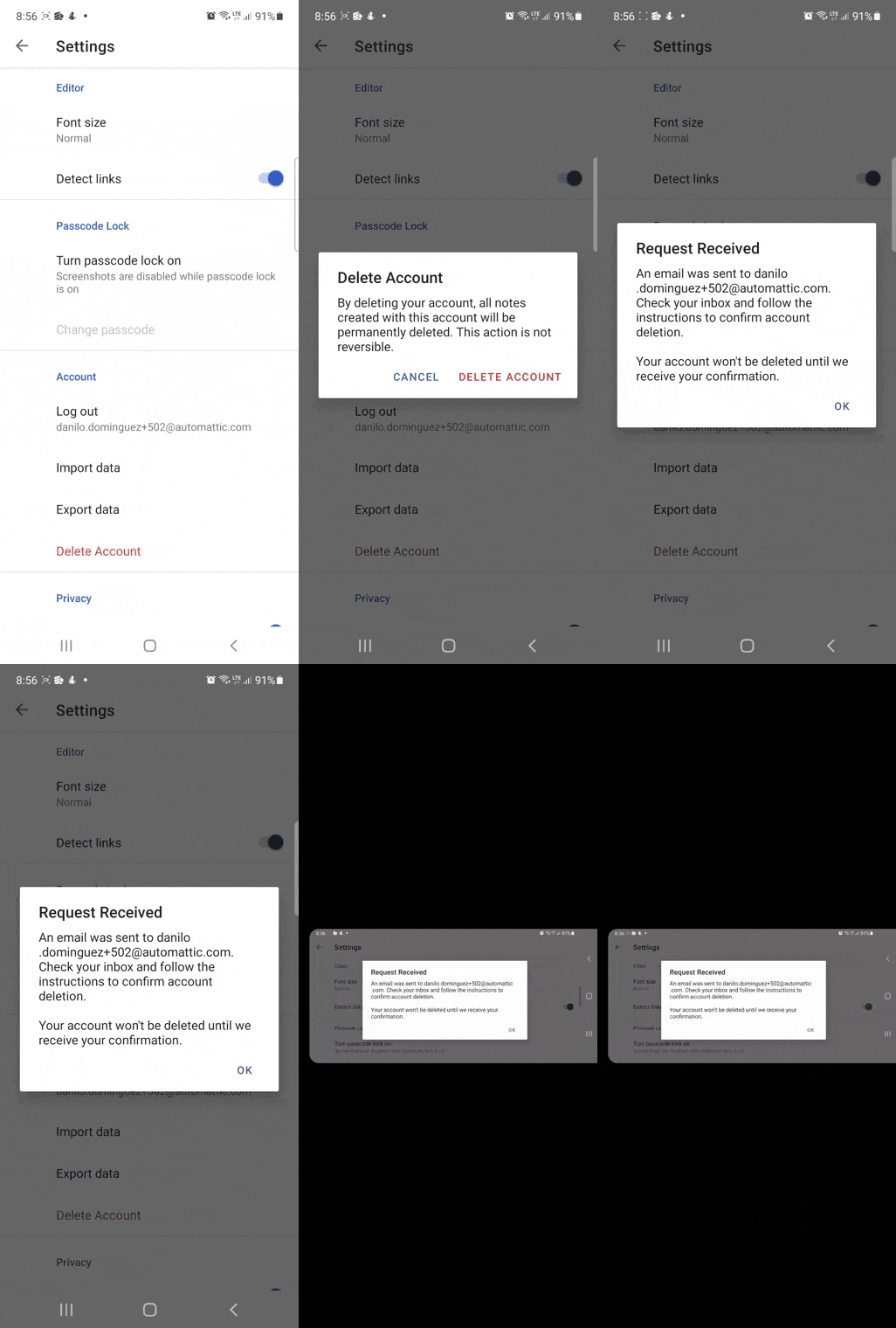
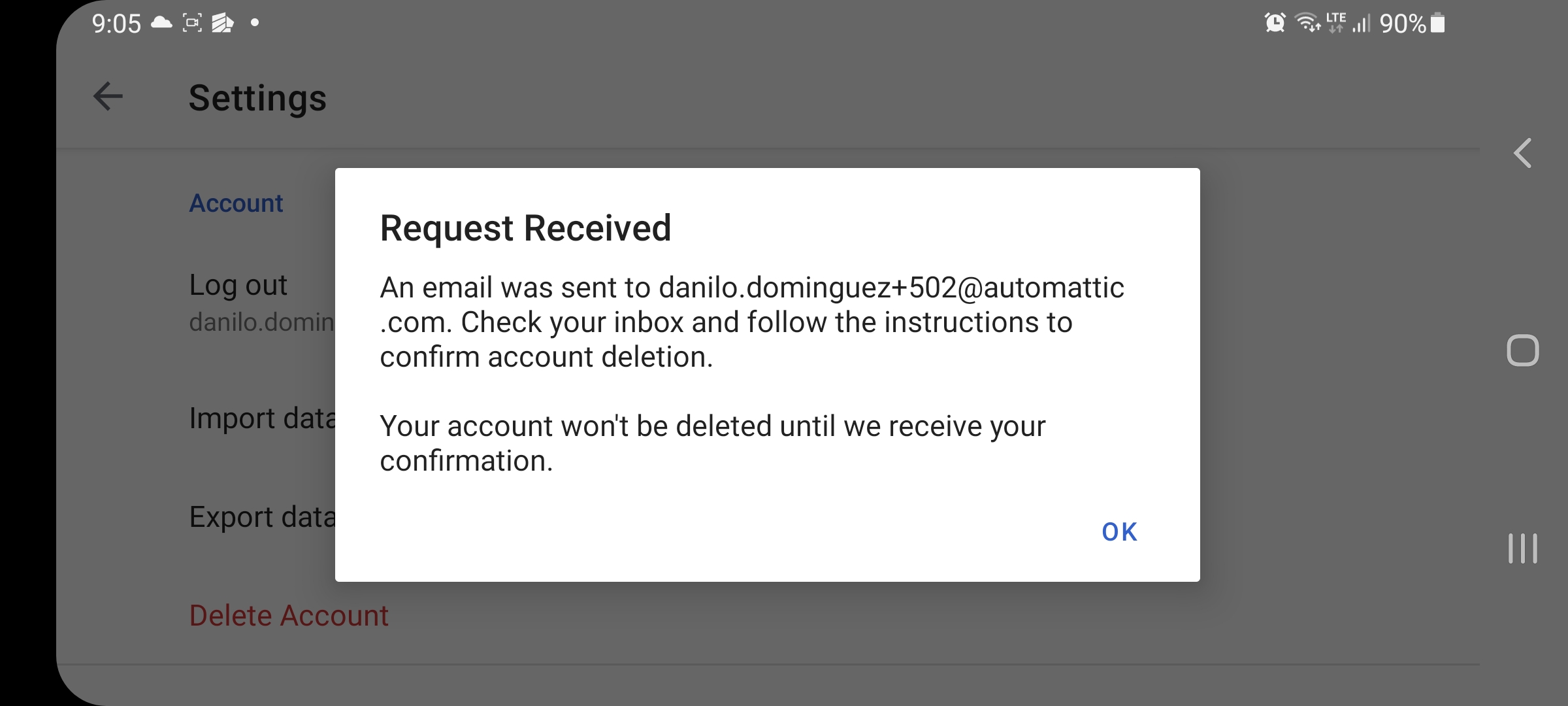
Device Make: Samsung
Device Model: Galaxy A72
Android Version: 11.0.0
Simplenote Version: 2.18
Contributor guide
Research direction
Start by reproducing the issue from Settings > Delete Account with a long email, including after rotating the Samsung Galaxy A72. Locate the account deletion dialog and inspect how its email text wraps. Done means the complete email stays on one line whenever it fits the dialog, while still displaying correctly when it does not.
Written by the indexing model from the issue text.
Assessment
- Tech stack
- android, java
- Domain
- mobile
- Issue type
- Bug
- Difficulty
- 3/5
- Estimated time
- 1-2 days
- Activity status
- Stale
- Clarity
- Mostly clear
- Newbie friendliness
- 35/100