Automattic / Automattic/simplenote-android
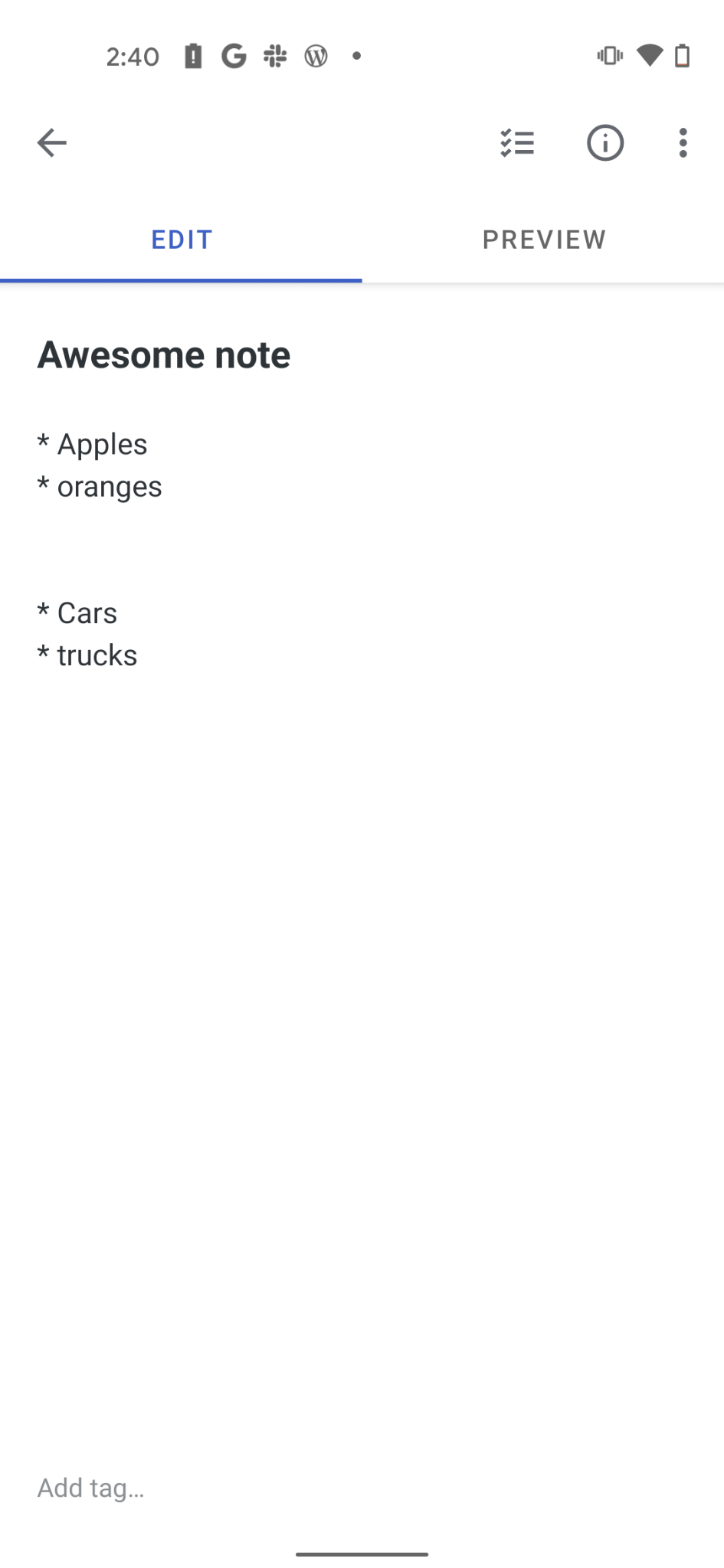
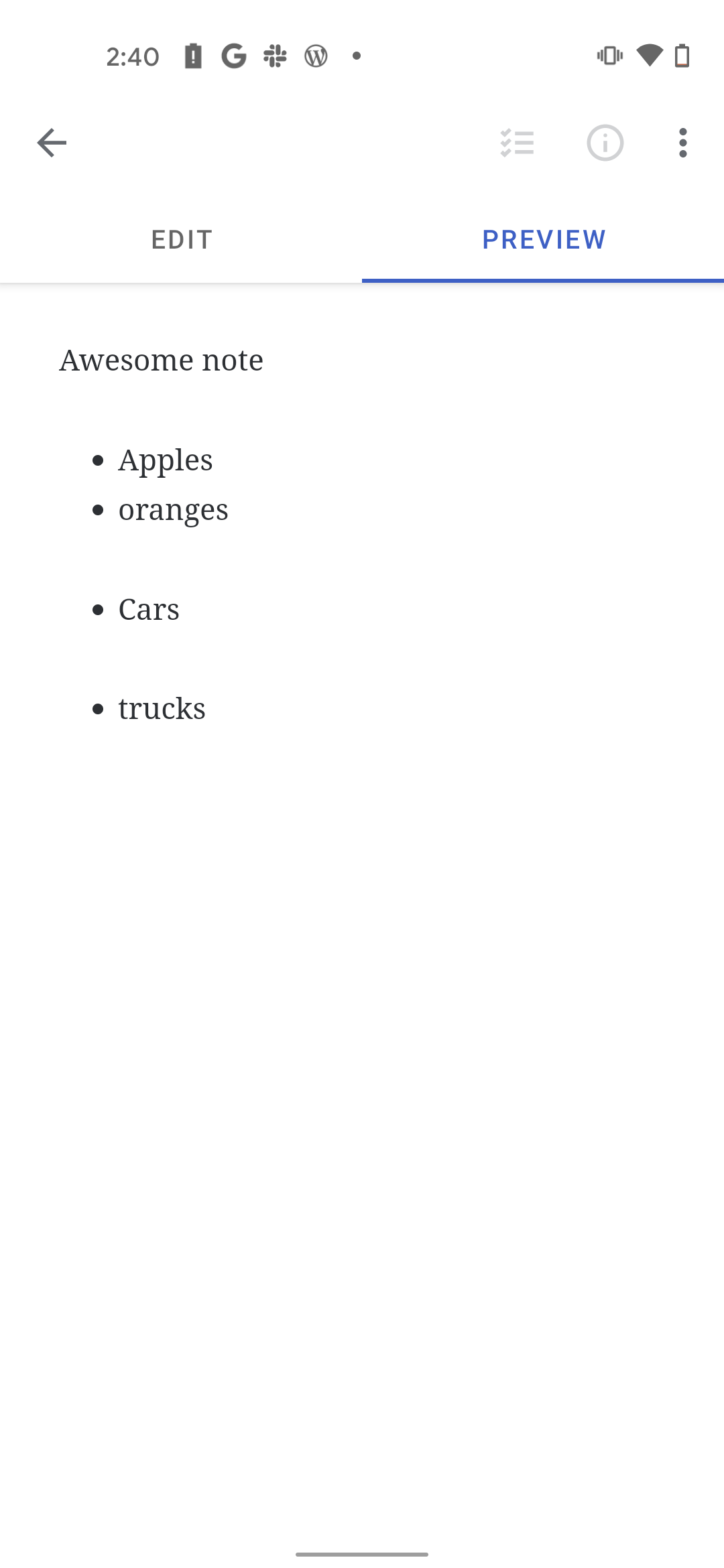
Lists separated by empty lines don't show properly in Preview
- Dominant language
- Java
- Stars
- 1.9k
- Forks
- 318
- Avg merge
- 15h 23m
- Merged PRs (30d)
- 5
Description
Lists created with empty lines separating them have incorrect preview display.
### Expected
* Created two lists separated by an empty line or 2
* Switch to Preview mode
* Lists should be formatted uniformly and separated by spaces
### Observed
* Created two lists separated by an empty line or 2
* Switch to Preview mode
* Lists were not formatted properly and formatted as shown in screenshot above
###Editor
### Preview
Device Make: Google
Device Model: Pixel 4a
Android Version: 11
Simplenote Version: 2.16-rc-2
Contributor guide
Research direction
Reproduce the issue in Simplenote's Preview mode on Android 11 using the reported steps: create two lists separated by one or two empty lines and compare their formatting. Done means the separated lists render uniformly with the expected spacing.
Written by the indexing model from the issue text.
Assessment
- Tech stack
- android, java
- Domain
- mobile
- Issue type
- Bug
- Difficulty
- 3/5
- Estimated time
- 1-2 days
- Activity status
- Stale
- Clarity
- Mostly clear
- Newbie friendliness
- 45/100