Automattic / Automattic/pocket-casts-ios
Siri Shortcuts: Add a warning when using a shortcut to a specific filter
- Dominant language
- Swift
- Stars
- 1.8k
- Forks
- 197
- Avg merge
- 17h 20m
- Merged PRs (30d)
- 103
Description
### Expected behavior
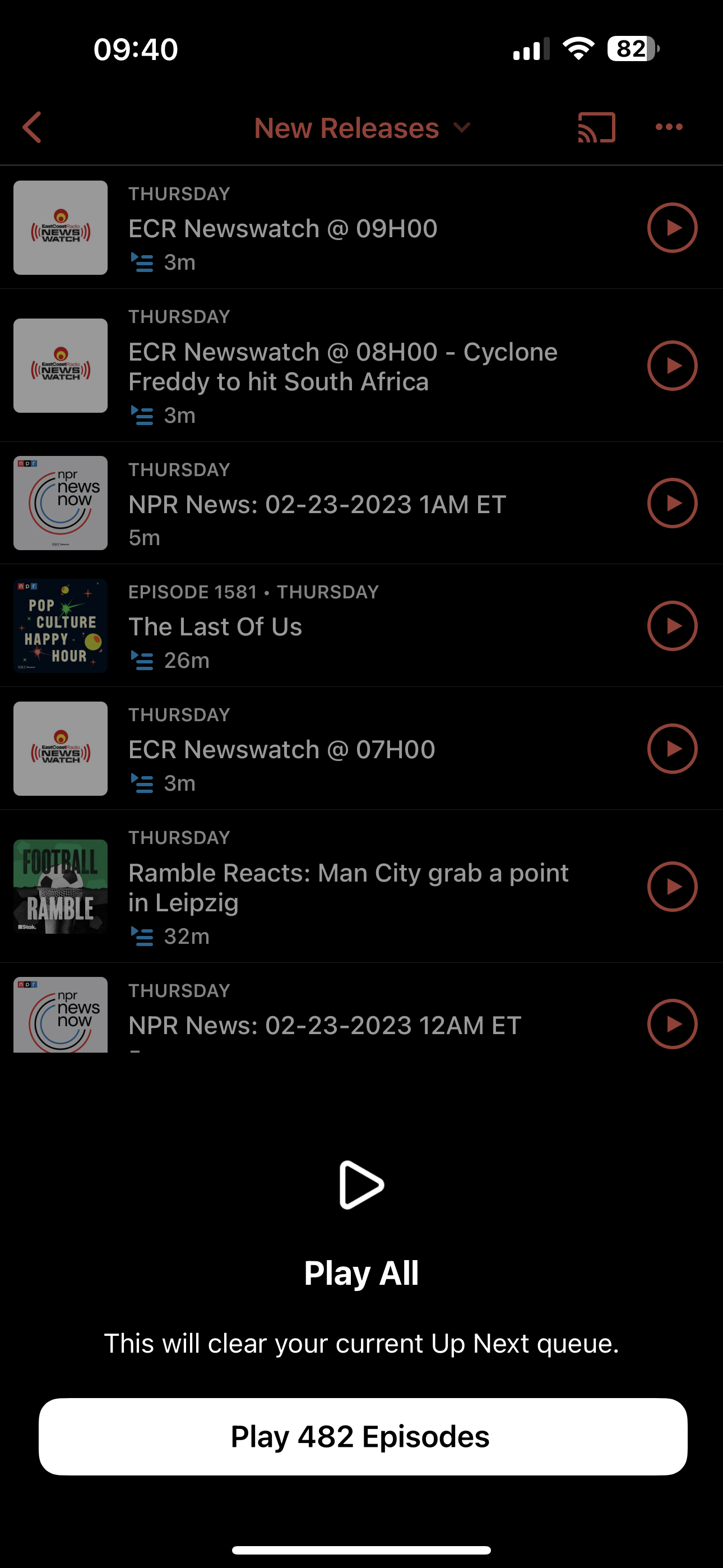
Find a way to add a warning that when using a shortcut to a filter, the filter will wipe out the Up Next queue and replace it with the contents of the filter
This is how we warn users about it normally, I wonder how we could add something similar for the Siri Shortcut
### Actual behavior
The episodes in the filter replace the up next queue, which is to be expected if you manually try to 'Play All' from a filter and we offer a warning. When using the Siri Shortcut though, there is no mention that this will happen
### Steps to reproduce the behavior
1. Go to Settings > Siri Shortcuts > then add a shortcut to a filter
2. Make sure you have an Up Next Queue set up already
3. Use the shortcut, notice the Up Next Queue has been replaced with the contents of the filter, with no warning that the old queue would be removed
##### Tested on [iPhone 14 Pro Max], iOS [16.3], Pocket Casts [7.33]
Contributor guide
Research direction
Start at Settings > Siri Shortcuts and reproduce the filter shortcut with an existing Up Next queue. Trace the shortcut's filter playback flow and compare it with the normal Play All warning; done means the shortcut warns users before replacing the existing queue.
Written by the indexing model from the issue text.
Assessment
- Tech stack
- ios, swift
- Domain
- mobile-dev
- Issue type
- Bug
- Difficulty
- 3/5
- Estimated time
- 1-2 days
- Activity status
- Stale
- Clarity
- Mostly clear
- Newbie friendliness
- 35/100