Automattic / Automattic/pocket-casts-android
Improve first login Up Next syncing
- Dominant language
- Kotlin
- Stars
- 2.8k
- Forks
- 308
- Avg merge
- 1d 13h
- Merged PRs (30d)
- 143
Description
When logging in
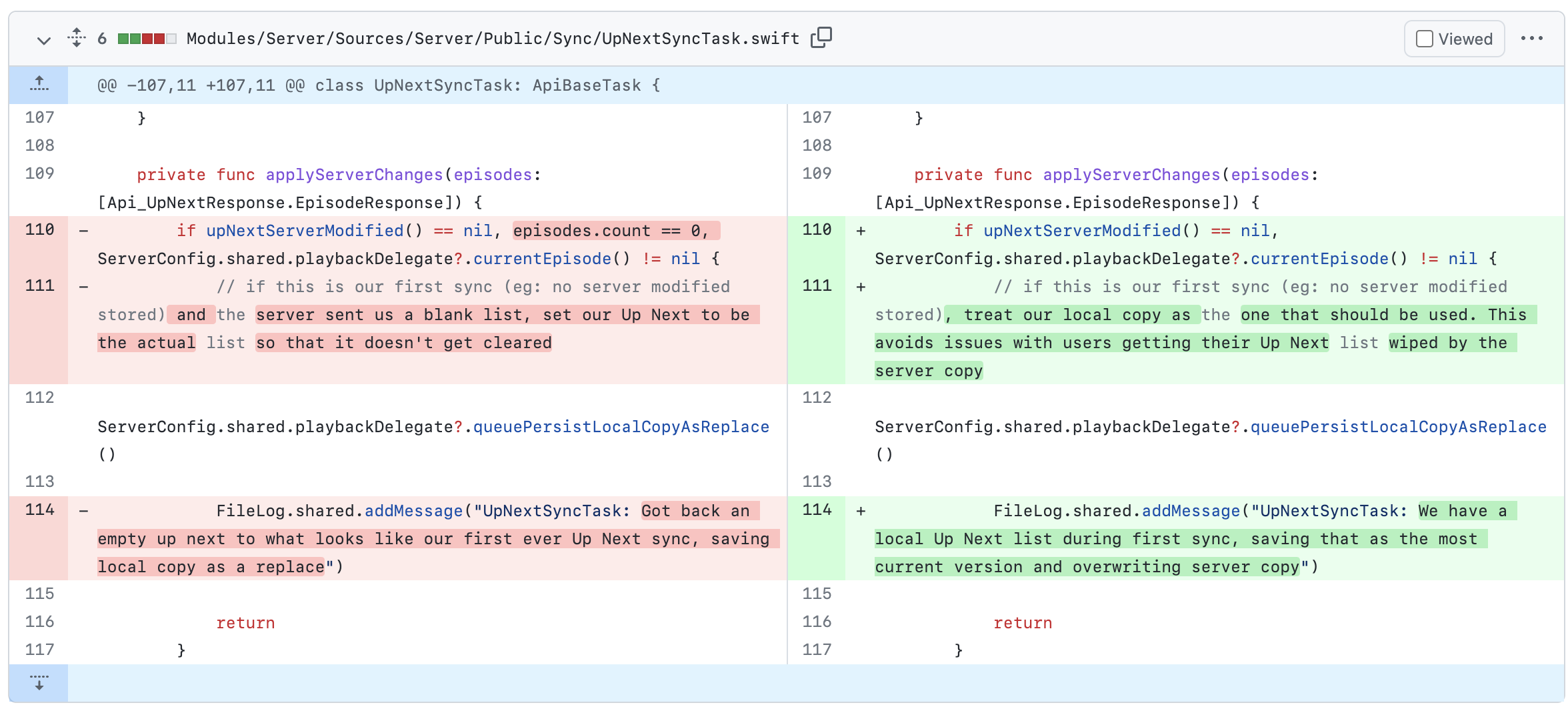
- If the mobile device has an Up Next then do a replace and the server Up Next should be replaced.
- If the mobile device doesn’t have an Up Next then the device takes the server Up Next.
Use the local Up Next Server Modified field to know if this is the first login.
## How to test
Test 1
- [ ] Sign in to your account
- [ ] Add episodes to your Up Next
- [ ] Sign out of your account
- [ ] Change the Up Next
- [ ] Sign back in
- [ ] Your local Up Next shouldn't change
Test 2
- [ ] Sign in to your account
- [ ] Add episodes to your Up Next
- [ ] Sign out of your account
- [ ] Clear your Up Next
- [ ] Sign back in
- [ ] Your server Up Next should be seen on your device
Test 3
- [ ] Fresh install of the app
- [ ] Don't sign into a Pocket Casts account
- [ ] Add some items to your up next queue
- [ ] Sign into a Pocket Casts account that has items in the up next queue
- [ ] Merge the two up next queues so that there isn't any data loss.
These were the iOS changes.
Contributor guide
Research direction
Start by tracing the login Up Next synchronization flow and the local Up Next Server Modified field, which the issue identifies as the first-login signal. Exercise the three listed scenarios; done means preserving local items when appropriate, restoring the server queue when local Up Next is empty, and merging both queues without data loss.
Written by the indexing model from the issue text.
Assessment
- Tech stack
- android, kotlin
- Domain
- mobile-dev
- Issue type
- Feature
- Difficulty
- 4/5
- Estimated time
- 3-5 days
- Activity status
- Stale
- Clarity
- Mostly clear
- Newbie friendliness
- 35/100