Automattic / Automattic/node-canvas
Image artifacts when translating to a non-integer position in combination with patternQuality set to `best`
- Dominant language
- JavaScript
- Stars
- 10.7k
- Forks
- 1.2k
- Avg merge
- 4d 8h
- Merged PRs (30d)
- 1
Description
### Description
An image is rendered with artifacts when translated to a non-integer position in combination with `patternQuality` set to `best`.
- other pattern quality settings do not have this issue
- translating to an integer position also removes the artifacts (even with `patternQuality` set to `best`)
### Results
| patternQuality
vs position |`fast` |`good`|`best`|`nearest`|`bilinear`|
| ----------- | ----------- |----------- |----------- |----------- |----------- |
| `0.125, 0.125` | 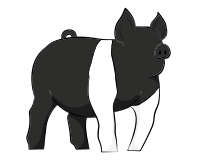 |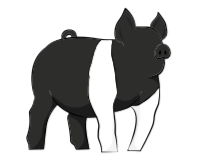 |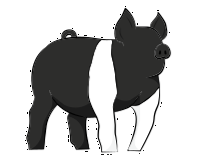
(issue here) |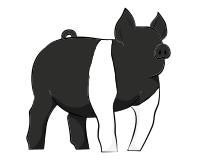 |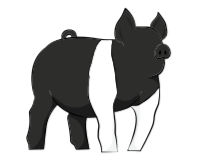 |
| `0, 0` | 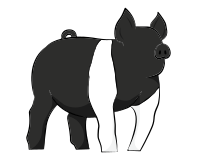 |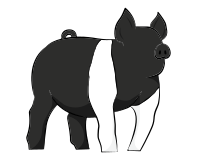 |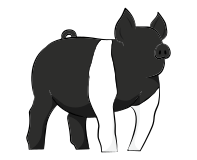 |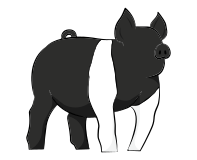 |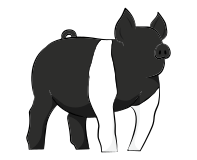 |
I did some research and found that `patternQuality` is linked to [Cairo's set filter method](https://www.cairographics.org/manual/cairo-cairo-pattern-t.html#cairo-pattern-set-filter), which sets the filter to be used for resizing. Since there's no resizing necessary, I was surprised `patternQuality` could have any effect on rendering.
In any case, even though the pattern filter is applied, I did not expect artifacts popping up by simply changing the position to non-integer values.
## Steps to Reproduce
Input file: [BASE.png.zip](https://github.com/Automattic/node-canvas/files/8315093/BASE.png.zip)
```js
const { createCanvas, loadImage } = require('canvas')
const { createWriteStream } = require('fs')
async function runApp() {
// Create canvas with same dimensions as BASE.png
const canvas = createCanvas(197, 160);
const ctx = canvas.getContext('2d');
// set patternQuality to `best`
ctx.patternQuality = 'best';
// Draw image on a non-integer position
const pig = await loadImage('./BASE.png');
ctx.drawImage(pig, 0.5, 0.5);
// Export to PNG
const out = createWriteStream('./OUTPUT.png');
canvas.createPNGStream().pipe(out);
out.on('finish', () => console.log('The PNG file was created.'))
}
runApp();
```
## Your Environment
* Version of node-canvas: `canvas@2.9.1`
* Environment: node `v16.13.0` on macOS Monterey Version 12.3
Contributor guide
No contributing guide indexed for this repository
Research direction
Start with the provided JavaScript reproduction using ctx.patternQuality, ctx.drawImage, and createPNGStream, then compare its output with the linked Cairo set filter behavior. Investigate why `best` produces artifacts at non-integer positions while other filters and integer positions do not. Done means the reproduction no longer shows artifacts without regressing the comparison cases.
Written by the indexing model from the issue text.
Assessment
- Tech stack
- javascript, node.js
- Domain
- computer-graphics
- Issue type
- Bug
- Difficulty
- 4/5
- Estimated time
- 3-5 days
- Activity status
- Stale
- Clarity
- Clearly specified
- Newbie friendliness
- 45/100