Automattic / Automattic/node-canvas
setTransform does not work properly with shadowOffset and drawImage when drawImage coordinates are negative
- Dominant language
- JavaScript
- Stars
- 10.7k
- Forks
- 1.2k
- Avg merge
- 4d 8h
- Merged PRs (30d)
- 1
Description
Hi,
I'm currently working on a project where I'm trying to do server-side canvas renders- and I've come across a bug.
Basically, I'm trying to take a PNG image with a transparent background, and cast a faux 'drop-shadow' of that object. To do this, I first use drawImage to place my image off screen, then use shadowOffset and setTransform to place my shadow. Finally, I use another drawImage to place an untransformed image over the spot where the shadow is. Here's the result of client-side JS:
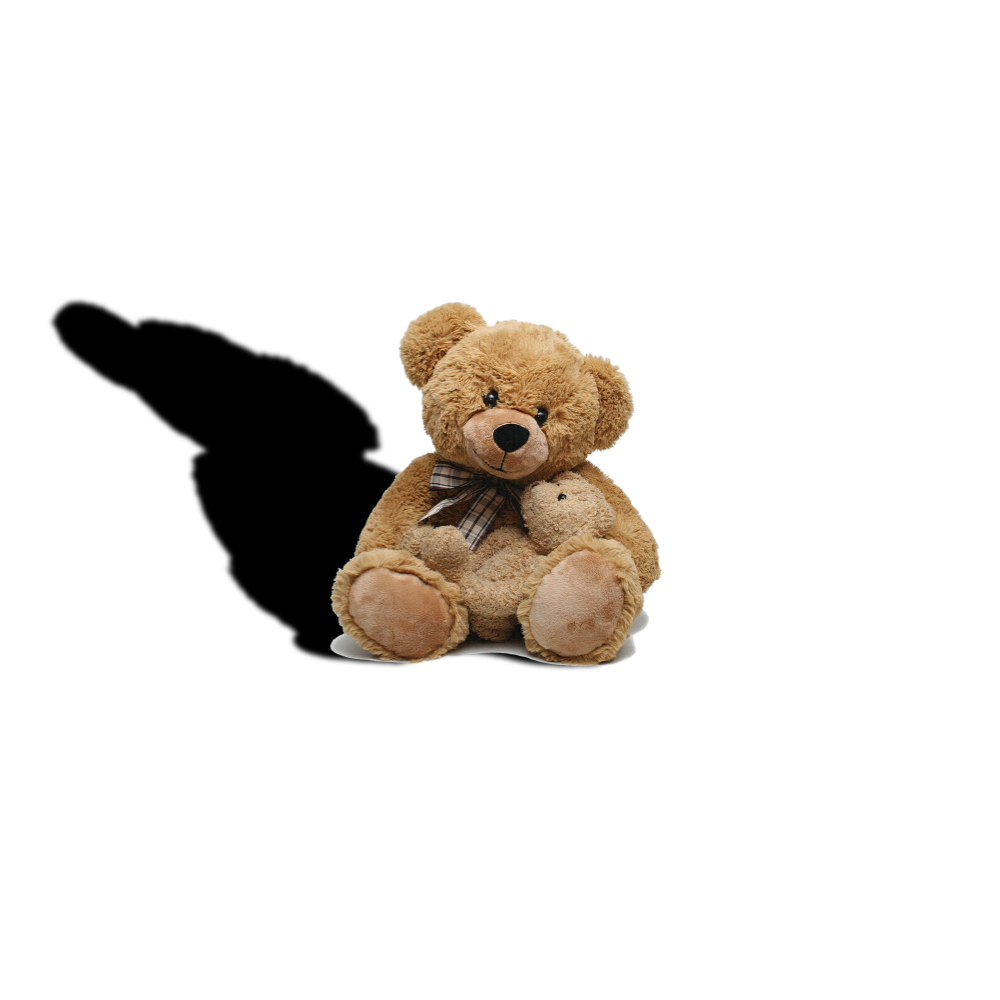
And my code:
`
let bear;
let ctx;
function draw(){
ctx.fillStyle = 'white';
ctx.fillRect(0, 0, 1000, 1000);
ctx.fillStyle = 'black';
ctx.setTransform(1, 0, 1, 1, 0, 0);
ctx.shadowColor = 'black';
ctx.shadowOffsetX = 2*bear.width/2-80;
ctx.shadowOffsetY = 2*bear.height/2-120;
ctx.shadowBlur = 5;
ctx.drawImage(bear, -bear.width/2, -bear.height/2, bear.width/2, bear.height/2);
ctx.shadowColor = 'transparent';
ctx.fillStyle = 'blue';
ctx.setTransform(1, 0, 0, 1, 0, 0);
ctx.drawImage(bear,bear.width/2-80, bear.height/2-120, bear.width/2, bear.height/2);
}
function init(){
ctx = canvas.getContext('2d');
bear = document.getElementById('bearimg');
draw();
}`
However, when I try to do the same thing server-side using node-canvas, I get some weird results:
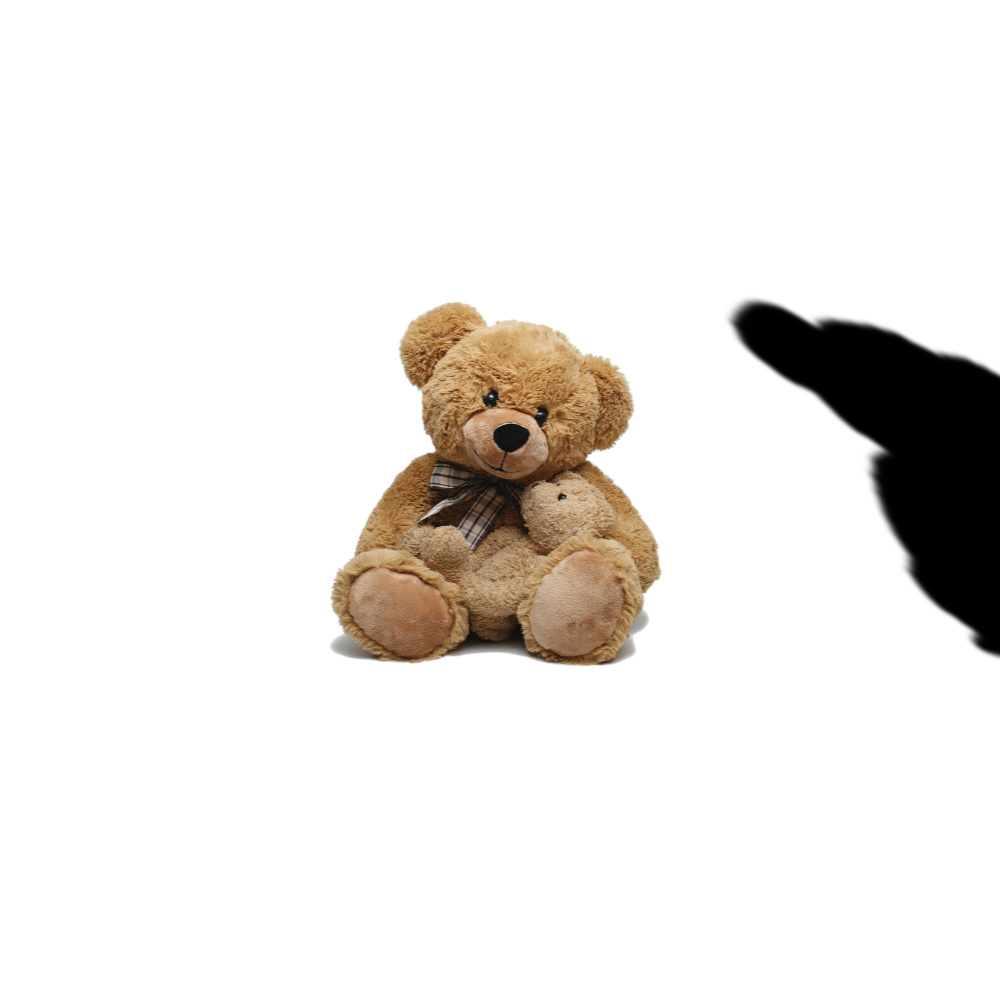
This only happens when I have these very particular set of circumstances-- that is, I draw an image (not a rectangle) at negative coordinates, then apply transformation to it, and offset the shadow.
Code:
`(async () => {
const fs = require('fs');
const {createCanvas, loadImage} = require('canvas');
const canvas = createCanvas(1000, 1000);
const ctx = canvas.getContext('2d');
const bear = await loadImage("https://pngimg.com/uploads/teddy_bear/teddy_bear_PNG142.png");
ctx.fillStyle = 'white';
ctx.fillRect(0, 0, 1000, 1000);
ctx.fillStyle = 'black';
ctx.setTransform(1, 0, 1, 1, 0, 0);
ctx.shadowColor = 'black';
ctx.shadowOffsetX = 2*bear.width/2-80;
ctx.shadowOffsetY = 2*bear.height/2-120;
ctx.shadowBlur = 5;
ctx.drawImage(bear, -bear.width/2, -bear.height/2, bear.width/2, bear.height/2);
ctx.shadowColor = 'transparent';
ctx.fillStyle = 'blue';
ctx.setTransform(1, 0, 0, 1, 0, 0);
ctx.drawImage(bear,bear.width/2-80, bear.height/2-120, bear.width/2, bear.height/2);
const out = fs.createWriteStream('test.jpeg');
const stream = canvas.createJPEGStream({
quality: 0.95,
chromaSubsampling: false
})
stream.pipe(out)
out.on('finish', () => console.log('The JPEG file was created.'))
})();`
Thanks!
Contributor guide
No contributing guide indexed for this repository
Assessment
This issue has not been assessed yet.