Automattic / Automattic/jetpack
Move "Follower settings" to Jetpack settings
- Dominant language
- PHP
- Stars
- 1.8k
- Forks
- 898
- Avg merge
- 1d 18h
- Merged PRs (30d)
- 774
Description
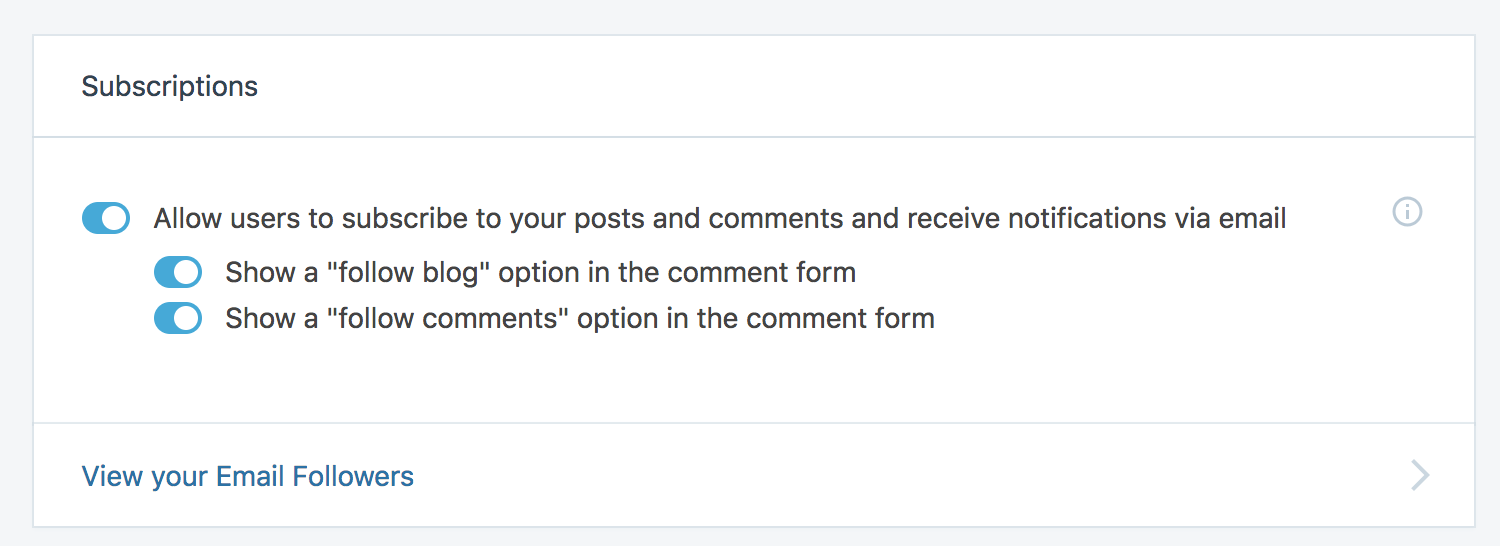
When enabling "follow blog" or "follow comments" options via Jetpack discussion settings, users need to modify additional settings separately via `wp-admin` Settings pages.
Jetpack settings are in `/wp-admin/admin.php?page=jetpack#/discussion`
Related settings are in `/wp-admin/options-reading.php`
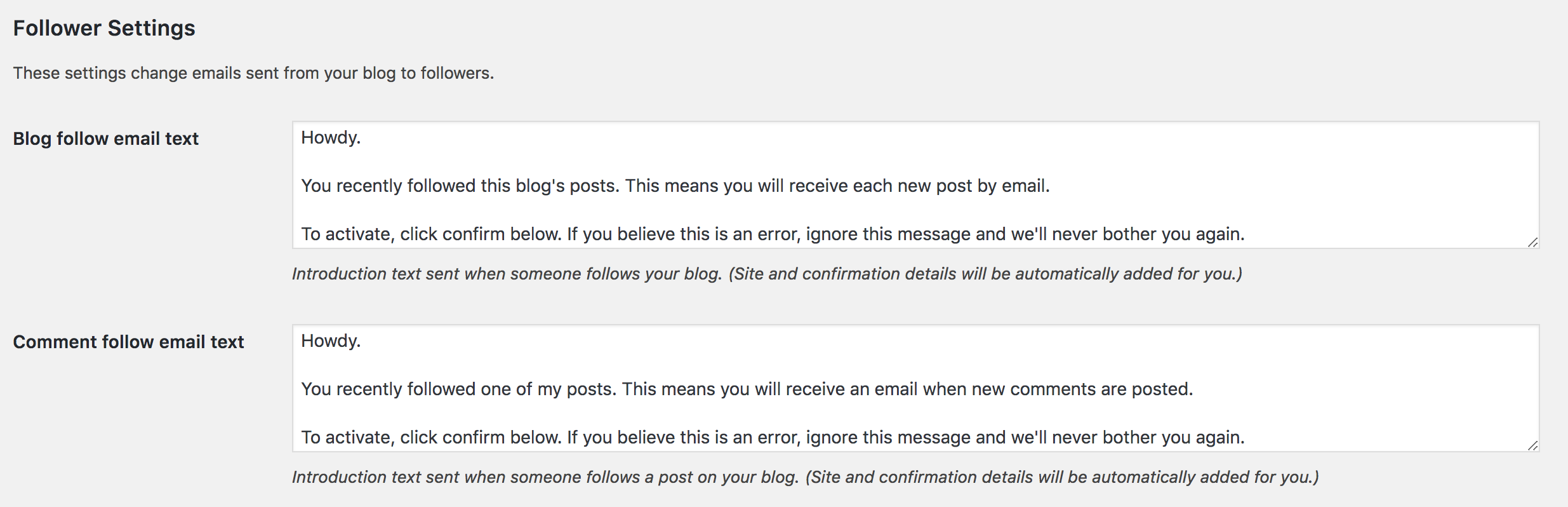
These _Follower Settings_ should really be under Jetpack settings where the toggles are, too.
Contributor guide
Research direction
Start by inspecting the Jetpack discussion settings entry point at /wp-admin/admin.php?page=jetpack#/discussion and the related WordPress settings at /wp-admin/options-reading.php. Identify the follower settings shown in the latter and determine how they can appear with the Jetpack toggles; done means users can manage them from Jetpack settings instead of a separate Settings page.
Written by the indexing model from the issue text.
Assessment
- Tech stack
- wordpress
- Domain
- frontend
- Issue type
- Feature
- Difficulty
- 4/5
- Estimated time
- 3-5 days
- Activity status
- Stale
- Clarity
- Mostly clear
- Newbie friendliness
- 35/100