Automattic / Automattic/jetpack
When accessing Customizer > Related Posts, not possible to customize
- Dominant language
- PHP
- Stars
- 1.8k
- Forks
- 898
- Avg merge
- 1d 18h
- Merged PRs (30d)
- 774
Description
### Steps to Reproduce the Issue
0. With Jetpack installed and Related Posts activated...
1. Open `WP Admin > Appearance > Customizer > Related Posts`
2. Try to customize any setting — not possible, there are no settings
### What I Expected
Able to customize Related post settings, should look like this (see Workaround below):
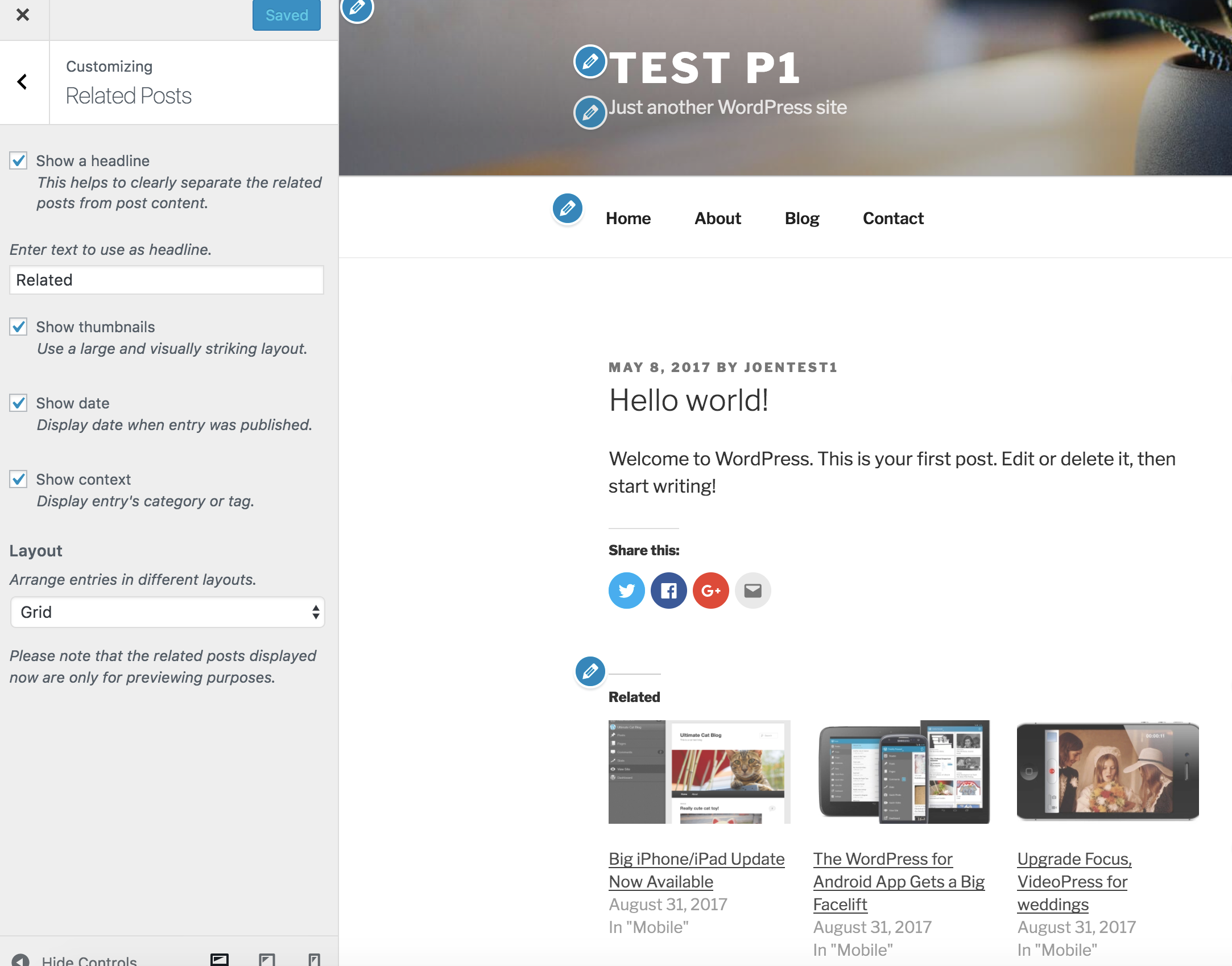
### What Happened Instead
Not possible to customize settings. Instead there is the following message:
> Please visit a single post view to reveal the customization options.
Screenshot:
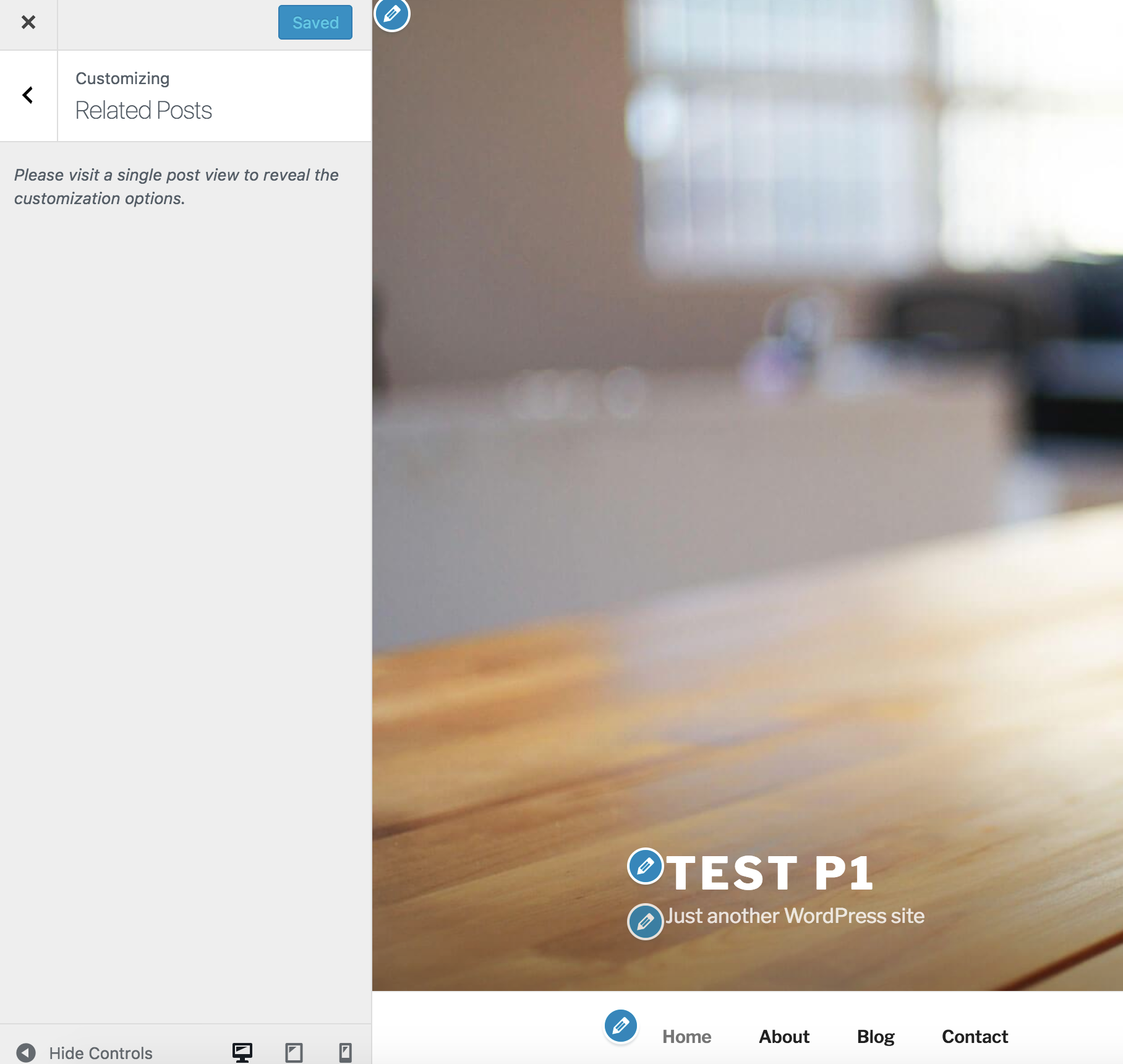
It's not intuitive what to do next, and to the unknowing user it looks like the Customizer is broken.
### Workaround
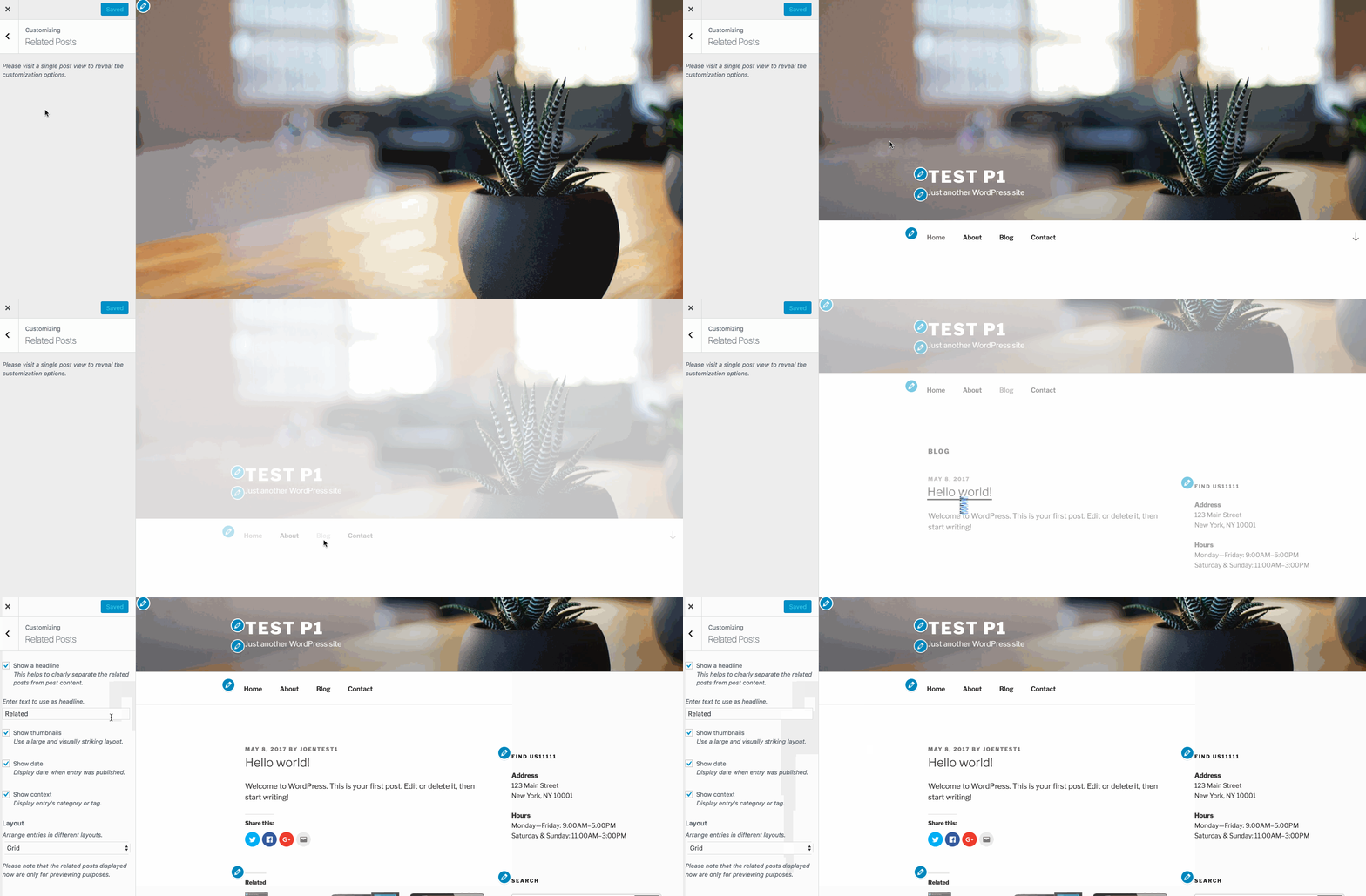
- Go to `WP Admin > Jetpack > Settings > Traffic > Related Posts` and click the link "You can now also configure related posts in the Customizer. Try it out!"
- Inside Customizer, navigate to a post like so:
Contributor guide
Research direction
Start by reproducing the issue through WP Admin > Appearance > Customizer > Related Posts with Jetpack and Related Posts enabled, then compare it with the workaround of opening a single post in the Customizer. Done means the Related Posts settings are available without requiring that navigation step and the Customizer no longer appears broken.
Written by the indexing model from the issue text.
Assessment
- Tech stack
- php, wordpress
- Domain
- frontend, web-dev
- Issue type
- Bug
- Difficulty
- 3/5
- Estimated time
- 1-2 days
- Activity status
- Stale
- Clarity
- Mostly clear
- Newbie friendliness
- 38/100