Automattic / Automattic/jetpack
VideoPress: Connection flow for standalone plugin does not recognize existing VideoPress upgrade
- Dominant language
- PHP
- Stars
- 1.8k
- Forks
- 898
- Avg merge
- 1d 18h
- Merged PRs (30d)
- 774
Description
### Impacted plugin
None / Other
### Steps to Reproduce
We received a report of this issue from a user who was previously using Jetpack, but opted to switch to the VideoPress plugin instead after it was released.
1. On a test site, purchase a VideoPress plan and activate it using the Jetpack plugin.
2. Delete the Jetpack plugin.
3. Install the VideoPress plugin.
4. After activation, you're directed to this screen and prompted to upgrade: https://example.com/wp-admin/admin.php?page=jetpack-videopress#/
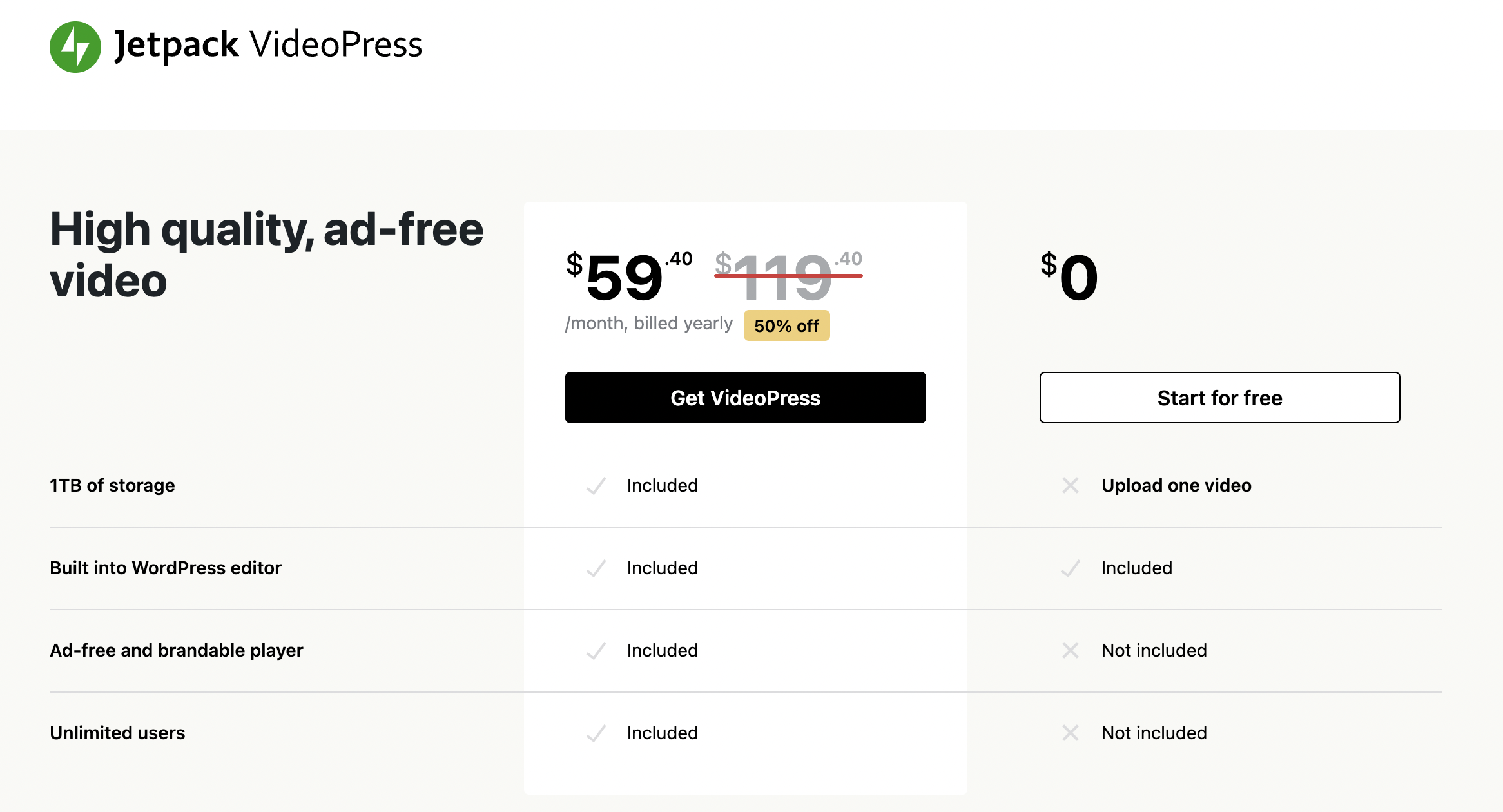
Clicking "Start for free" does initiate the connection process, but is not a logical choice for a user who has a paid plan already. Navigating to Jetpack > VideoPress also leads to the same screen, so the user is stuck until they choose an option there in order to connect, but neither of the options make sense for a site that already has a VideoPress plan.
### Reproducibility
Consistent
### Available workarounds?
Click "Start for free" in order to initiate the connection flow. After connecting, the paid plan is recognized.
Contributor guide
Assessment
This issue has not been assessed yet.