Automattic / Automattic/jetpack
Jetpack Social: settings page doesn't indicate the site needs to be public to use features
- Dominant language
- PHP
- Stars
- 1.8k
- Forks
- 898
- Avg merge
- 1d 18h
- Merged PRs (30d)
- 774
Description
### Impacted plugin
Social
### Steps to Reproduce
1. Set a site to private
2. Install the Jetpack Social plugin
3. Go to Jetpack > Social
4. There is no indication that the site is private and, therefore, cannot use those features yet.
### A clear and concise description of what you expected to happen.
I expected that the page would show me a warning message saying that the features of the plugin can't be used when the site is private.
Here's the Marketing > Sharing Buttons screen in Calypso for comparison:
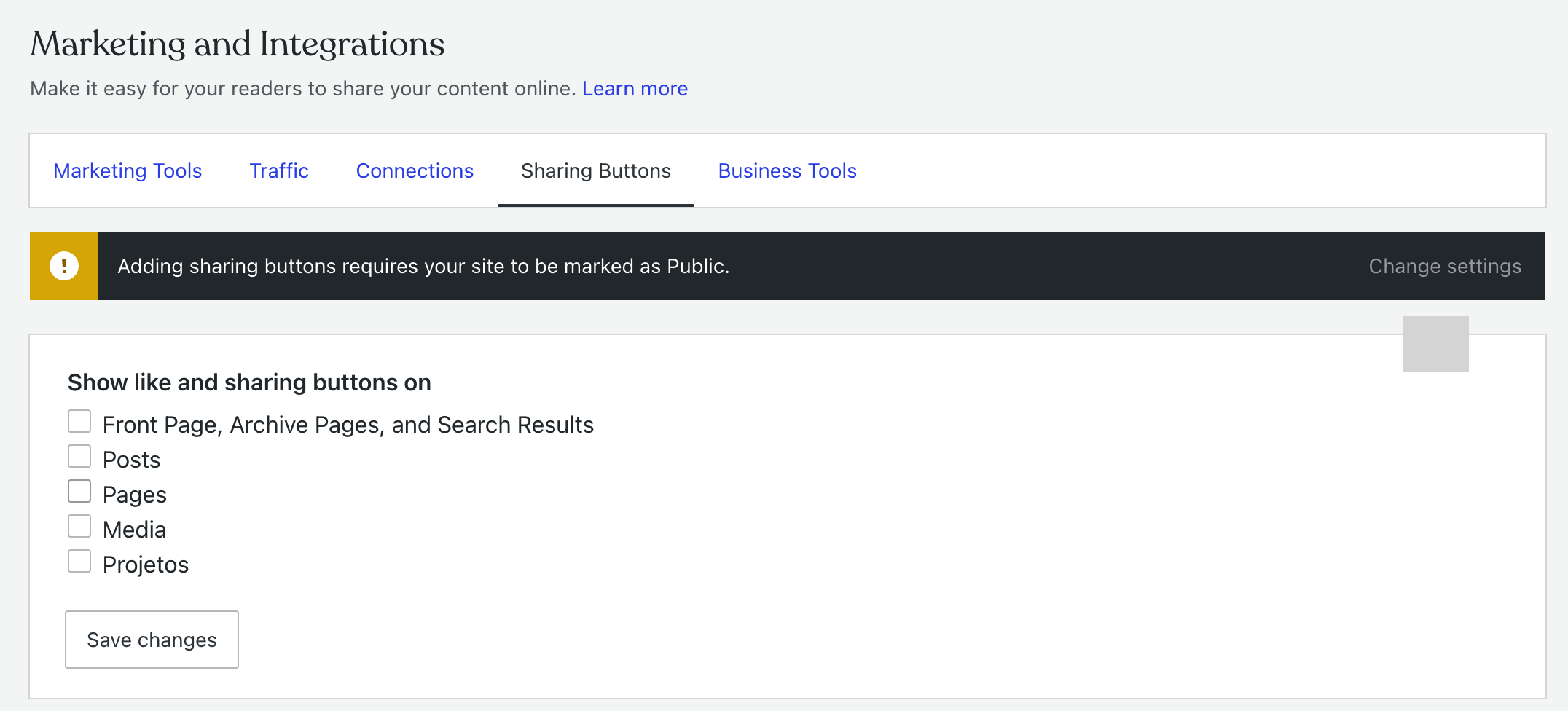
be used
### What actually happened
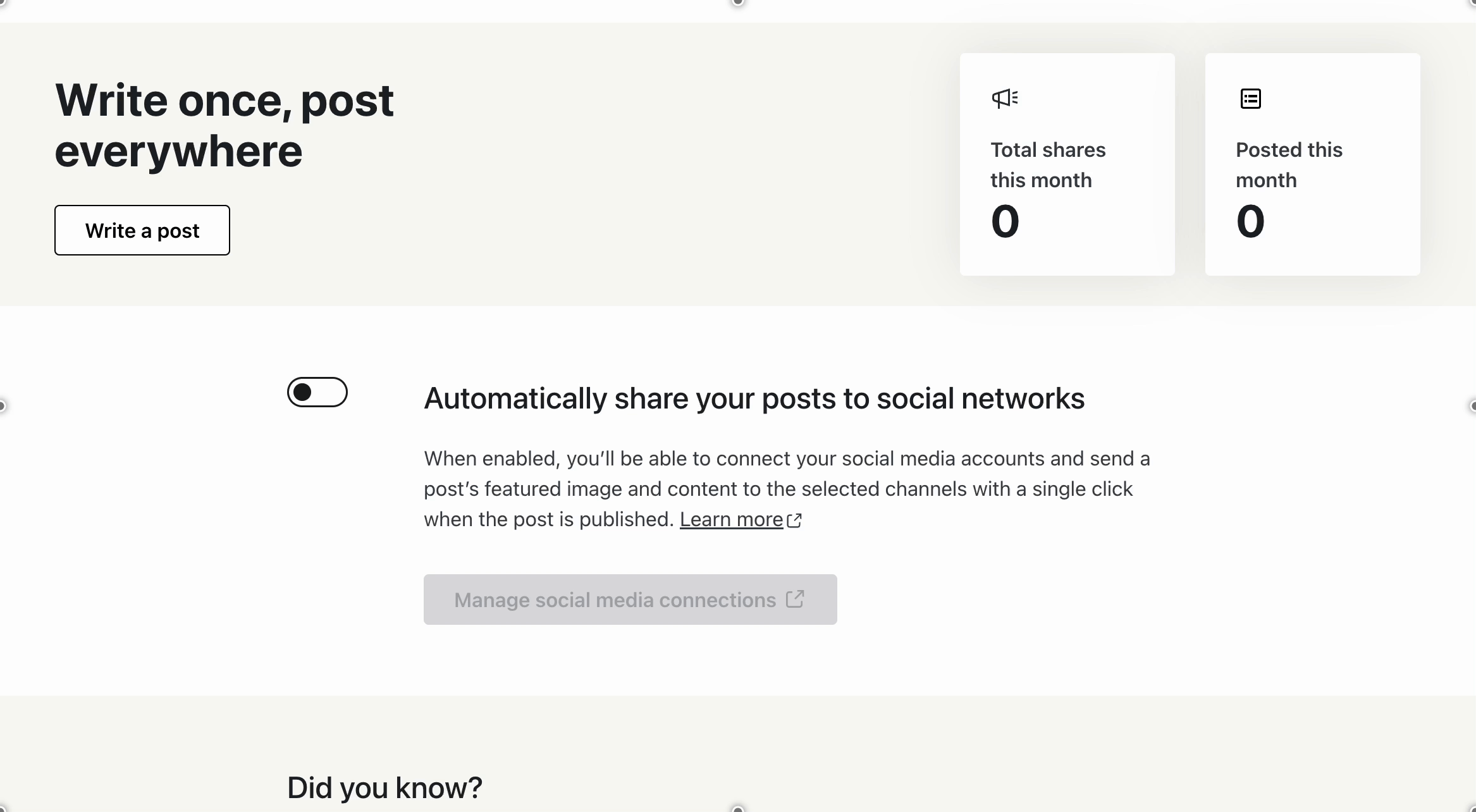
* The "Manage social media connections" is greyed out, but without any indication as to why.
* The "Automatically share your posts to social networks" toggle just flips back to the initial state if clicked, without any warning message.
### Browser
Google Chrome/Chromium
### Other information
_No response_
### Platform (Simple, Atomic, or both?)
Atomic
### Reproducibility
Consistent
### Severity
Most (> 50%)
### Available workarounds?
No but the platform is still usable
### Workaround details
_No response_
Contributor guide
Research direction
Start at the Jetpack > Social settings page and reproduce the issue with a private Atomic site, checking the disabled connection control and the sharing toggle. Done means the page clearly explains that the site must be public and the controls no longer fail silently when used on a private site.
Written by the indexing model from the issue text.
Assessment
- Tech stack
- php, wordpress
- Domain
- frontend
- Issue type
- Bug
- Difficulty
- 3/5
- Estimated time
- 1-2 days
- Activity status
- Stale
- Clarity
- Mostly clear
- Newbie friendliness
- 35/100