Automattic / Automattic/jetpack
Google Docs Embed Block: sheet embeds not displaying as expected
- Dominant language
- PHP
- Stars
- 1.8k
- Forks
- 898
- Avg merge
- 1d 18h
- Merged PRs (30d)
- 774
Description
### Impacted plugin
Jetpack
### Steps to Reproduce
1. On a Jetpack-connected site, enable the `JETPACK_BETA_BLOCKS` constant.
2. Create a new post, and add a Google Sheets block.
3. For some comprehensive testing instructions, see this testing post comment here: p8oabR-Vp-p2#comment-6581
1. In brief - on the Brave browser, logged into Google, a private sheet did not display when embedded.
2. On Chrome, same test, neither the private or public sheets were displayed
3. On Chrome incognito, and Firefox with Google user logged out, neither the public or private sheets are displayed.
4. Also reported here - p8oabR-Vp-p2#comment-6586 - being logged in Firefox with Enhanced tracking protection turned on prevented private docs from being visible.
### A clear and concise description of what you expected to happen.
- Private sheets should display a warning
- Public sheets should be available to users
- The sheet embed within the editor ideally wouldn't have a grey overlay
- The presence of the sheet shouldn't break the front-end display of the post with the embeds
### Additional Information
To add to the above, with my own testing the first time I embedded a public sheet the sheet showed as being blank. On refreshing the post draft, the whole block (this is on Chrome) has a grey overlay:
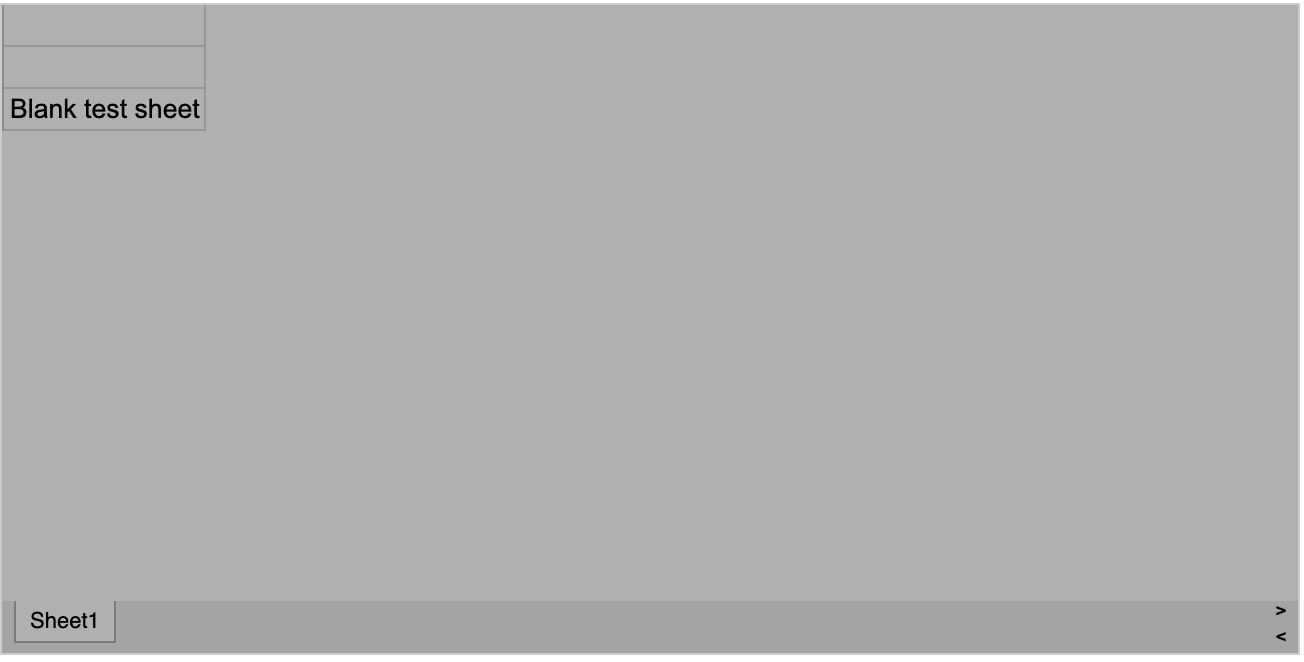
On removing the sheet blocks and re-adding a block with the same sheet link, the results are the same (grey overlay).
Initially I did spot some console errors: `sheet?gid=0:formatted:108 Uncaught ReferenceError: posObjs is not defined` and `The key "target-densitydpi" is not supported.`.
Also the front-end seems to struggle to load when there is an embedded sheet (for me anyway) - removing the embedded sheet allows the rest of the embeds on the page to load properly.
### Browser
Google Chrome/Chromium, Mozilla Firefox
### Other information
_No response_
### Platform (Simple, Atomic, or both?)
Self-hosted
### Reproducibility
Consistent
### Severity
_No response_
### Available workarounds?
_No response_
### Workaround details
_No response_
Contributor guide
Research direction
Start by reproducing the Google Sheets block issue on a Jetpack-connected self-hosted site across Chrome, Chrome incognito, Firefox, and Brave, using public and private sheets. Inspect the block behavior and the reported console errors, including “posObjs is not defined.” Done means public sheets display, private sheets show a warning, the editor has no inappropriate grey overlay, and other front-end embeds still load.
Written by the indexing model from the issue text.
Assessment
- Tech stack
- javascript, php
- Domain
- frontend, web-dev
- Issue type
- Bug
- Difficulty
- 4/5
- Estimated time
- 3-5 days
- Activity status
- Stale
- Clarity
- Mostly clear
- Newbie friendliness
- 28/100