Automattic / Automattic/jetpack
Slideshow Block: Align-wide results in image overlaps with several themes
- Dominant language
- PHP
- Stars
- 1.8k
- Forks
- 898
- Avg merge
- 1d 18h
- Merged PRs (30d)
- 774
Description
Related to https://github.com/Automattic/jetpack/pull/25107
### Impacted plugin
Jetpack
### Steps to Reproduce
1. On a Jetpack-connected site install and activate the Twenty Twenty Two (or Blockbase, Hemingway, Twenty Sixteen, Astra) theme.
2. Add a Slideshow block, with various images of differing size.
3. Set the block alignment to Wide width.
4. In the editor (wp-admin), image navigation appears fine. The preview and live post however will show an image overlap for some of the images.
5. If you don't observe this behavior initially, try refreshing the page as well.
### A clear and concise description of what you expected to happen.
No image overlap in any theme.
Reported internally here: p8oabR-Uj-p2#comment-6501
### What actually happened
With the mentioned themes, there is image overlap for some of the images.
### Browser
Google Chrome/Chromium, Mozilla Firefox
### Other information
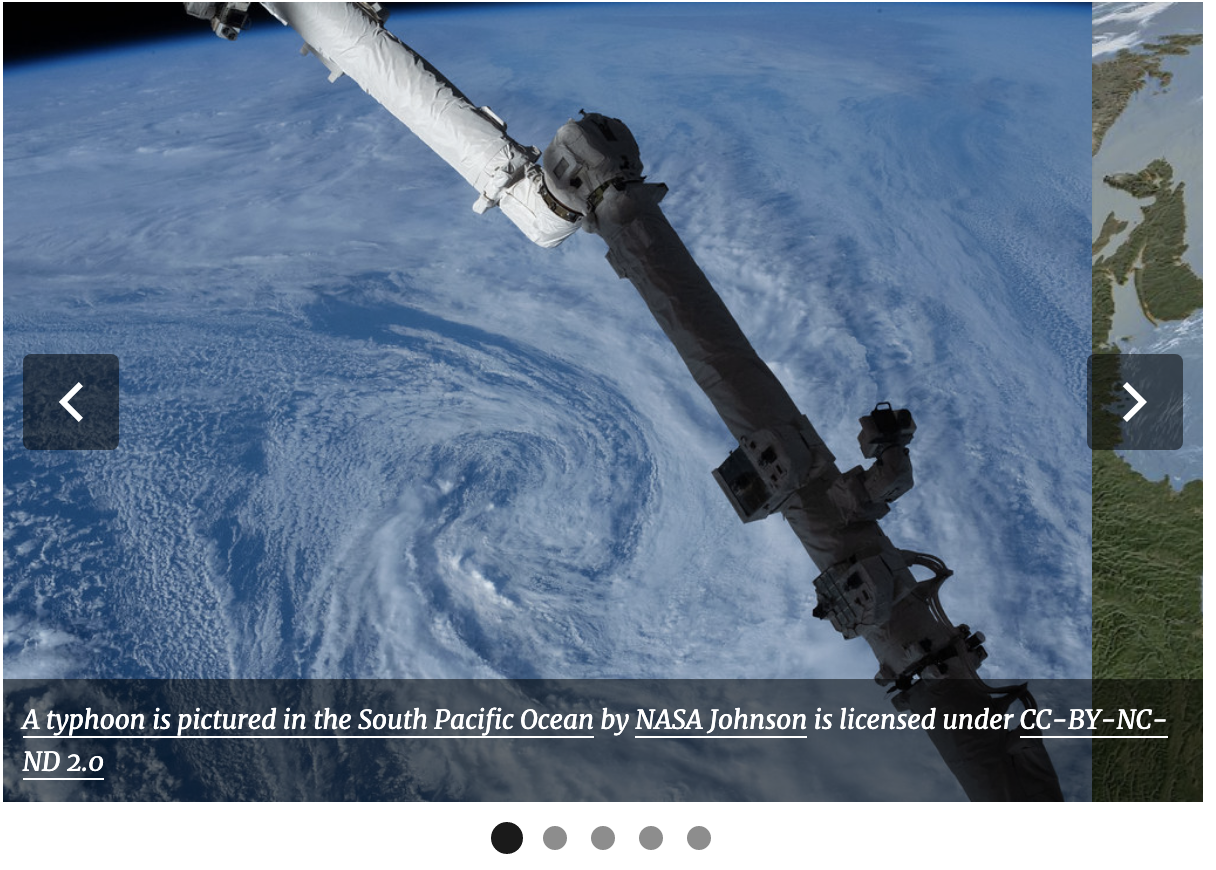
This is how it looks in the impacted themes, on the front-end:
### Platform (Simple, Atomic, or both?)
Self-hosted
### Reproducibility
Consistent
### Severity
Some (< 50%)
### Available workarounds?
_No response_
### Workaround details
_No response_
Contributor guide
Research direction
Reproduce the Slideshow block overlap on the front end using differing-size images, Wide alignment, and the listed themes, then trace the block's front-end layout behavior. Done means the images no longer overlap in the affected themes while editor navigation remains correct.
Written by the indexing model from the issue text.
Assessment
- Tech stack
- wordpress
- Domain
- frontend, web-dev
- Issue type
- Bug
- Difficulty
- 3/5
- Estimated time
- 1-2 days
- Activity status
- Stale
- Clarity
- Mostly clear
- Newbie friendliness
- 35/100