Automattic / Automattic/jetpack
Contact Form: remove option to hide ALL columns in the Form Responses section
- Dominant language
- PHP
- Stars
- 1.8k
- Forks
- 898
- Avg merge
- 1d 18h
- Merged PRs (30d)
- 774
Description
### Quick summary
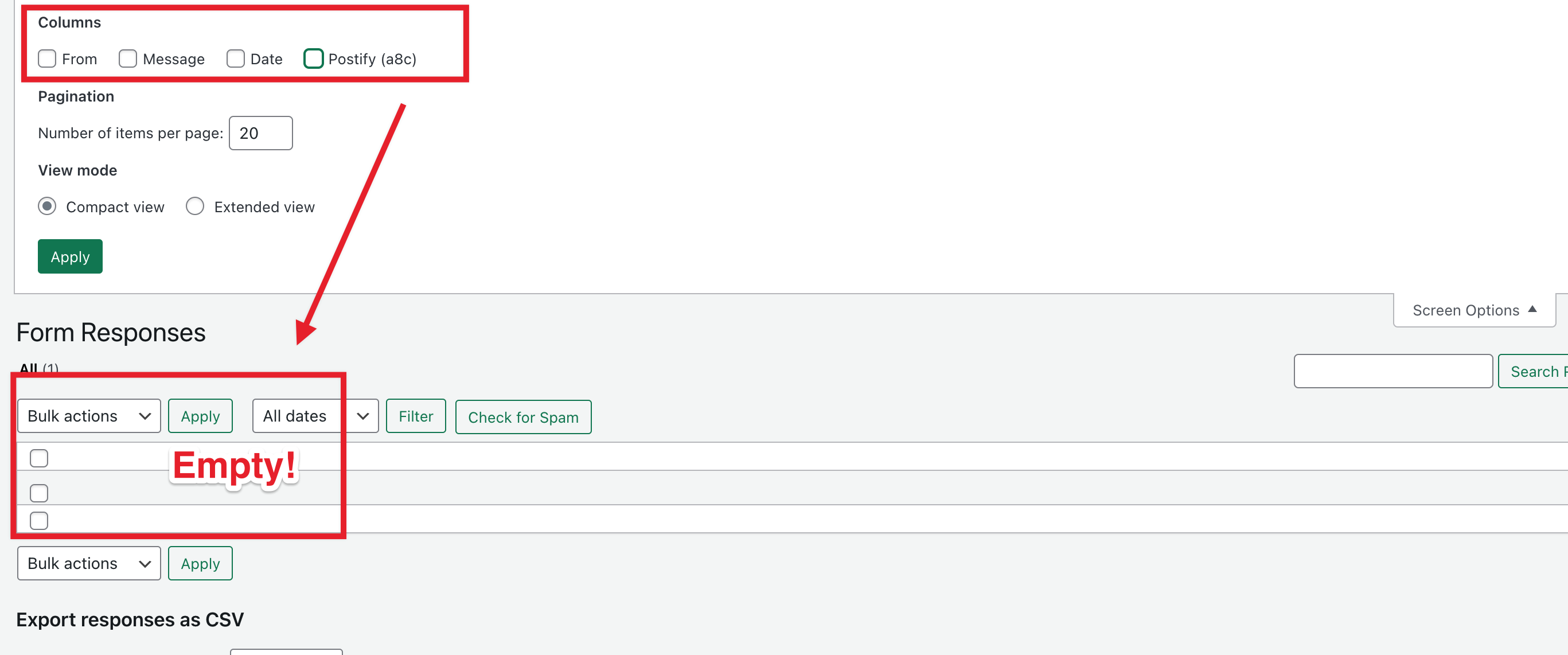
Currently, it is possible to hide all columns in the Form Responses section
https://mrfoxtestingsite.wordpress.com/wp-admin/edit.php?post_type=feedback&mode=excerpt which does not serve any purpose and can be very confusing for users to undo, if this happens to them accidentally.
(This Issue should be transferred to the Jetpack once it is triaged)
### Steps to reproduce
1. Head to Feedback > Form response
2. Open "Screen Options" and uncheck all columns
### What you expected to happen
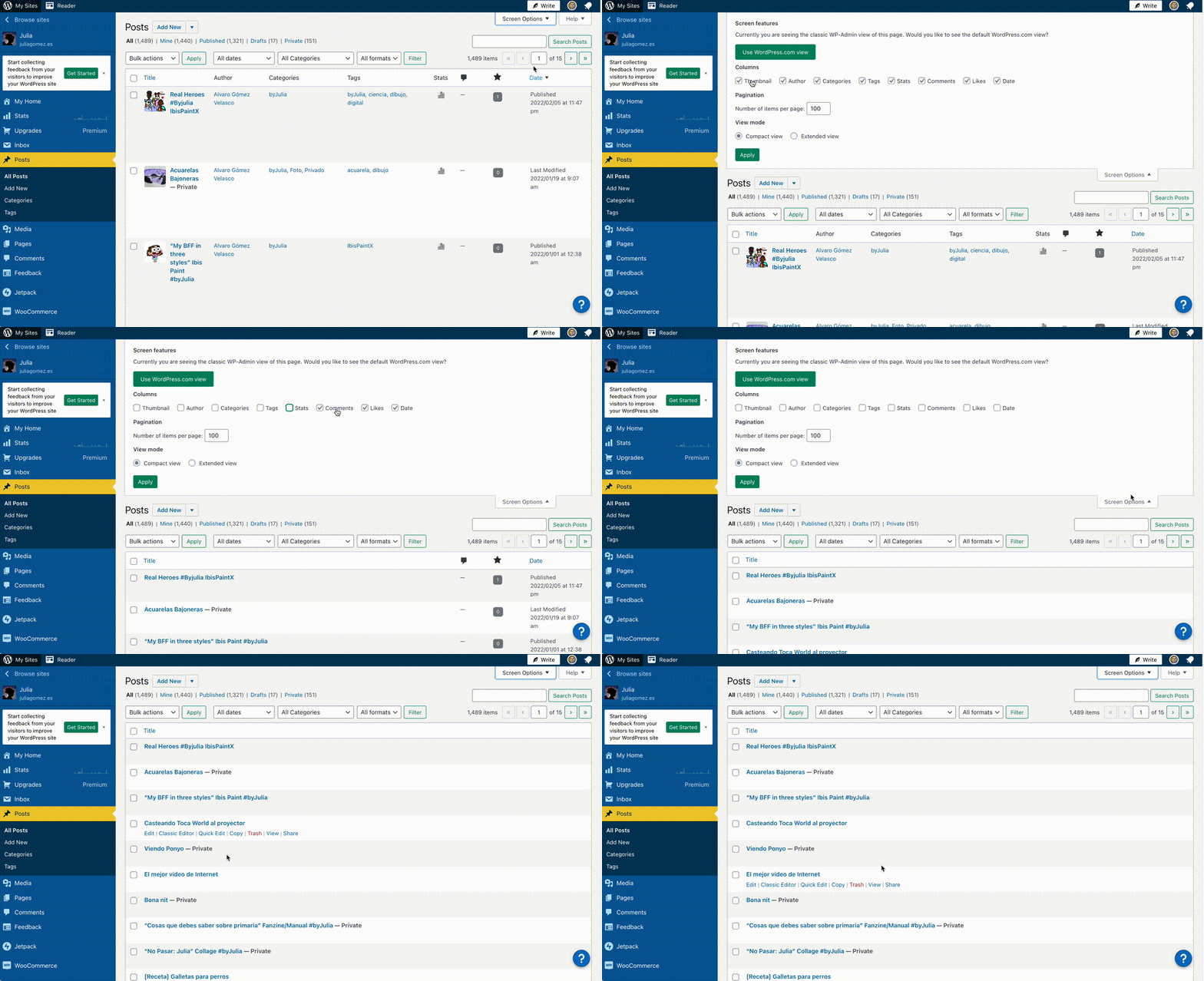
I would not expect to be able to hide all the content on that dashboard page. If we compare it to the "Posts" section, there is no checkbox to hide the "title" column, which is ALWAYS visible:
### What actually happened
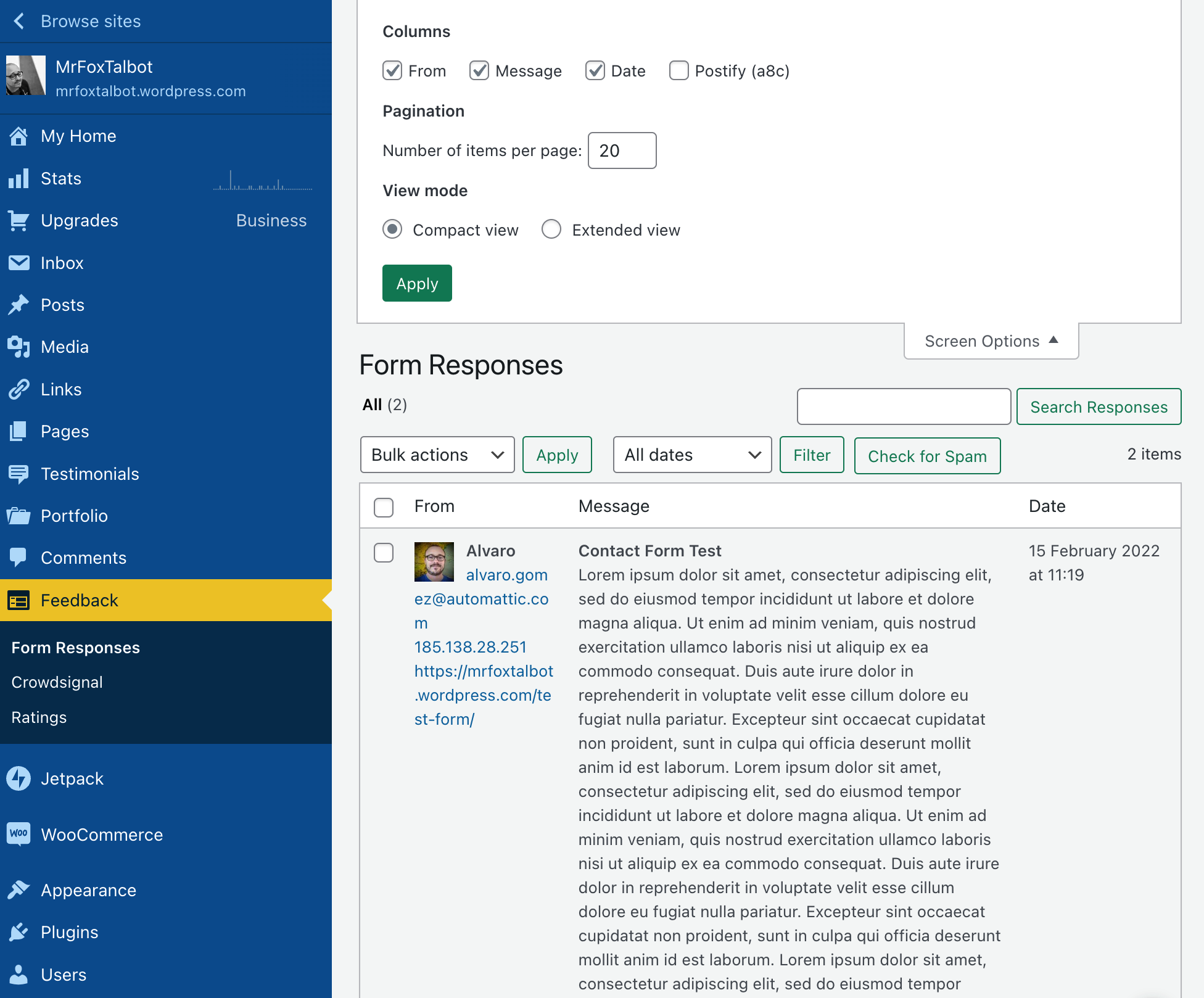
It IS in fact possible to do this, which is confusing. That section only has 3 columns anyway, and they fit nicely even on smaller screens, so I think we could show all columns by default and remove the option to hide some of them.
### Context
4775591-zen & C03TY6J1A-slack-p1644917876215809
### Simple, Atomic or both?
Simple, Atomic
### Theme-specific issue?
N/A
### Browser, operating system and other notes
N/A
### Reproducibility
Consistent
### Severity
All
### Available workarounds?
_No response_
### Workaround details
Anyone can just open the Screen Options and check the columns to show them again, but this is confusing and serves no purpose.
Contributor guide
Research direction
Start at the Feedback > Form response admin screen described in the issue and reproduce the behavior through Screen Options by unchecking every column. Done means users can no longer hide all response columns, while the response list remains usable; verify this flow again after the change.
Written by the indexing model from the issue text.
Assessment
- Tech stack
- php, wordpress
- Domain
- frontend
- Issue type
- Bug
- Difficulty
- 2/5
- Estimated time
- 1-3 hours
- Activity status
- Stale
- Clarity
- Mostly clear
- Newbie friendliness
- 35/100