Automattic / Automattic/jetpack
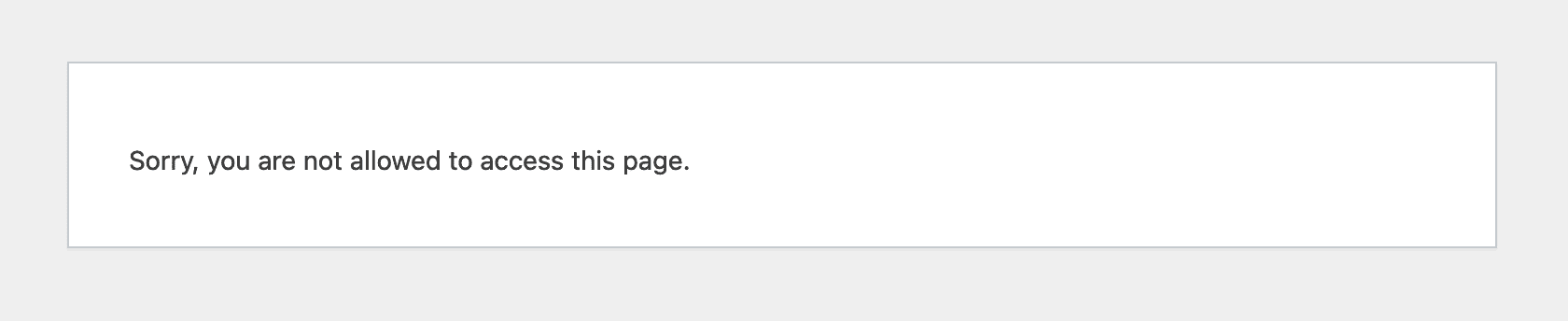
Setting up Stripe connection from FSE results in a 'Sorry, you are not allowed to access this page.' message
- Dominant language
- PHP
- Stars
- 1.8k
- Forks
- 898
- Avg merge
- 1d 18h
- Merged PRs (30d)
- 774
Description
### Impacted plugin
Jetpack
### Steps to Reproduce
1. Create a new Jurassic Ninja site
2. Use Appearance -> Edit to open up FSE
3. Add a payment button
4. Click 'Connect stripe'
5. Go through the Stripe sign-up
6. In stripe click the button to connect
7. Get redirected back to the JN site
### A clear and concise description of what you expected to happen.
* Should be returned back to the template being edited
* Should see a message like 'Congrats! Your site is now connected to Stripe. You can now start accepting funds!'
### What actually happened
I was redirected back to an FSE looking url: https://identical-seahorse.jurassic.ninja/wp-admin/admin.php?stripe_connect_success=gutenberg&page=gutenberg-edit-site&postId=twentytwentytwo%2F%2Fhome&postType=wp_template but I had an error message saying 'Sorry, you are not allowed to access this page.', though the connection had worked.
### Other information
Video of it happening:
https://user-images.githubusercontent.com/93301/160138340-01fcbc4d-da95-4116-b1a4-e5eab8d272e3.mp4
This only happens when initiating the connection from FSE, not from within the post editor.
Note that I haven't been able to reproduce this on WordPress.com simple sites.
### Operating System
_No response_
### OS Version
_No response_
### Browser
Firefox
### Browser Version(s)
_No response_
Contributor guide
Research direction
Start by reproducing the listed FSE Stripe connection flow and inspect handling of the stripe_connect_success=gutenberg redirect to gutenberg-edit-site. Done means the user returns to the template being edited and sees a successful Stripe connection message instead of an access error.
Written by the indexing model from the issue text.
Assessment
- Tech stack
- php, wordpress
- Domain
- frontend, payments
- Issue type
- Bug
- Difficulty
- 4/5
- Estimated time
- 3-5 days
- Activity status
- Stale
- Clarity
- Mostly clear
- Newbie friendliness
- 35/100