Automattic / Automattic/jetpack
Form Block: Drag "Select" Items to rearrange them
- Dominant language
- PHP
- Stars
- 1.8k
- Forks
- 898
- Avg merge
- 1d 18h
- Merged PRs (30d)
- 774
Description
### What
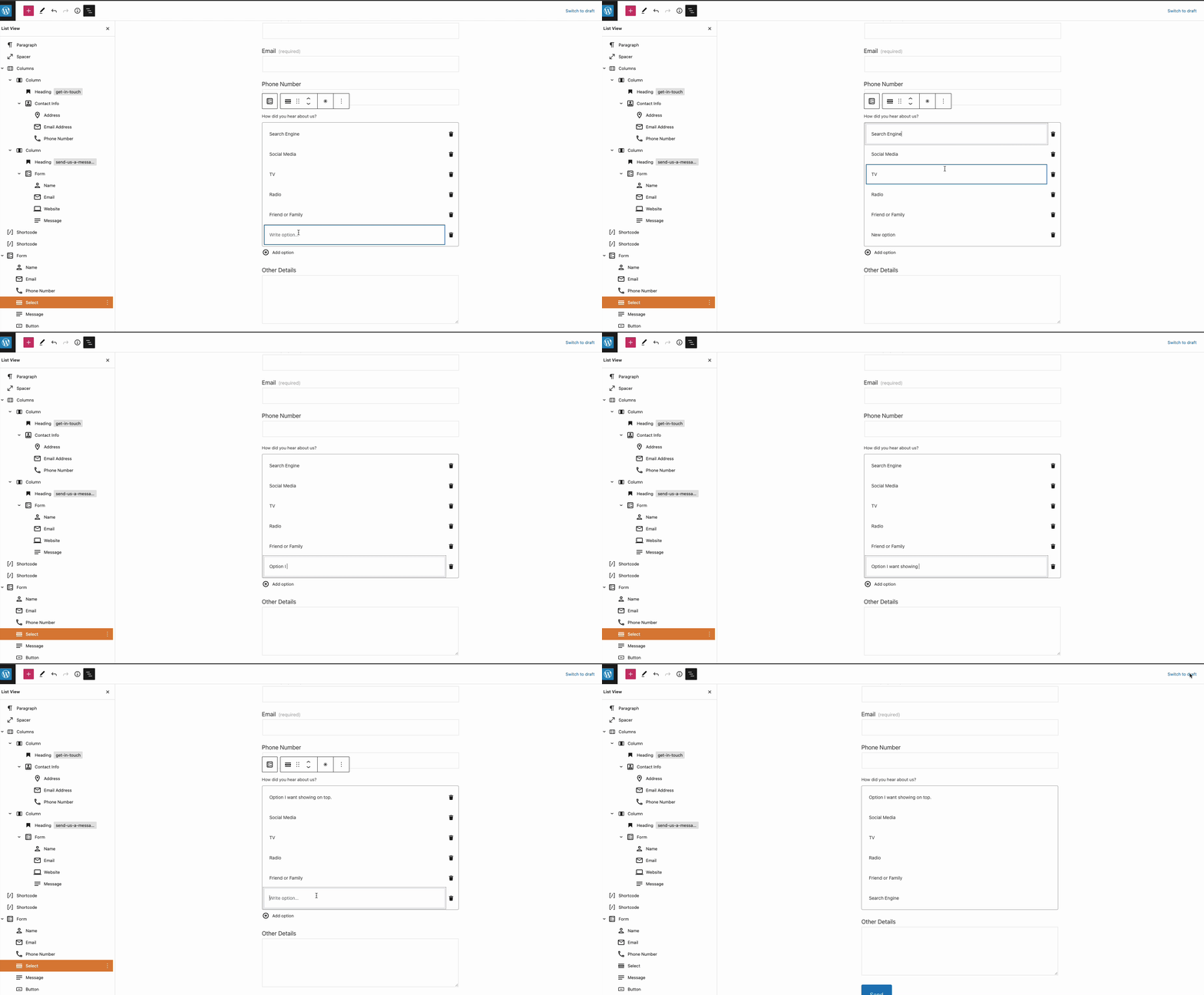
When a user adds a Form Block with the option to have a drop down with options visitors can select (Select), to change the items the user has added they need to delete them or edit them, but there is no option to rearrange them:
### Why
Some users have created long and detailed dropdowns, with many options, they need to show in a specific order.
Every time they need to edit them, it becomes a very demanding shore, for something that could be a matter of simply dragging and dropping the items.
This was brought up in a recent chat, by a user facing this challenge: 34287631-hc
### How
We could simply let users drag and drop the listed items to rearrange them.
Contributor guide
Research direction
Start by locating the Form Block implementation and the Select item list in the repository, then inspect how item edits are stored and rendered. The issue is complete when users can drag Select items into a new order and that order is retained when the form is edited or displayed.
Written by the indexing model from the issue text.
Assessment
- Tech stack
- javascript, react
- Domain
- frontend
- Issue type
- Feature
- Difficulty
- 4/5
- Estimated time
- 3-5 days
- Activity status
- Stale
- Clarity
- Mostly clear
- Newbie friendliness
- 35/100