Automattic / Automattic/jetpack
Recommendations: do not show module in final screen if enabled outside of wizard
- Dominant language
- PHP
- Stars
- 1.8k
- Forks
- 898
- Avg merge
- 1d 18h
- Merged PRs (30d)
- 774
Description
### Steps to reproduce
1. Start from a site that's connected to WordPress.com.
2. Go to Jetpack > Settings > Traffic
3. Enable the Related Posts feature.
4. Now go back to Jetpack > Dashboard, and click on the Recommendations tab at the top.
5. Go through the Recommendations wizard; you will not receive an invitation to enable Related Posts since it's already active on your site:
6. However, at the end of the wizard, you will see a mention that Related Posts were enabled:
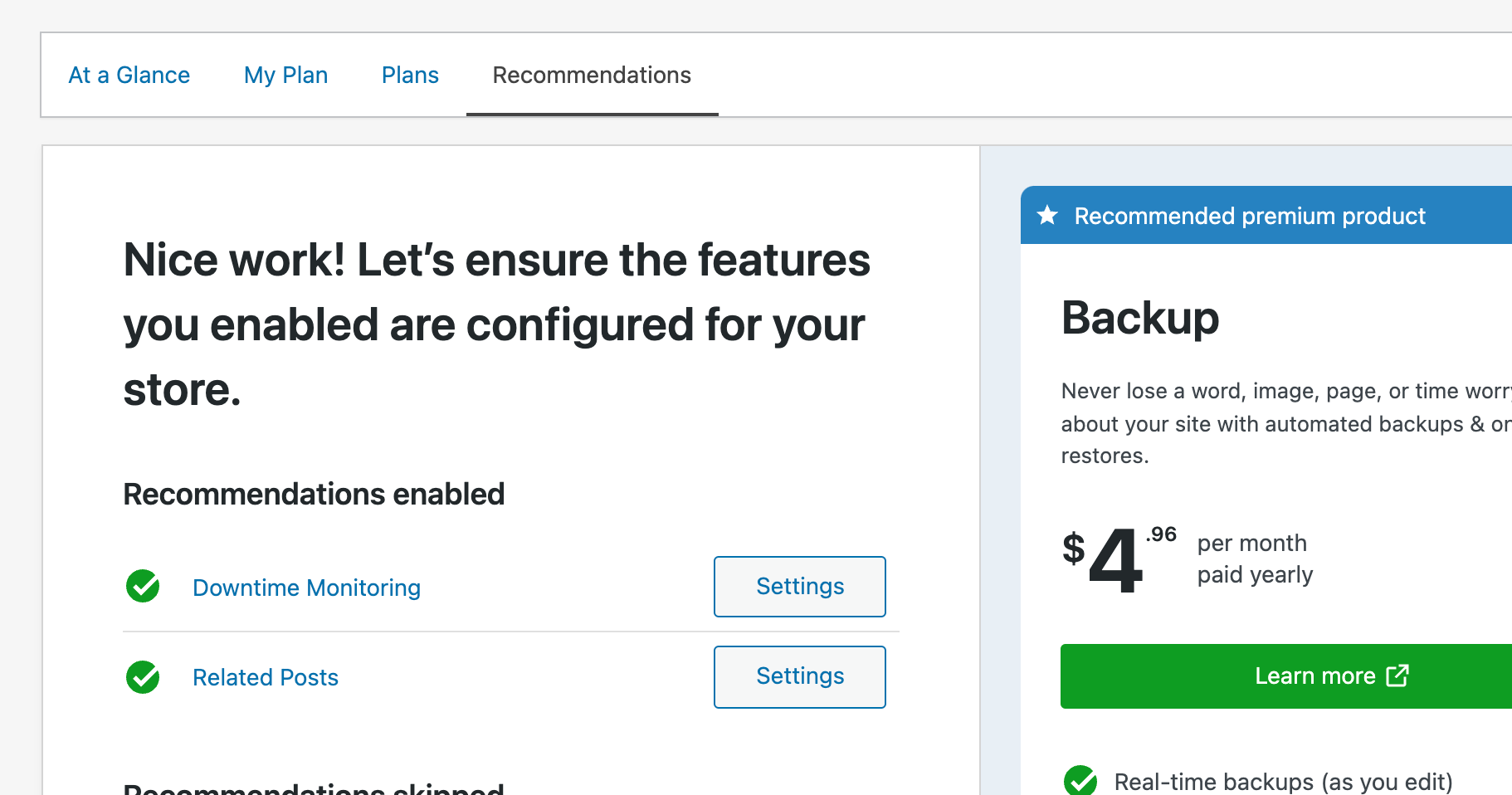
We should avoid displaying features that were not activated as part of the wizard process.
********
Reported in p8oabR-LV-p2#comment-5772
Contributor guide
Research direction
Reproduce the issue by following the listed Jetpack Settings, Dashboard, and Recommendations wizard steps on a WordPress.com-connected site. Done means a feature enabled before the wizard does not appear as enabled in the wizard's final screen.
Written by the indexing model from the issue text.
Assessment
- Tech stack
- php, wordpress
- Domain
- frontend
- Issue type
- Bug
- Difficulty
- 3/5
- Estimated time
- 1-2 days
- Activity status
- Stale
- Clarity
- Mostly clear
- Newbie friendliness
- 35/100