Automattic / Automattic/jetpack
SSO does not work when the WP login URL is changed (SiteGuard WP Plugin)
- Dominant language
- PHP
- Stars
- 1.8k
- Forks
- 898
- Avg merge
- 1d 18h
- Merged PRs (30d)
- 774
Description
### Impacted plugin
Jetpack
--------
SSO for a site is not working when the WP login URL is changed with [SiteGuard WP Plugin](https://wordpress.org/plugins/siteguard/). Actually, we fixed this [before here](https://github.com/Automattic/jetpack/pull/18457), but the issue is appearing for this SiteGuard WP Plugin particularly.
### Steps to Reproduce
1. Enable WordPress.com login on a Jetpack site.
2. Install [SiteGuard WP Plugin](https://wordpress.org/plugins/siteguard/).
3. Make sure Rename Login feature is enabled on SiteGuard WP Plugin.
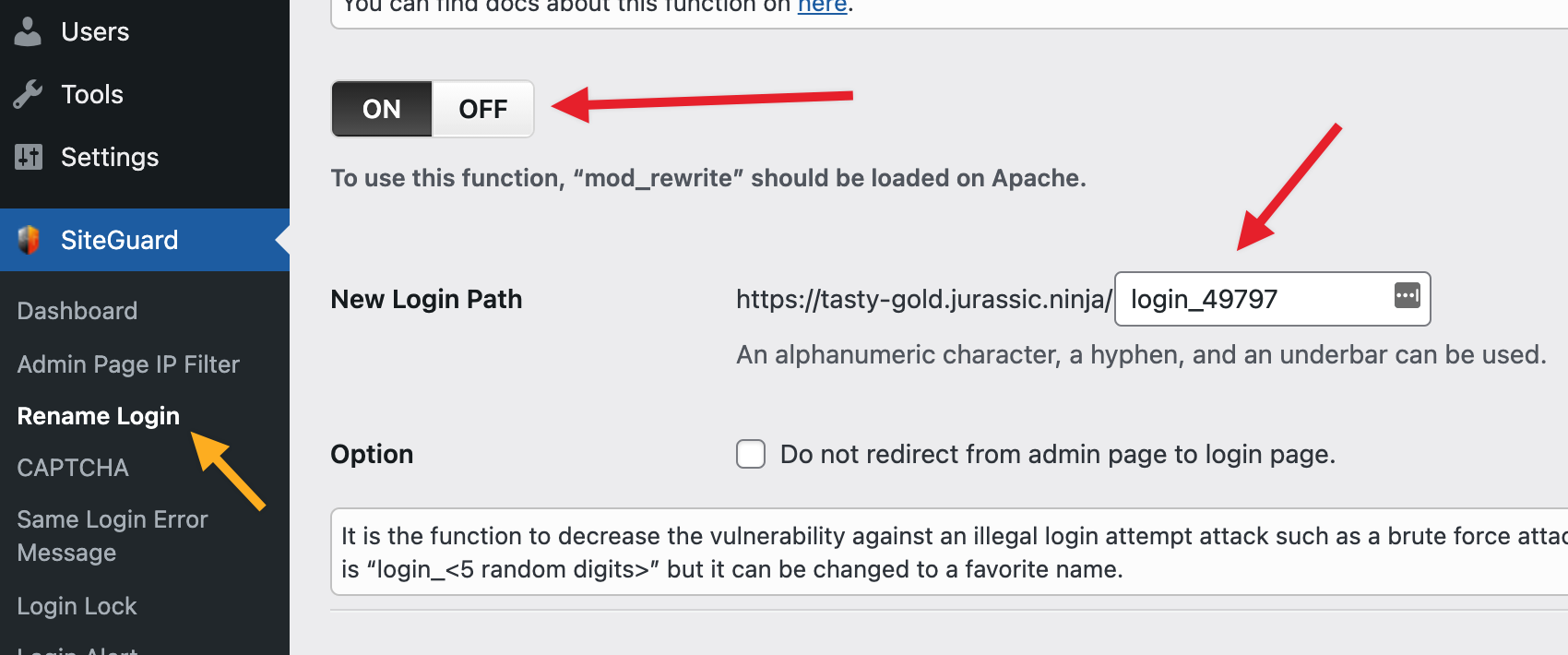
4. Go to the login area of the site and try to log in via WordPress.com. Once we click on _Log in with WordPress.com_, we will see `Sorry, the page you were looking for doesn't exist or has been moved` error message.

From the error message, it looks like there is something issue on our side and requires a fix? Because the WordPress.com login option is appearing but we are not able to log in. The problem is not there if we will disable the Rename Login feature in SiteGuard WP Plugin.
--------
Reported on 4339937-zen.
Contributor guide
Research direction
Start at the WordPress.com login entry point while reproducing the failure with SiteGuard's Rename Login feature enabled. Trace the redirect and login handling associated with the error, then confirm that SSO completes successfully without disabling Rename Login.
Written by the indexing model from the issue text.
Assessment
- Tech stack
- php, wordpress
- Domain
- authentication
- Issue type
- Bug
- Difficulty
- 4/5
- Estimated time
- 3-5 days
- Activity status
- Stale
- Clarity
- Mostly clear
- Newbie friendliness
- 35/100