Automattic / Automattic/jetpack
Dashboard: cannot display a single feature card
- Dominant language
- PHP
- Stars
- 1.8k
- Forks
- 898
- Avg merge
- 1d 18h
- Merged PRs (30d)
- 774
Description
At the moment, if you need to show only one card from the Jetpack settings, you must launch a search, e.g. `related posts`:
`wp-admin/admin.php?page=jetpack#/traffic?term=related%20posts`
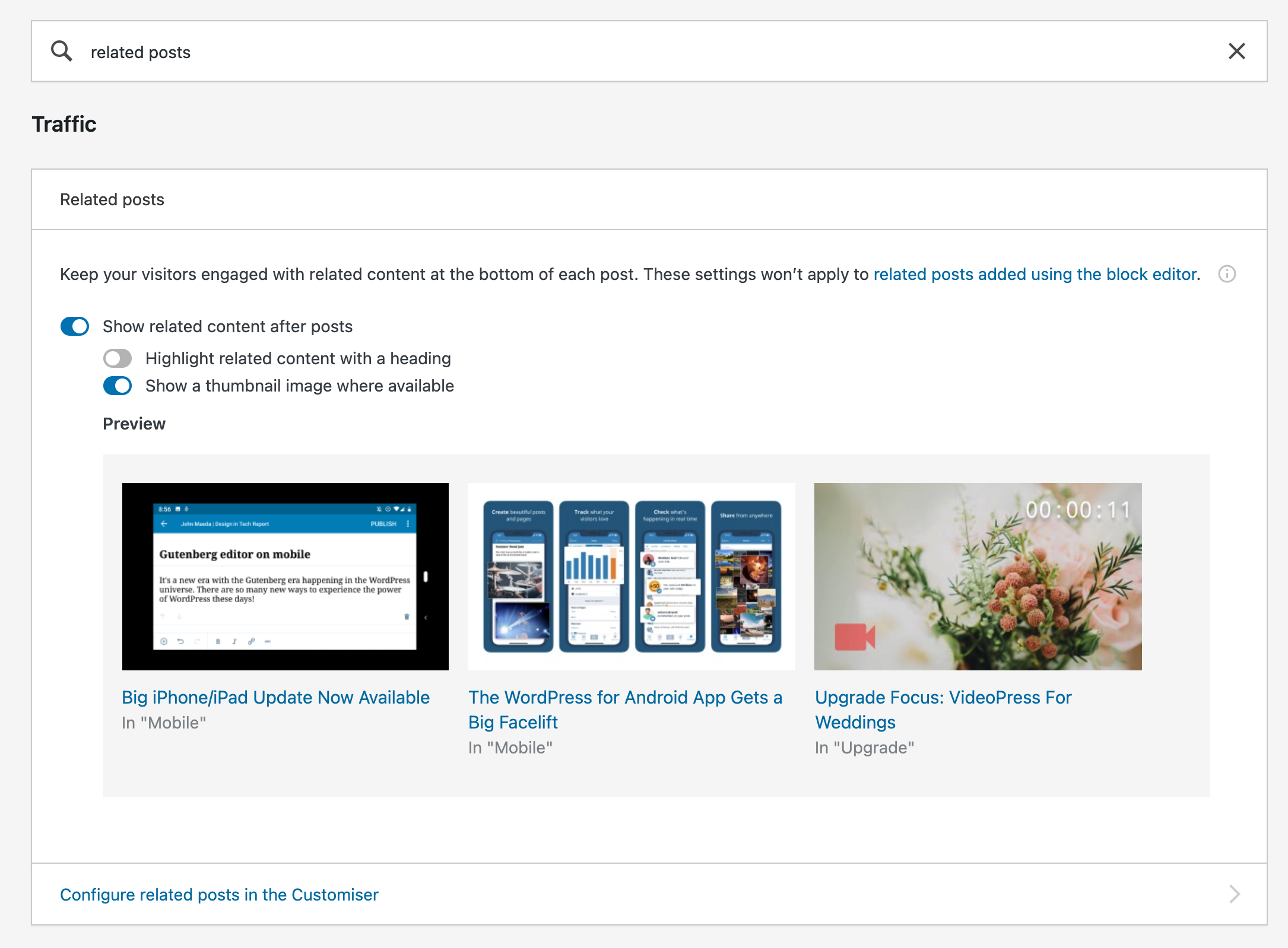
While this technically works, it has a few inconvenients:
1. The search bar can be confusing.
2. some features cannot be returned on their own: try searching for `cdn` or `photon`; you'll always get both Search and Photon as results.
3. Navigating away from a dashboard search page and back, the search string is not kept.
I would be nice if we were able to deeplink to each feature separately.
------
p8oabR-BT-p2#comment-4930
Contributor guide
Research direction
Start at the wp-admin/admin.php?page=jetpack#/traffic entry point and inspect how the dashboard currently selects cards from the search term. Done means each Jetpack feature can be opened through its own deep link, including features that currently collide in search, without relying on the search bar.
Written by the indexing model from the issue text.
Assessment
- Tech stack
- php, wordpress
- Domain
- frontend
- Issue type
- Feature
- Difficulty
- 3/5
- Estimated time
- 1-2 days
- Activity status
- Stale
- Clarity
- Mostly clear
- Newbie friendliness
- 35/100