Automattic / Automattic/jetpack
Video: aspect ratio defaults to 4:3
- Dominant language
- PHP
- Stars
- 1.8k
- Forks
- 898
- Avg merge
- 1d 18h
- Merged PRs (30d)
- 774
Description
#### Steps to reproduce the issue
1. Start a post/page
2. Add the video block and upload a video
3. Save and visit the post/page
#### What I expected
To see the correct aspect ratio.
#### What happened instead
I see extra spacing, top and bottom:
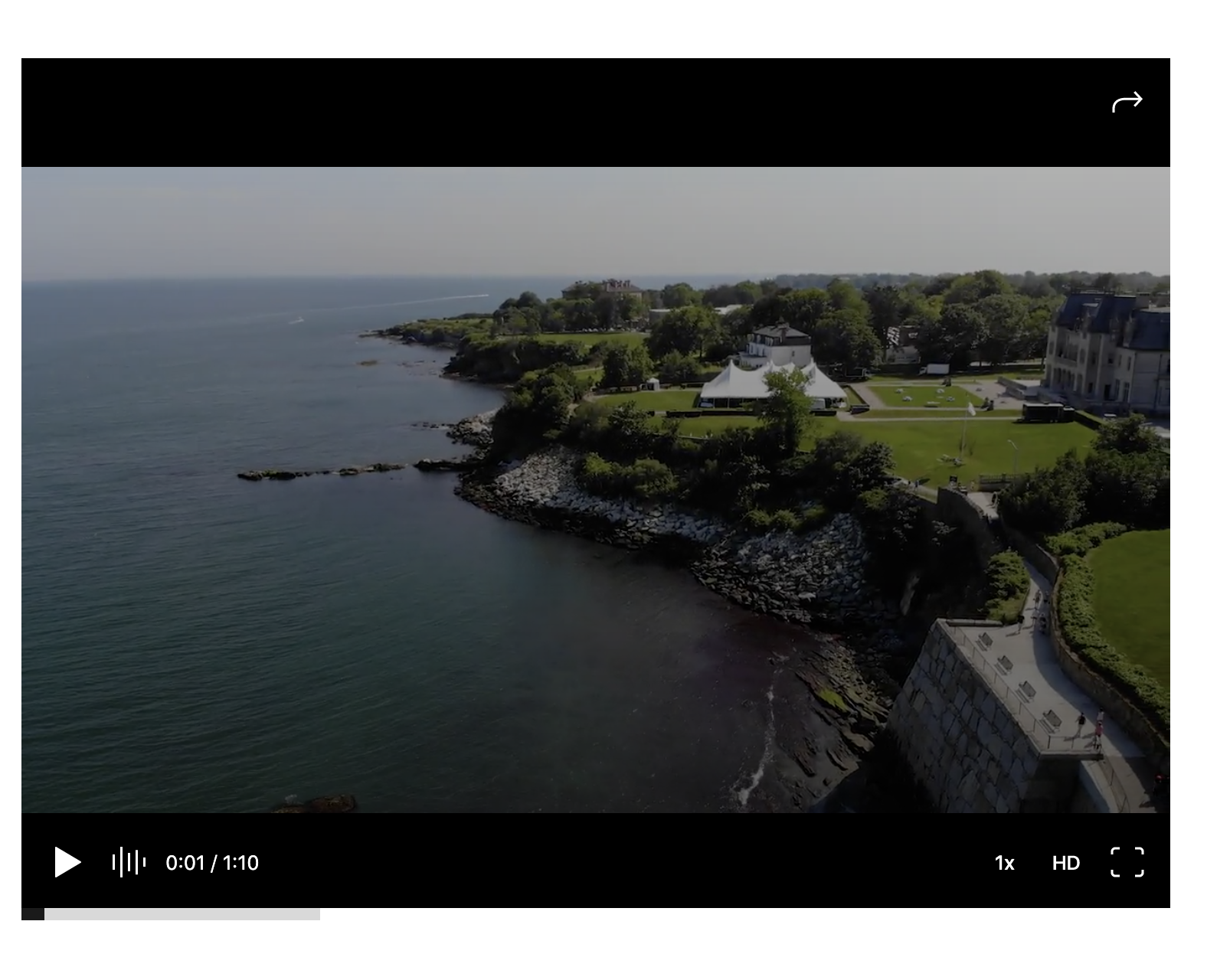
It looks like despite the videos having a 16:9 ratio they always have the same class, `wp-embed-aspect-4-3`. If you change it in the code inspector to `wp-embed-aspect-16-9`, then the video works properly.
In some cases, the solution was to force the new aspect ratio with custom CSS:
```
.is-provider-videopress.wp-embed-aspect-4-3 .wp-block-embed__wrapper::before {
padding-top: 56.25%;
}
```
Another option is to ask the user to add `wp-embed-aspect-16-9` as a custom class to their video block.
**Context**
I was able to reproduce the issue with a newer theme on WordPress.com but not on a .org site (with or without Jetpack). The test is here:
https://eduardoistesting.blog/2020/10/27/videopress-ratio/
* Internal context: p2EDhh-1bd-p2
* User reports: 3418941-zen and 3436471-zen
Contributor guide
Research direction
Reproduce the issue by adding a video block, uploading a 16:9 video, and visiting the saved post or page. Inspect the generated embed classes, especially wp-embed-aspect-4-3, and compare the result with wp-embed-aspect-16-9; done means the video displays its correct aspect ratio without custom CSS or a manually added class.
Written by the indexing model from the issue text.
Assessment
- Tech stack
- php
- Domain
- frontend, web-dev
- Issue type
- Bug
- Difficulty
- 3/5
- Estimated time
- 1-2 days
- Activity status
- Stale
- Clarity
- Mostly clear
- Newbie friendliness
- 35/100