Automattic / Automattic/jetpack
Search: Improve image sizing
- Dominant language
- PHP
- Stars
- 1.8k
- Forks
- 898
- Avg merge
- 1d 18h
- Merged PRs (30d)
- 774
Description
The new image layout still has some tricky problems with portrait images.
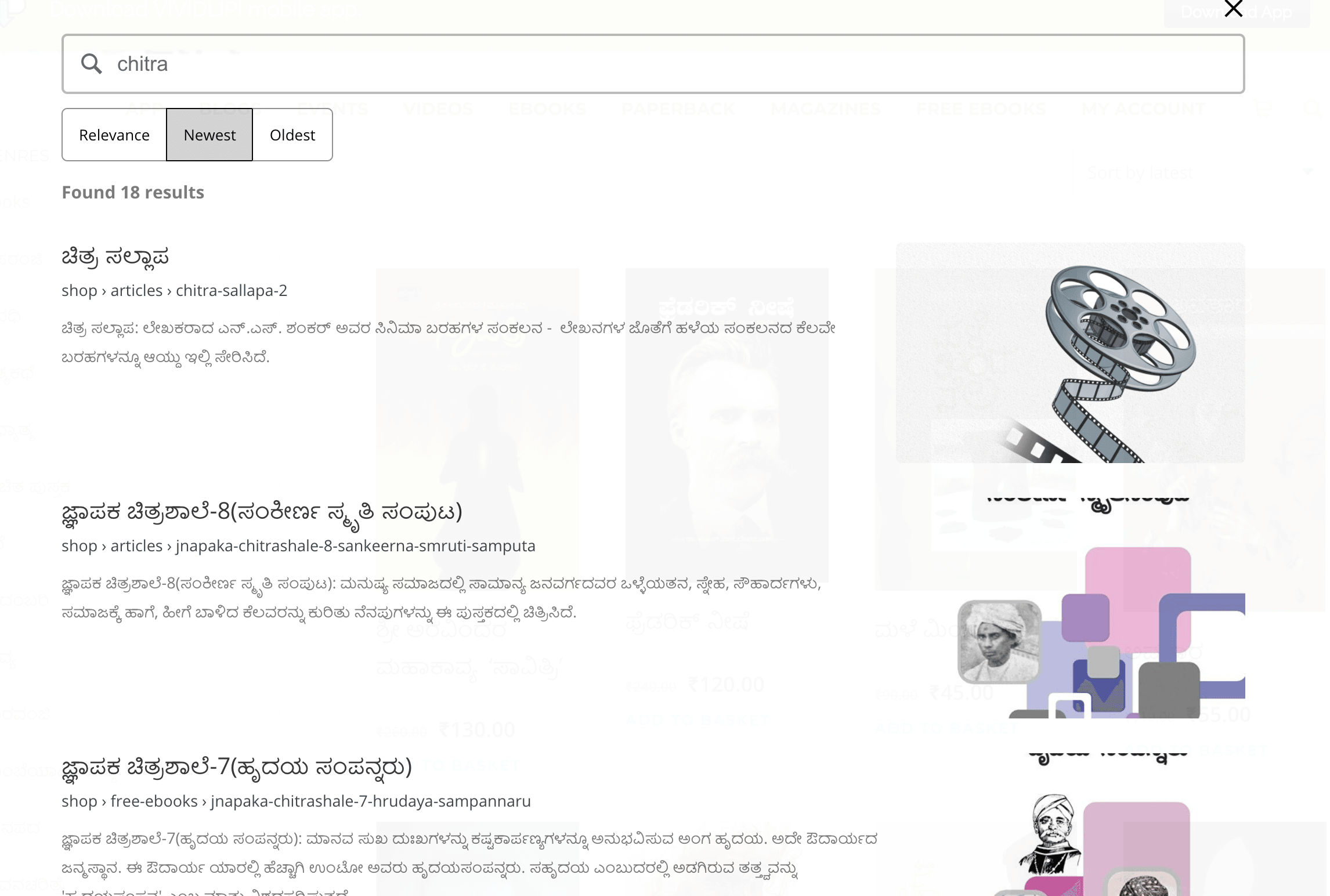
I actually think that supporting a grid layout may be the best solution here, but documenting it as a separate issue in case there is more we can do. Ideas:
- always align the image to the top when there are certain dimensions and then add a fading gradient or something at the bottom
- ???
Testing instructions:
- set up a site with a Search plan
- Add content that has portrait images
- Go to Customizer->Jetpack Search and set the search results to be "Expanded"
- Run a search that brings up the portrait images
From https://github.com/Automattic/jpop-issues/issues/5591 so you can also look at that site.
Contributor guide
Research direction
Set up a site with a Search plan, add content with portrait images, choose Expanded results under Customizer → Jetpack Search, and run a search. Review the portrait-image example and the related jpop-issues/5591 issue first. Done means portrait images display appropriately in the expanded layout, but the issue does not define the intended behavior or name implementation files.
Written by the indexing model from the issue text.
Assessment
- Tech stack
- php, wordpress
- Domain
- design, frontend, search
- Issue type
- Bug
- Difficulty
- 5/5
- Estimated time
- Over a week
- Activity status
- Stale
- Clarity
- Needs clarification
- Newbie friendliness
- 20/100