Automattic / Automattic/jetpack
Site logo: Image attachment page incorrectly uses media file as site logo
- Dominant language
- PHP
- Stars
- 1.8k
- Forks
- 898
- Avg merge
- 1d 18h
- Merged PRs (30d)
- 774
Description
#### Steps to reproduce the issue
1. Enable the Blask theme, and make sure no site logo is set in the Customizer. Also make sure the image gallery carousel is disabled.
2. Add an image to a post using an image block, and set link settings to Attachment Page
3. View post and click on image to view the attachment page
#### What I expected
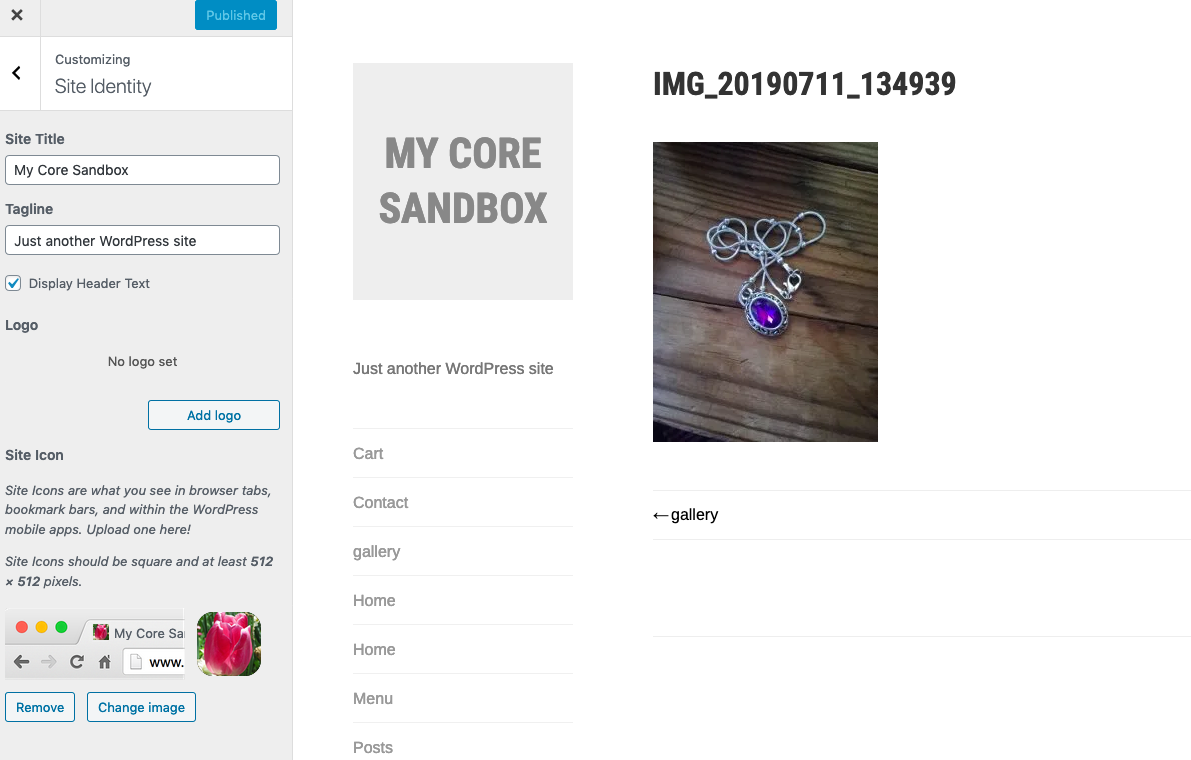
For the attachment page to have no logo set.
#### What happened instead
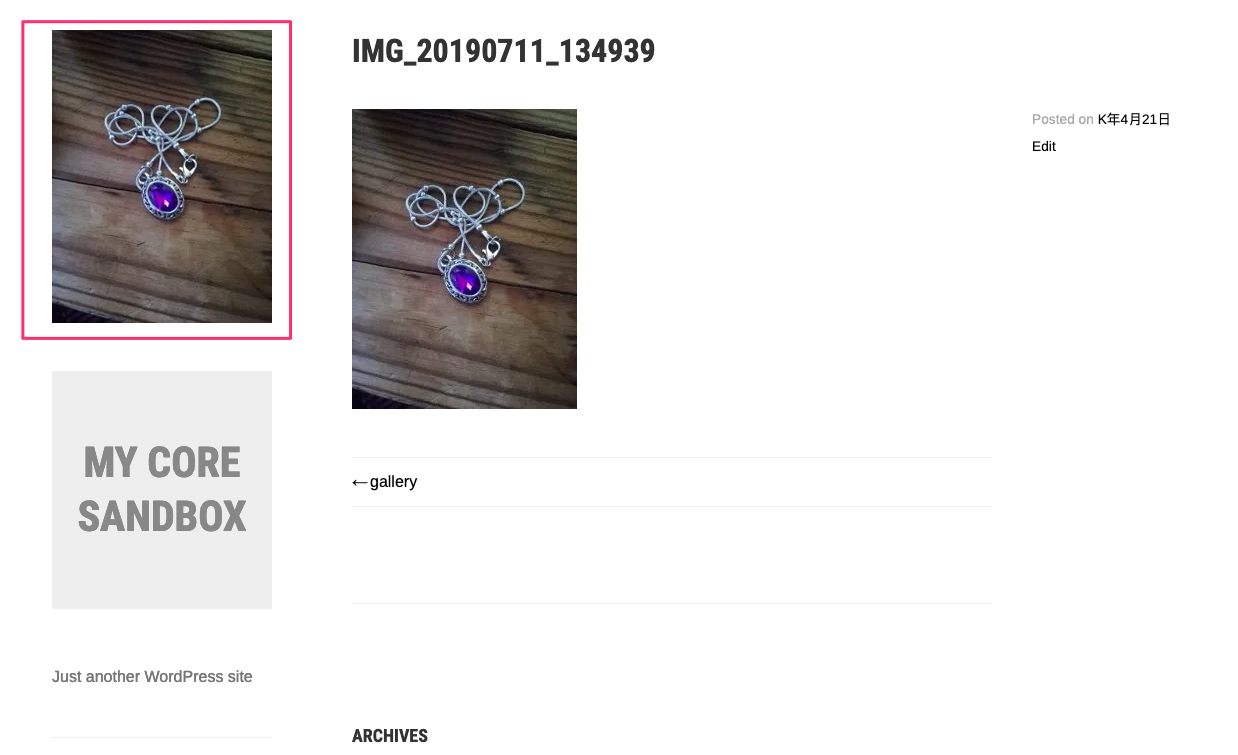
The media file is being used as site logo.
**Screenshots**
**Attachment page on the site**
**Attachment page preview in the Customizer**
#### Additional info
I'm able to replicate this using the retired Sela theme, as well as Blask, on both a WordPress.com simple site and a Jetpack site. The user who reported it can also replicate it in Themeisle's Hestia theme.
I'm not able to replicate using TwentyTwenty, Dara or Stow.
**Edited to add:** Jetpack version 4.8.2, WordPress version 5.4
Forum thread: https://wordpress.org/support/topic/problem-with-attachement-page/
Contributor guide
Research direction
Start by reproducing the attachment-page behavior with Blask or Sela, with no site logo configured and the image linked to its Attachment Page. Compare the result with TwentyTwenty, Dara, or Stow and the Customizer preview; done means the attachment page no longer treats the media file as the site logo.
Written by the indexing model from the issue text.
Assessment
- Tech stack
- php, wordpress
- Domain
- frontend
- Issue type
- Bug
- Difficulty
- 4/5
- Estimated time
- 3-5 days
- Activity status
- Stale
- Clarity
- Mostly clear
- Newbie friendliness
- 35/100