Automattic / Automattic/jetpack
Manage plan buttons mission from wp-admin/plans page
- Dominant language
- PHP
- Stars
- 1.8k
- Forks
- 898
- Avg merge
- 1d 14h
- Merged PRs (30d)
- 790
Description
#### Steps to reproduce the issue
As a user who has any Jetpack plan:
1. Go to [site URL]/wp-admin/admin.php?page=jetpack#/my-plan
3. Look at plans cards at top of page
#### What I expected
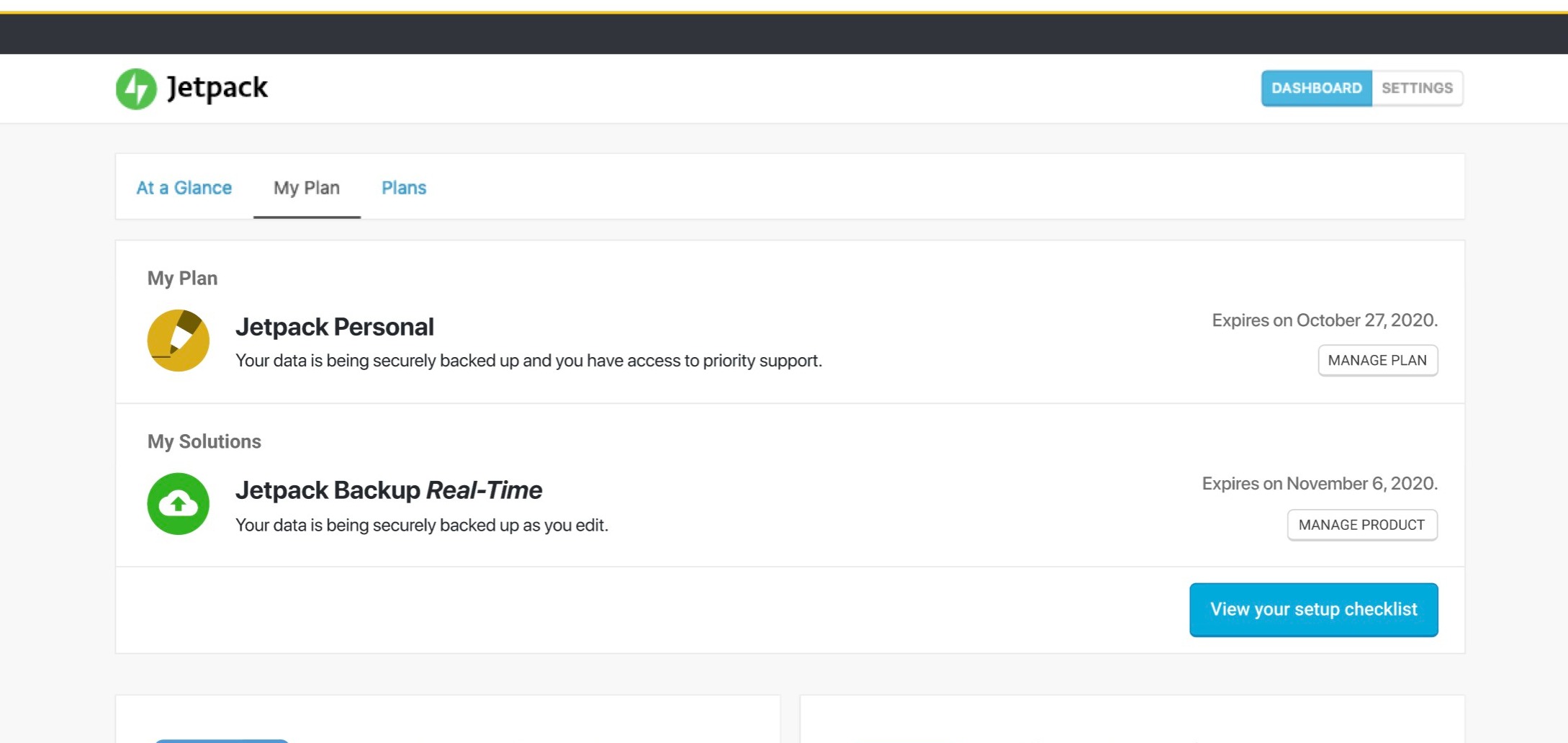
I expected to see buttons allowing me to manage my product or solution
#### What happened instead
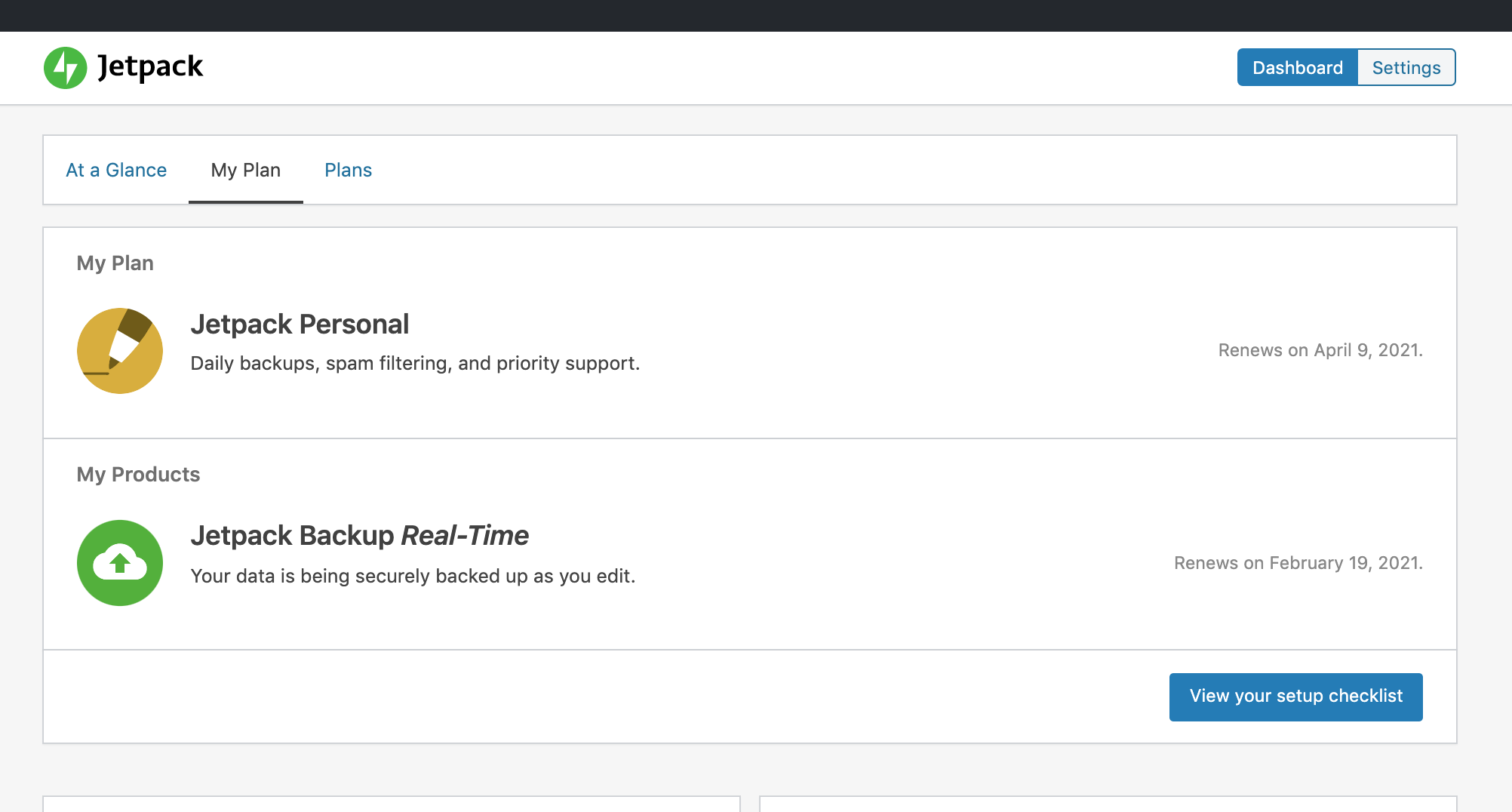
There are no buttons
**Screenshots**
**What I Expected:**
**What's in production**
Contributor guide
Research direction
Open wp-admin/admin.php?page=jetpack#/my-plan and inspect the plans cards at the top of the page. Compare the current view with the expected screenshot and trace the page entry point to identify why the manage buttons are absent. Done means users with any Jetpack plan can see buttons to manage their product or solution.
Written by the indexing model from the issue text.
Assessment
- Tech stack
- php, wordpress
- Domain
- frontend
- Issue type
- Bug
- Difficulty
- 3/5
- Estimated time
- 1-2 days
- Activity status
- Stale
- Clarity
- Mostly clear
- Newbie friendliness
- 35/100