Automattic / Automattic/jetpack
WPMU: Disabling sub-site override results in broken UI
- Dominant language
- PHP
- Stars
- 1.8k
- Forks
- 898
- Avg merge
- 1d 18h
- Merged PRs (30d)
- 774
Description
Related to #14999
The UI for newly created sites does not reflect what users can actually do, if "sub-site override" is disabled. I _believe_ what is supposed to happen, is that the connection of the primary blog is shared by all other blogs and Jetpack should "just work". Instead, the UI for sub-sites shows a range of broken or wrong links, and attempting to use most features doesn't work.
#### Steps to reproduce the issue
1. Disable "sub-site override" on /wp-admin/network/admin.php?page=jetpack-settings
2. Create a new sub-site as a different user
3. Go to Jetpack dashboard
4. See nonsensical range of entirely broken functionality and layout
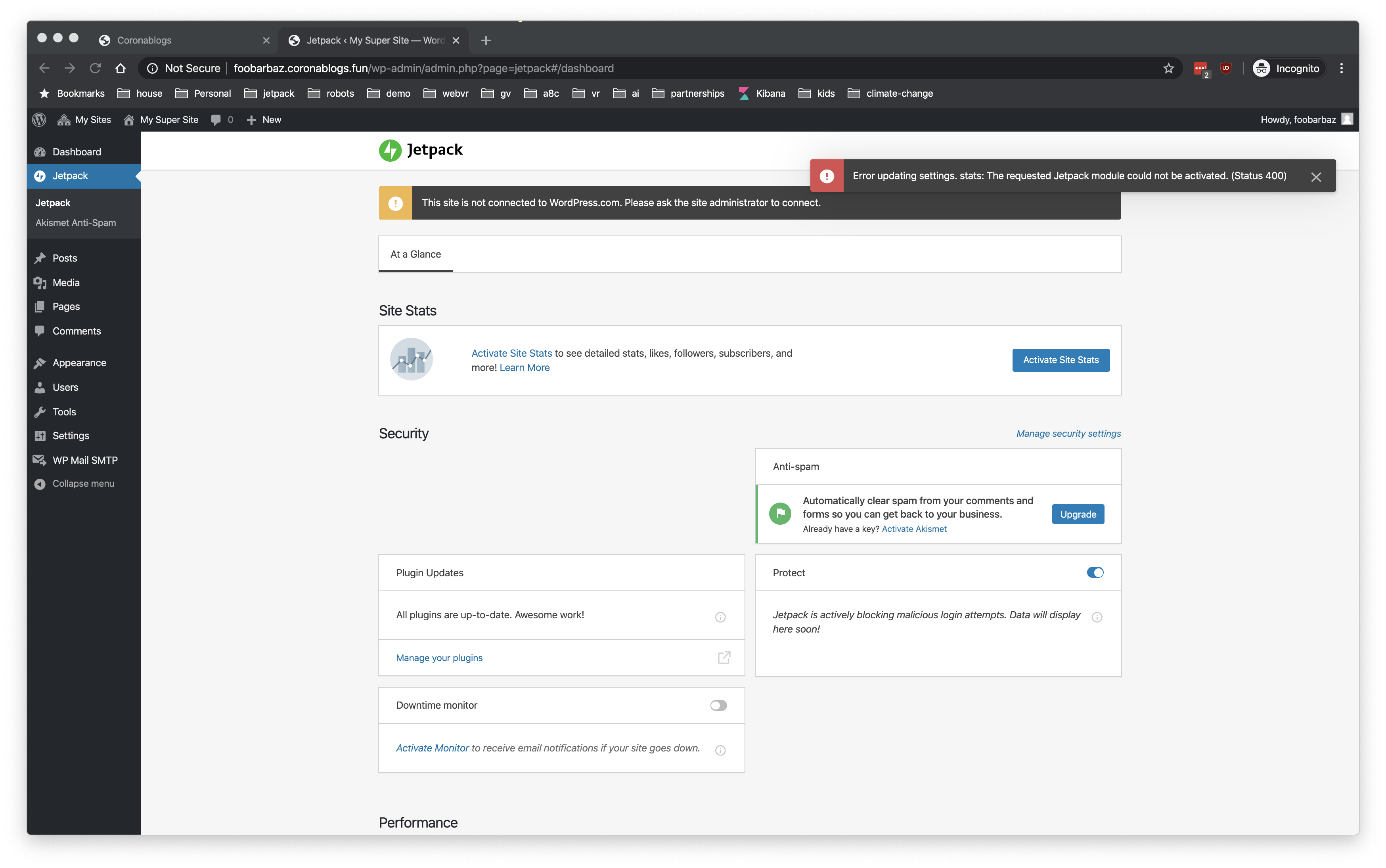
#### What I expected
Everything to "just work" using the connection of the main site master user
#### What happened instead
Just click around. It's pretty nuts.
**Screenshots**
If applicable, add screenshots to help explain your problem.
Contributor guide
Research direction
Start by reproducing the steps from the network settings page at /wp-admin/network/admin.php?page=jetpack-settings: disable sub-site override, create a sub-site, and open its Jetpack dashboard. Compare the resulting links, layout, and feature behavior with the expected use of the primary blog connection; done means the sub-site UI and features work consistently in that configuration.
Written by the indexing model from the issue text.
Assessment
- Tech stack
- php
- Domain
- frontend
- Issue type
- Bug
- Difficulty
- 4/5
- Estimated time
- 3-5 days
- Activity status
- Stale
- Clarity
- Needs clarification
- Newbie friendliness
- 25/100