Automattic / Automattic/jetpack
WPMU: Clicking to activate site stats doesn't work
- Dominant language
- PHP
- Stars
- 1.8k
- Forks
- 898
- Avg merge
- 1d 18h
- Merged PRs (30d)
- 774
Description
When starting a new blog on a multisite, the dashboard looks like this:
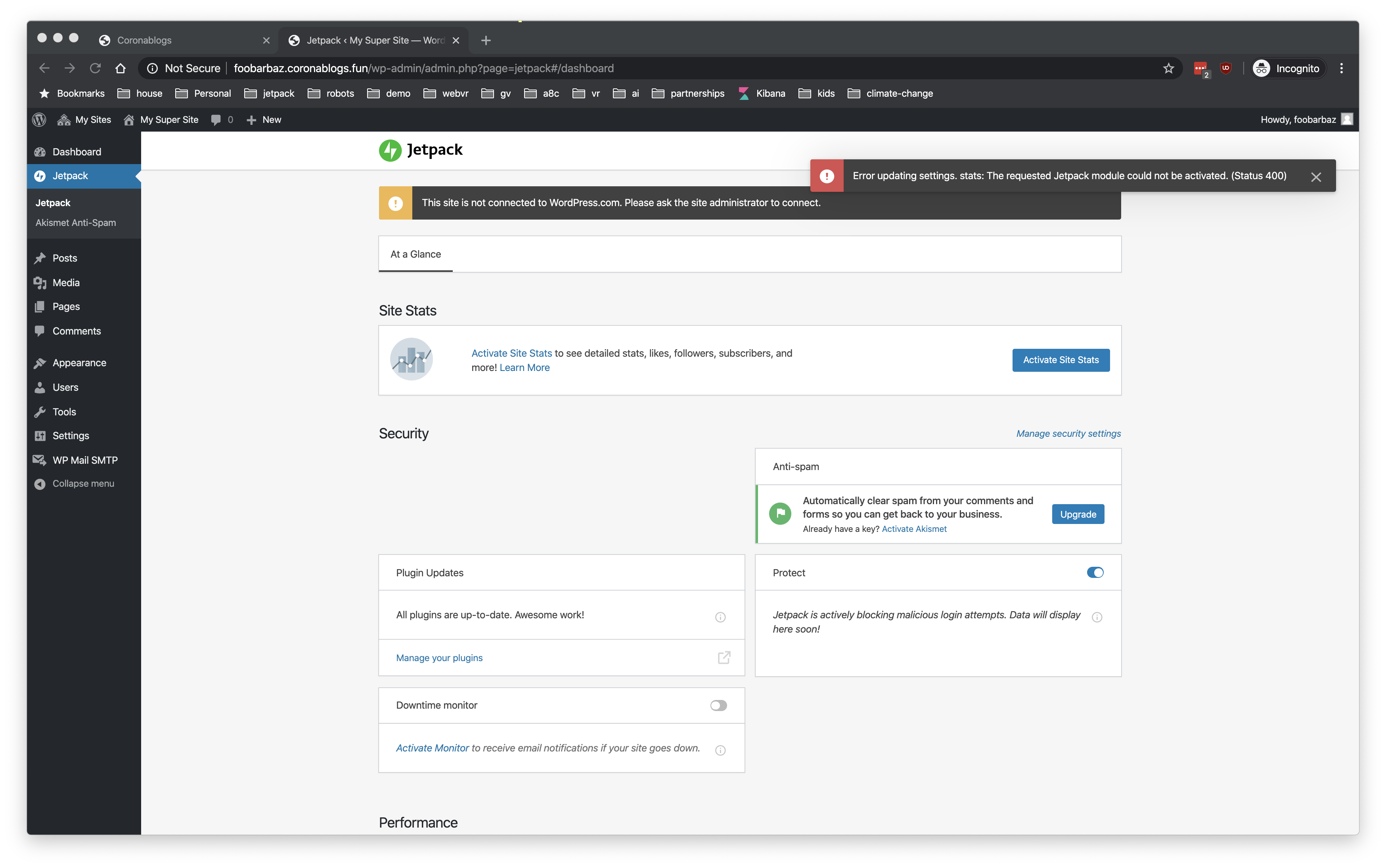
Clicking "Activate Site Stats" results in the error "The requested Jetpack module could not be activated" (shown above)
Presumably this is because there is no admin user connected. On this particular site, I disabled the ability to individual blogs to manage their own Jetpack connections.
#### Steps to reproduce the issue
1. Disable "sub-site override" on `/wp-admin/network/admin.php?page=jetpack-settings`
2. Create a new sub-site as a different user
3. See UI above ^^
4. Click on "Activate Site Stats"
#### What I expected
Site stats to be activated, or a useful error message like "connect your user first" etc.
#### What happened instead
Non-useful error message, or misconfigured UI
**Screenshots**
See above
Contributor guide
Research direction
Reproduce the multisite case by disabling sub-site override at /wp-admin/network/admin.php?page=jetpack-settings, creating a sub-site as another user, and clicking “Activate Site Stats.” Trace the activation failure and determine whether the UI should activate Site Stats or explain that the user must connect first; done means the action succeeds or shows a useful error.
Written by the indexing model from the issue text.
Assessment
- Tech stack
- php, wordpress
- Domain
- backend
- Issue type
- Bug
- Difficulty
- 4/5
- Estimated time
- 3-5 days
- Activity status
- Stale
- Clarity
- Mostly clear
- Newbie friendliness
- 35/100