Automattic / Automattic/jetpack
Admin Page: Maybe move connection account CTA within settings section
- Dominant language
- PHP
- Stars
- 1.8k
- Forks
- 898
- Avg merge
- 1d 18h
- Merged PRs (30d)
- 774
Description
#### Steps to reproduce the issue
1. Have a connected Jetpack site.
2. Create a new "Editor" user.
3. Switch to that user.
4. Visit Jetpack->Settings
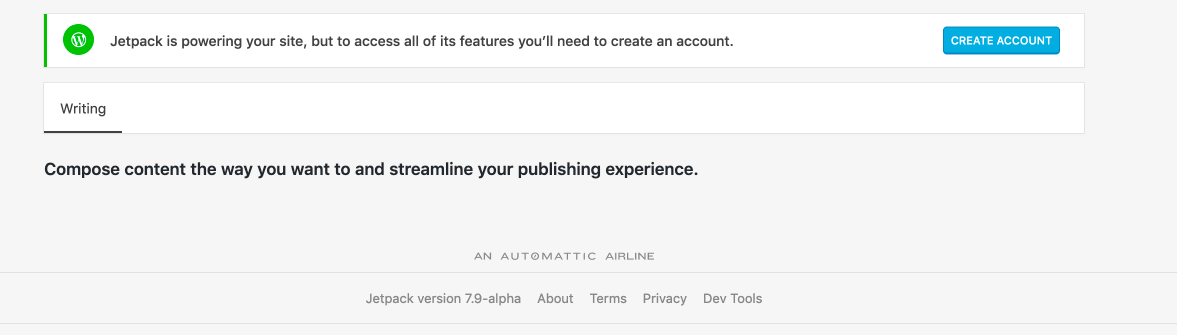
#### What I expected
A relatively sparse page with a clear CTA.
#### What happened instead
While there is a CTA, my eye has been trained to ignore a lot of the top-level stuff when expecting something front-and-center on a page. In this case, I was expecting to see some settings... but it looked blank.
It makes sense that I need to link my account, to me, but I'm not sure a regular editor would understand it OR really know what's in it for them to do so.
Contributor guide
Research direction
Reproduce the issue by following the listed steps and inspect the Jetpack Settings page as an Editor user. Determine where the connection-account CTA should appear and what wording or context would make its purpose clear; done means the page presents a clear, understandable CTA within the settings area.
Written by the indexing model from the issue text.
Assessment
- Tech stack
- php
- Domain
- design, frontend
- Issue type
- Feature
- Difficulty
- 5/5
- Estimated time
- Over a week
- Activity status
- Stale
- Clarity
- Needs clarification
- Newbie friendliness
- 25/100