Automattic / Automattic/jetpack
Hide publicize panel for private sites on .com
- Dominant language
- PHP
- Stars
- 1.8k
- Forks
- 898
- Avg merge
- 1d 18h
- Merged PRs (30d)
- 774
Description
Publicize gets disabled for private sites but the panel still shows up in block editor. The same is true for sharing+likes button settings.
#### Steps to reproduce the issue
1. Have a .com simple site
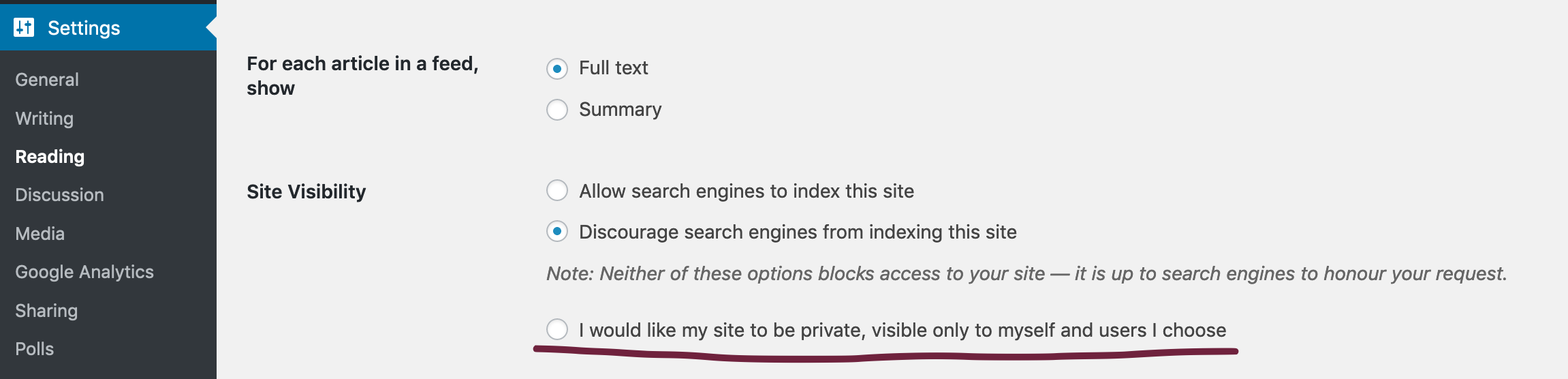
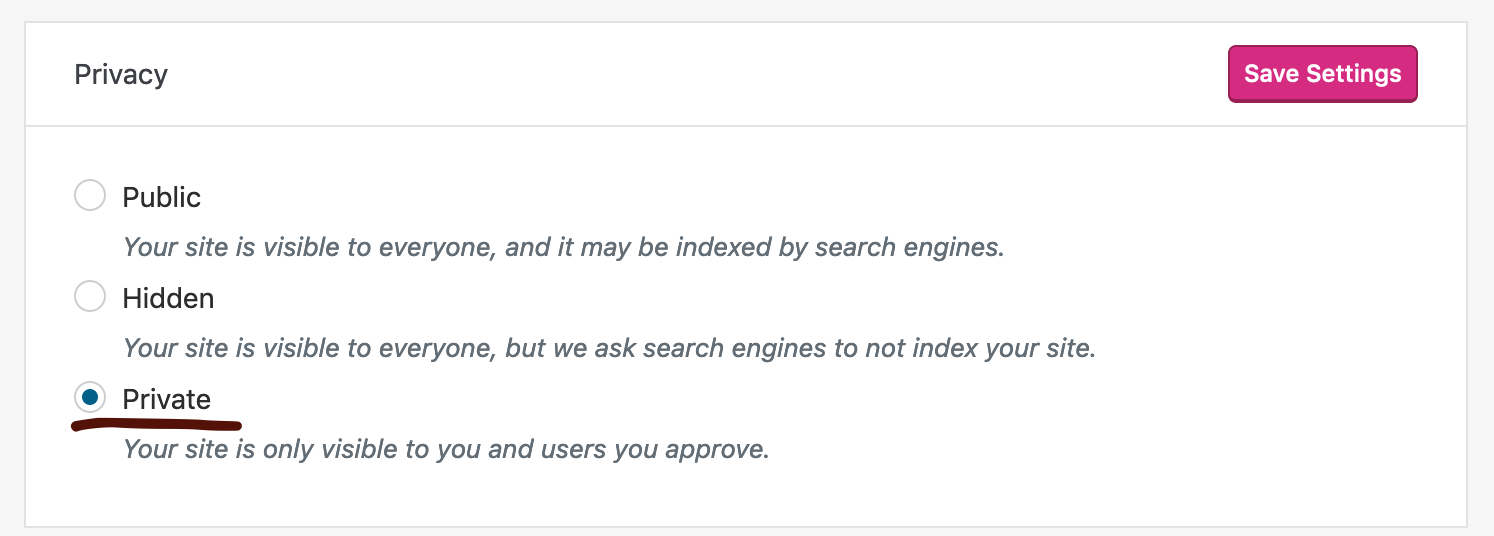
1. Make the site private
- In `/wp-admin`, go to _Settings_ → _Reading_:
- OR in Calypso, go to _Manage_ → _Settings_ → _Reading_ :
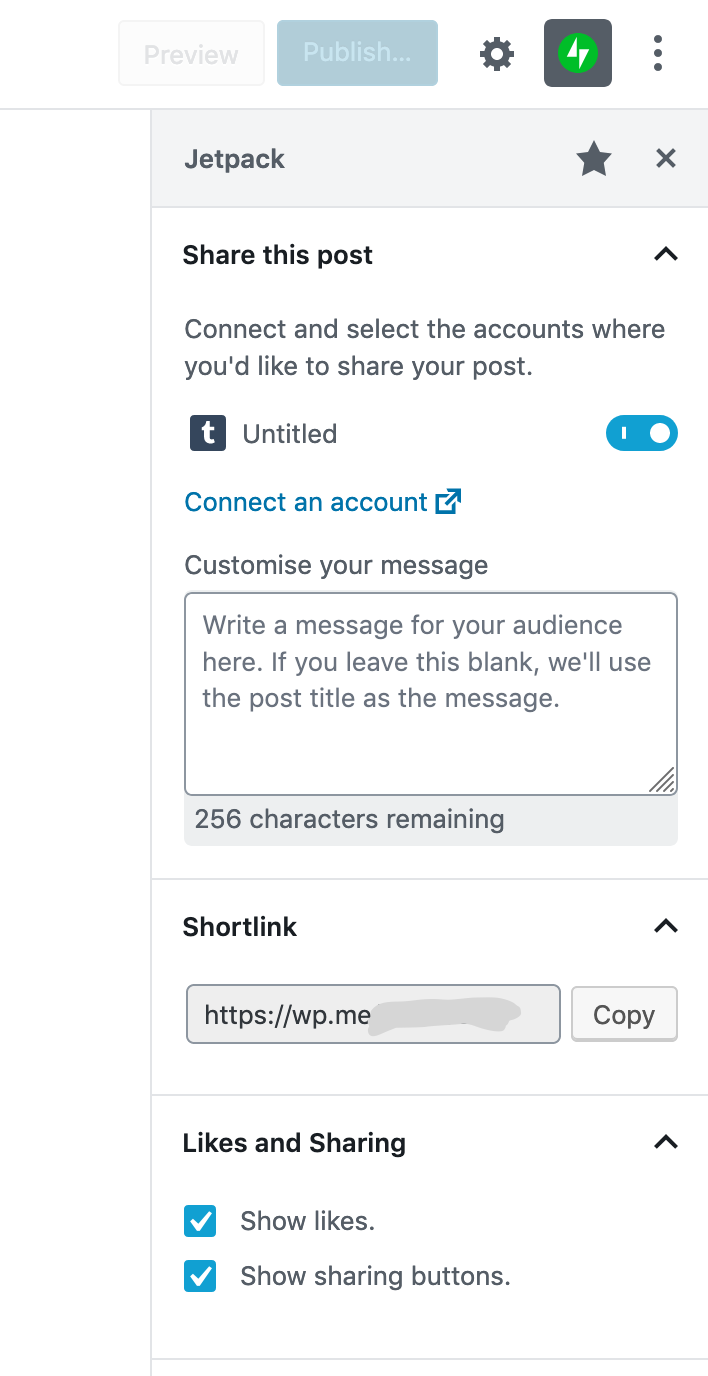
1. Open block editor, when pressing "Jetpack" logo to open the sidebar, you'll see publicize panel:
#### What I expected
- No publicize panel and peace of mind knowing that I don't accidentally share private posts.
#### What happened instead
- Publicize panel nudging to connect
- Sharing+likes button settings visible
#### Code
Code for the panel is here:
https://github.com/Automattic/jetpack/blob/5b1d803b3bc2b37b5fddd25854140da91154e165/extensions/blocks/publicize/panel.js#L24
... hence opening this in Jetpack repo even tho this is about .com sites. For jetpack self hosted sites, "private" option isn't available but equalevent could be the "hidden" option which just hides the site from search engines. Not sure how publicize is supposed to behave in that scenario.
Contributor guide
Research direction
Start by reading extensions/blocks/publicize/panel.js and reproduce the issue in a private .com site's block editor. Trace how site privacy affects the Publicize panel and sharing+likes settings, then verify that both are hidden for private sites without changing behavior for other site visibility modes.
Written by the indexing model from the issue text.
Assessment
- Tech stack
- javascript, react, wordpress
- Domain
- frontend
- Issue type
- Bug
- Difficulty
- 3/5
- Estimated time
- 1-2 days
- Activity status
- Stale
- Clarity
- Mostly clear
- Newbie friendliness
- 42/100