Automattic / Automattic/jetpack
Module filter on mobile overlaps modules with no way to close again
- Dominant language
- PHP
- Stars
- 1.8k
- Forks
- 898
- Avg merge
- 1d 18h
- Merged PRs (30d)
- 774
Description
#### Steps to reproduce
- Start with a mobile device or mobile view on a desktop browser
- Set up a self-hosted WordPress (WordPress.org) site and install Jetpack on it
- Visit the list of modules page - `{example.com}/wp-admin/admin.php?page=jetpack_modules`
- Use the `Filter` button available there (viewport would have to be between 530px and 780px to see this button)
#### What is expected
- The filter section does not overlap the modules list
- When the filter section needs to be closed, there is a way to do that
#### What happens instead
- The filter section overlaps the modules list
- The filter section does no option to close/hide it. Tapping/clicking outside of the filter section does nothing
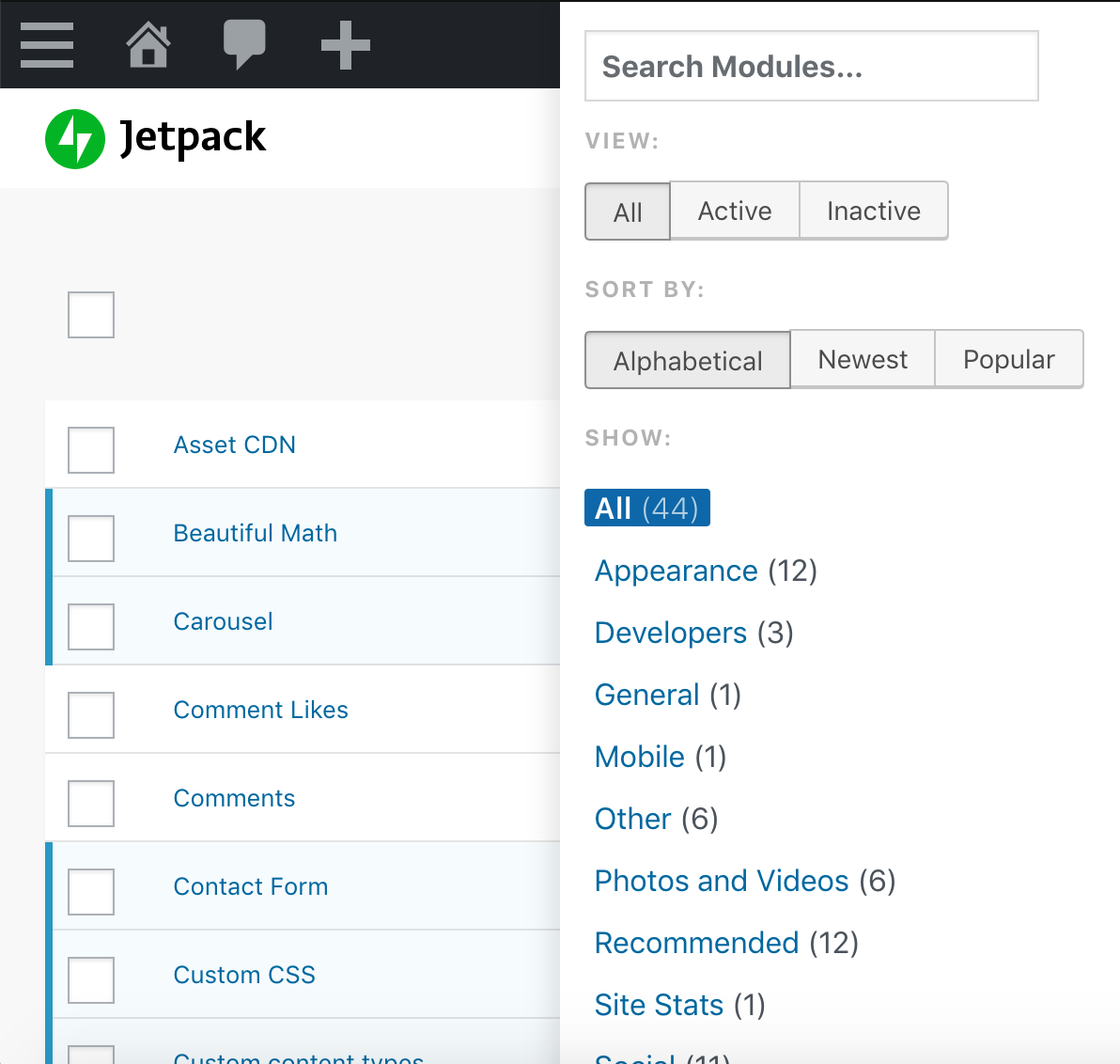
#### More information
- The `Filter` button can be seen only when viewport is between 530px and 780px. Below 530px, there is no way to use the filters. Is this an intended behaviour?
- With the filters section open and then expanding the viewport, the filters section does not get back to normalcy. Can be seen to continue overlapped.
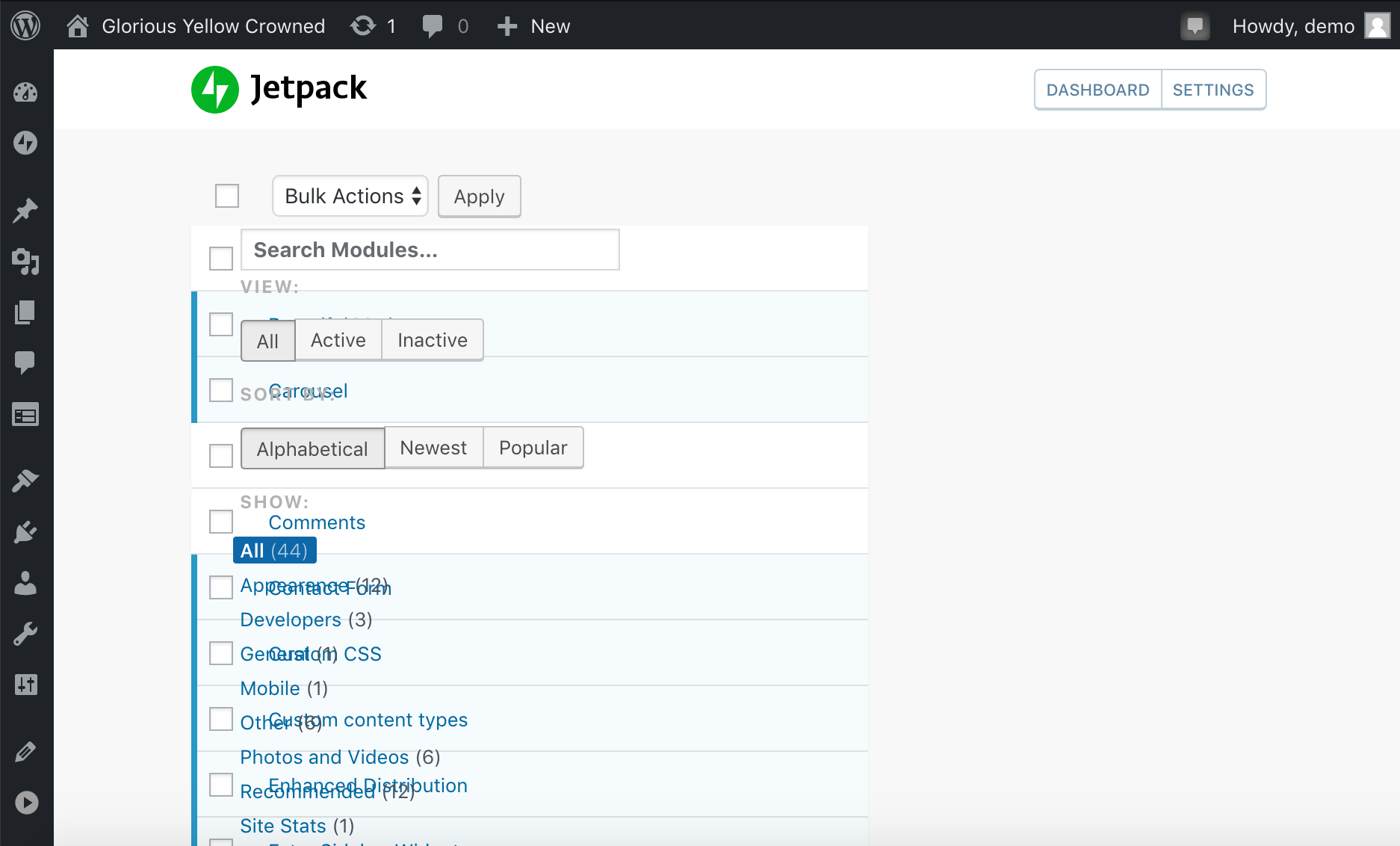
Contributor guide
Research direction
Start at the WordPress admin modules page at `wp-admin/admin.php?page=jetpack_modules` and reproduce the filter behavior at viewport widths between 530px and 780px. Verify the filter does not overlap the module list, can be closed, and returns to its normal layout when the viewport is expanded.
Written by the indexing model from the issue text.
Assessment
- Tech stack
- php, react, wordpress
- Domain
- frontend, web-dev
- Issue type
- Bug
- Difficulty
- 3/5
- Estimated time
- 1-2 days
- Activity status
- Stale
- Clarity
- Mostly clear
- Newbie friendliness
- 35/100