Automattic / Automattic/custom-fonts-typekit
Add ability to undo special fonts deactivation on Customizer
- Dominant language
- PHP
- Stars
- 3
- Forks
- 2
- PR merge metrics
- No merged PRs in 30d
Description
## Description
When a site is using a theme like [Oxford](https://wordpress.com/theme/oxford) that offers special fonts by default, deactivating that does not show a way to reactivate it again.
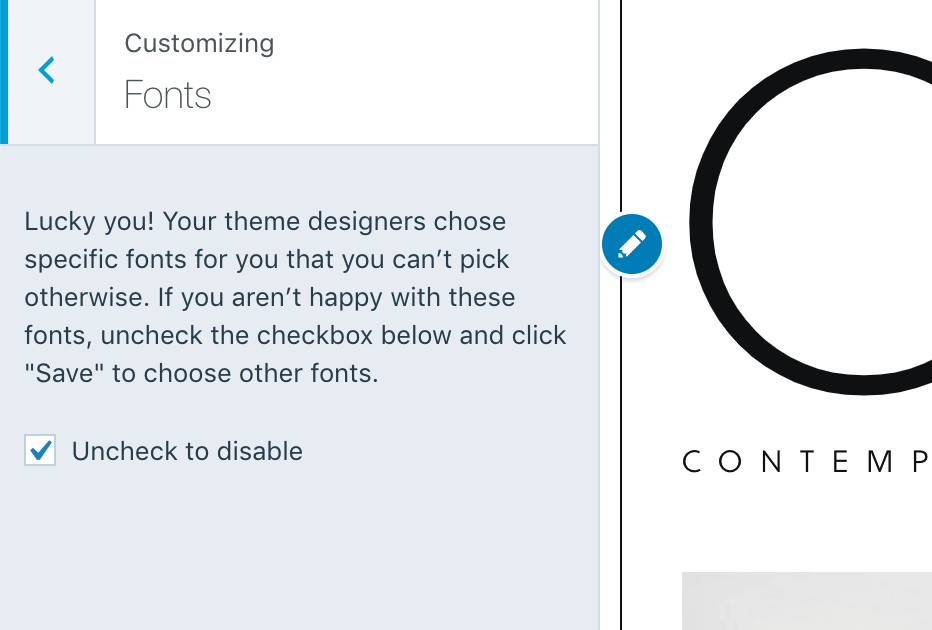
To be more clear, the fonts section of the Customizer shows a `Lucky you! Your theme designers chose specific fonts for you that you can't pick otherwise. If you aren't happy with these fonts, uncheck the checkbox below and click "Save" to choose other fonts.` notice and when one clicks on `Uncheck` there is no way to go back to the special fonts again.
## Proposal
Add an ability to undo this deactivation from the Customizer.
## Workaround
Changing to another theme and coming back to the original theme brings back the special fonts.
Contributor guide
Research direction
Start by locating the Customizer fonts section and the code handling the special-fonts deactivation checkbox. Reproduce the flow described in the issue, then identify how the section currently represents the deactivated state. Done means the Customizer provides a way to restore the theme's special fonts after deactivation.
Written by the indexing model from the issue text.
Assessment
- Tech stack
- php, wordpress
- Domain
- frontend
- Issue type
- Feature
- Difficulty
- 3/5
- Estimated time
- 1-2 days
- Activity status
- Stale
- Clarity
- Mostly clear
- Newbie friendliness
- 35/100