Automattic / Automattic/crowdsignal-forms
Feedback Button: Preview Style In Customizer Left Panel Is Different From The Actual Style
- Dominant language
- PHP
- Stars
- 15
- Forks
- 10
- Avg merge
- 13m
- Merged PRs (30d)
- 1
Description
Preview of the Feedback Button in the Customizer's left panel has a completely different style than in the Editor, preview in the Customizer's right panel, and on the frontend.
### Steps to reproduce
1. Activate Twenty Twenty theme that has the pink accent color by default
2. Add this Feedback Button block in the Editor, see how it picks the Theme Style and the button color is pink and squared by default.
3. Then copy the block (via three-dots menu) and paste it to any Widget area of the site.
4. See how the Feedback Button looks like in the left panel: it is rounded and dark blue, completely ignoring theme style.
5. Save changes and refresh and see how the Feedback Button looks like in the preview on the right.
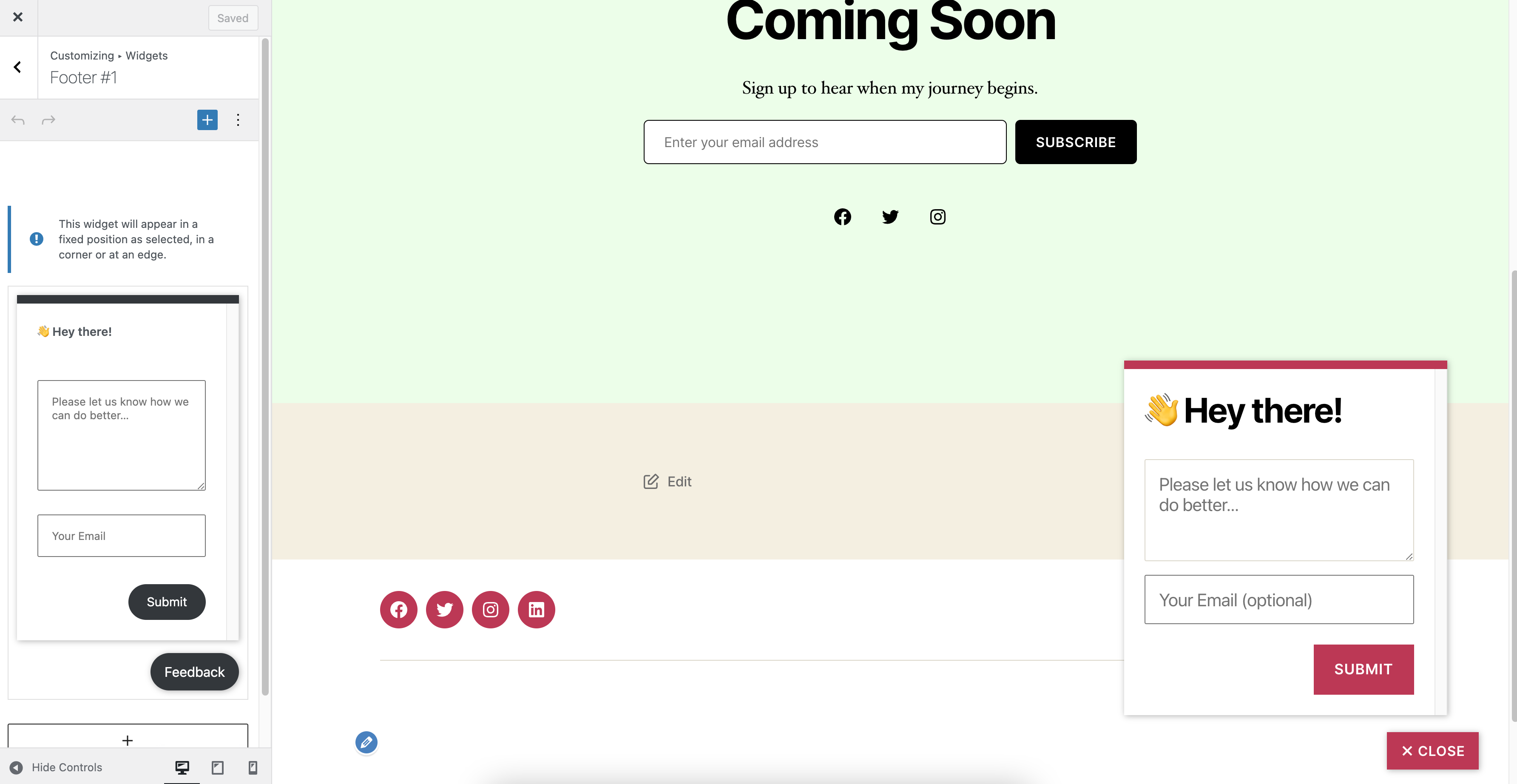
https://user-images.githubusercontent.com/39308239/135999602-0d4198ff-8c94-426a-8358-e5ecf1ace295.mov
Contributor guide
No contributing guide indexed for this repository
Research direction
Reproduce the Feedback Button block in the Customizer's left-panel preview using the listed Twenty Twenty theme steps, then compare it with the Editor, right-panel preview, and frontend. Done means the left-panel preview matches the theme style and button color shown in those other contexts.
Written by the indexing model from the issue text.
Assessment
- Tech stack
- php
- Domain
- frontend
- Issue type
- Bug
- Difficulty
- 3/5
- Estimated time
- 1-2 days
- Activity status
- Stale
- Clarity
- Mostly clear
- Newbie friendliness
- 35/100