Automattic / Automattic/WP-Job-Manager
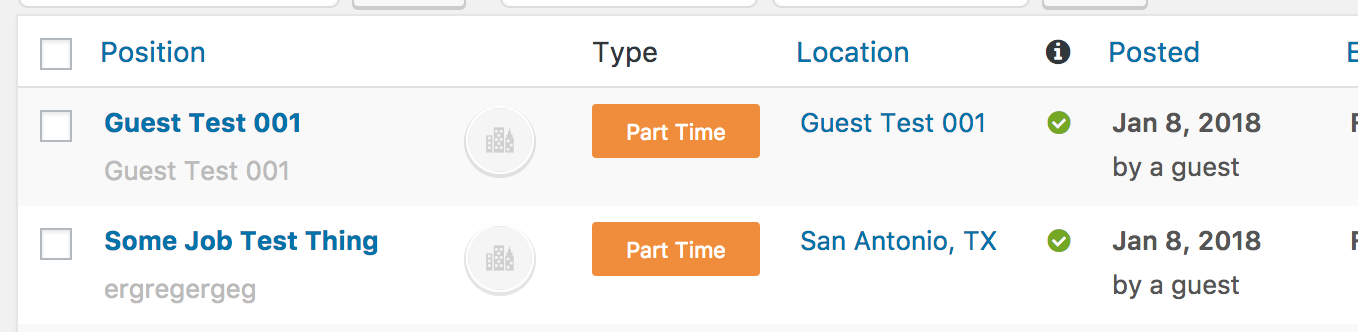
Registering user account between Preview and Submit publishes listing as "by guest"
- Dominant language
- PHP
- Stars
- 899
- Forks
- 369
- Avg merge
- 11h 37m
- Merged PRs (30d)
- 12
Description
To repro:
1. In incognito window, fill out the job submission form (be sure to enter an email to register an account).
2. Click Preview
3. Open your email and click the reset password link.
4. WP gives you a password, click Reset or Register or whatever.
5. Back in the job submission flow, click Submit.
6. Your listing has now been published by a guest, despite the fact that we just registered.
Contributor guide
Research direction
Reproduce the preview, password-reset, and submit sequence in an incognito window, then trace how account state is carried between Preview and Submit. The fix is complete when a listing submitted after registration is attributed to the registered user rather than published as by guest.
Written by the indexing model from the issue text.
Assessment
- Tech stack
- php
- Domain
- authentication, backend
- Issue type
- Bug
- Difficulty
- 4/5
- Estimated time
- 3-5 days
- Activity status
- Stale
- Clarity
- Mostly clear
- Newbie friendliness
- 32/100