Incorrect BaseQuantities in Revit 2022.1 (GrossVolume, OuterSurfaceArea, CrossSectionArea)
- Dominant language
- C#
- Stars
- 637
- Forks
- 225
- PR merge metrics
- No merged PRs in 30d
Description
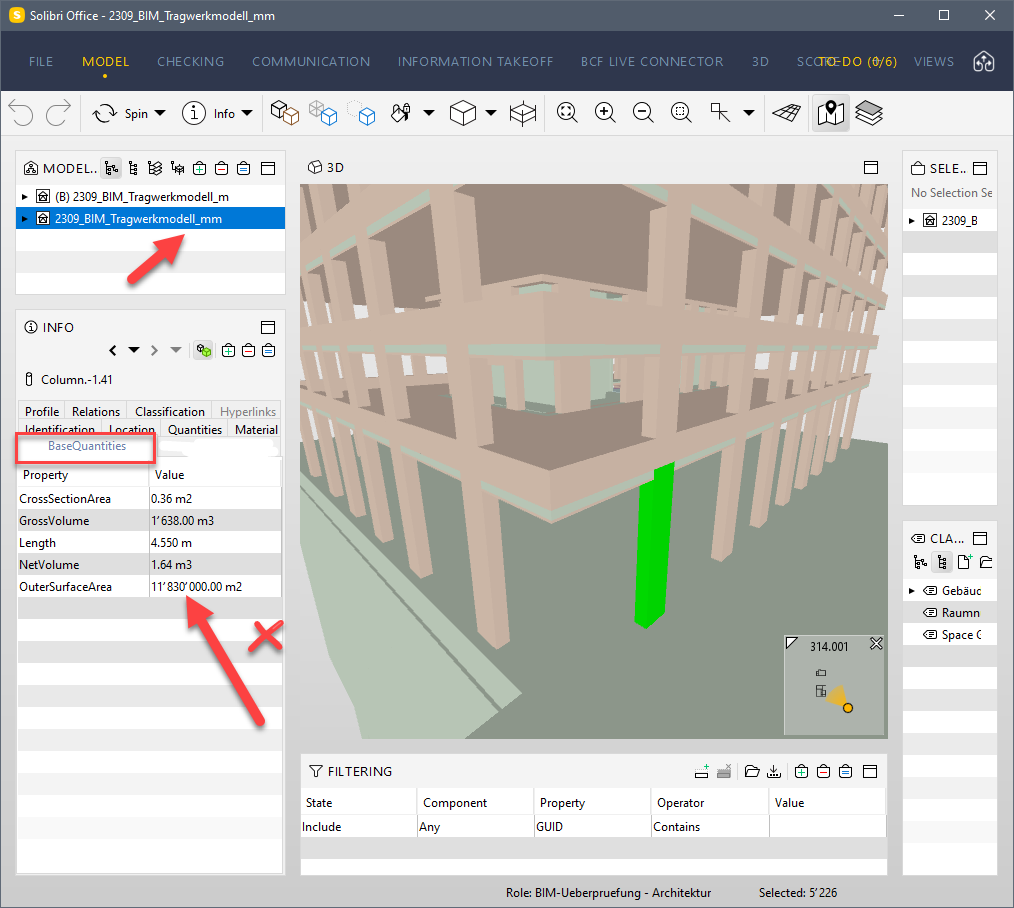
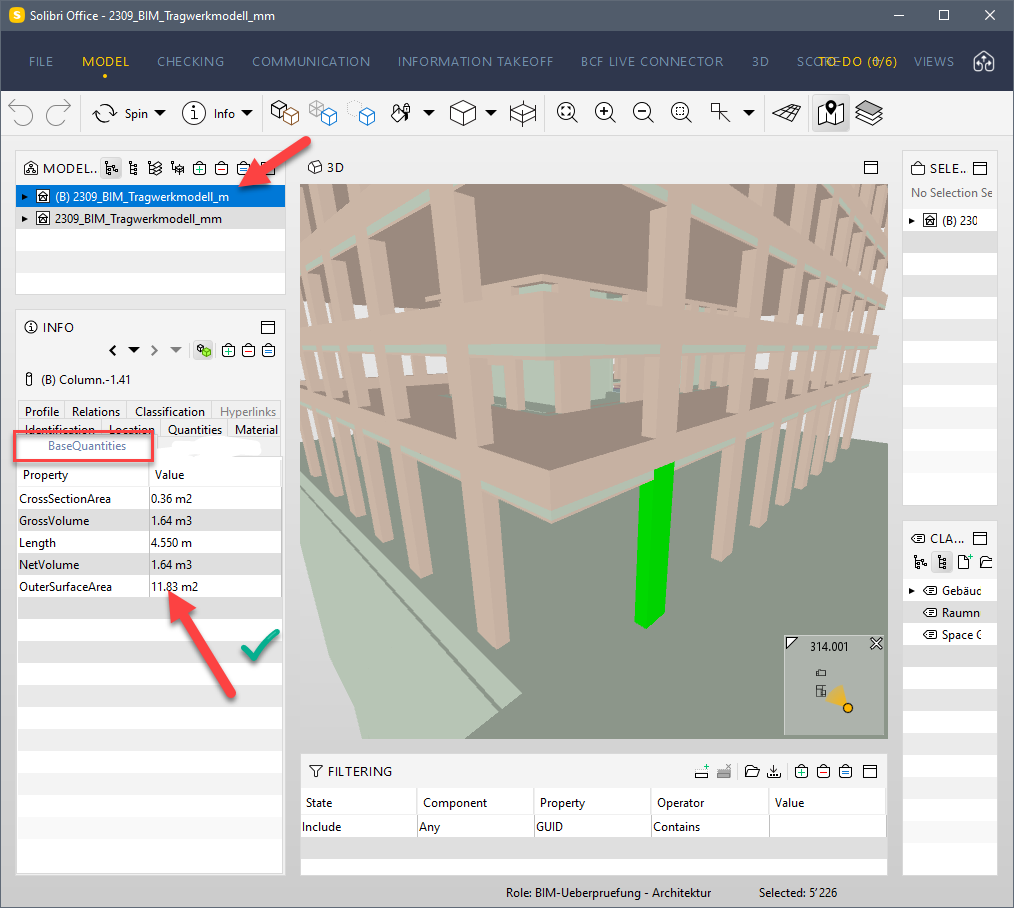
There seem to be a few issues related to **BaseQuantities** (Version 22.3.0.0 for Revit 2022):
-with Revit project units set to Millimeter, the **BaseQuantities** of structural columns are incorrect (**GrossVolume, OuterSurfaceArea**):
-after setting Revit project units to meter and everything is ok:
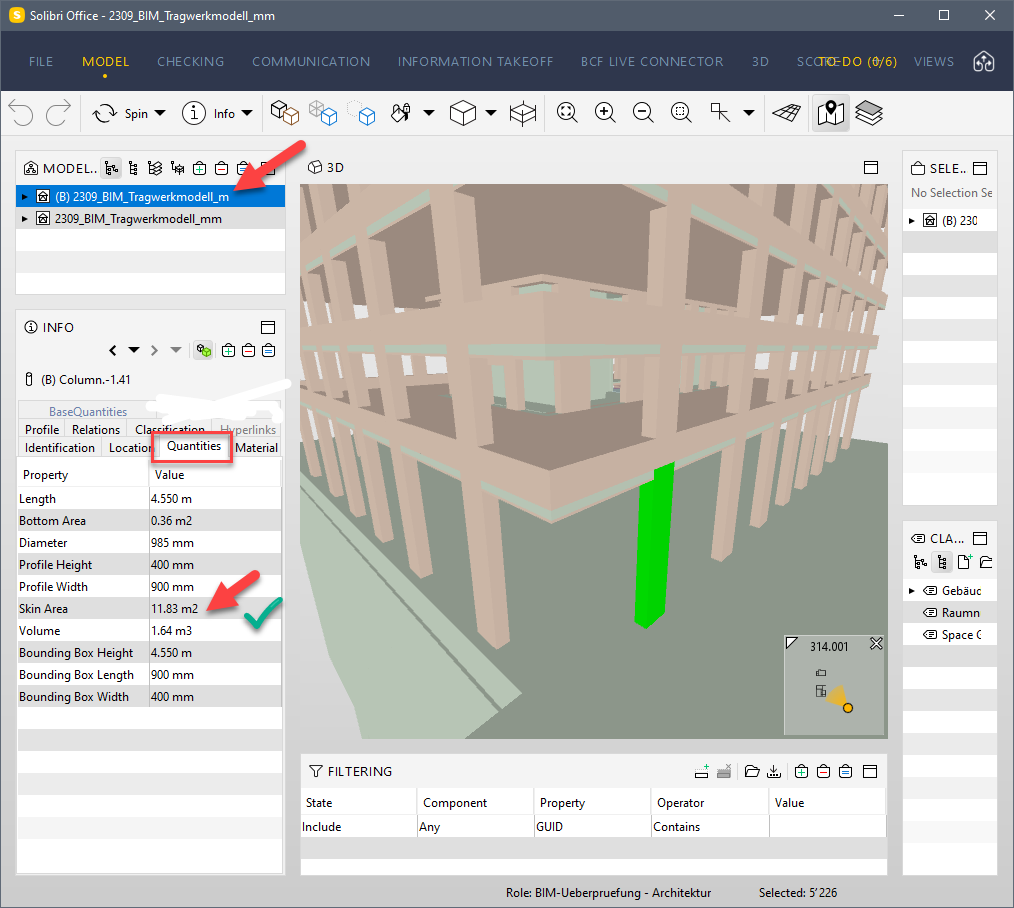
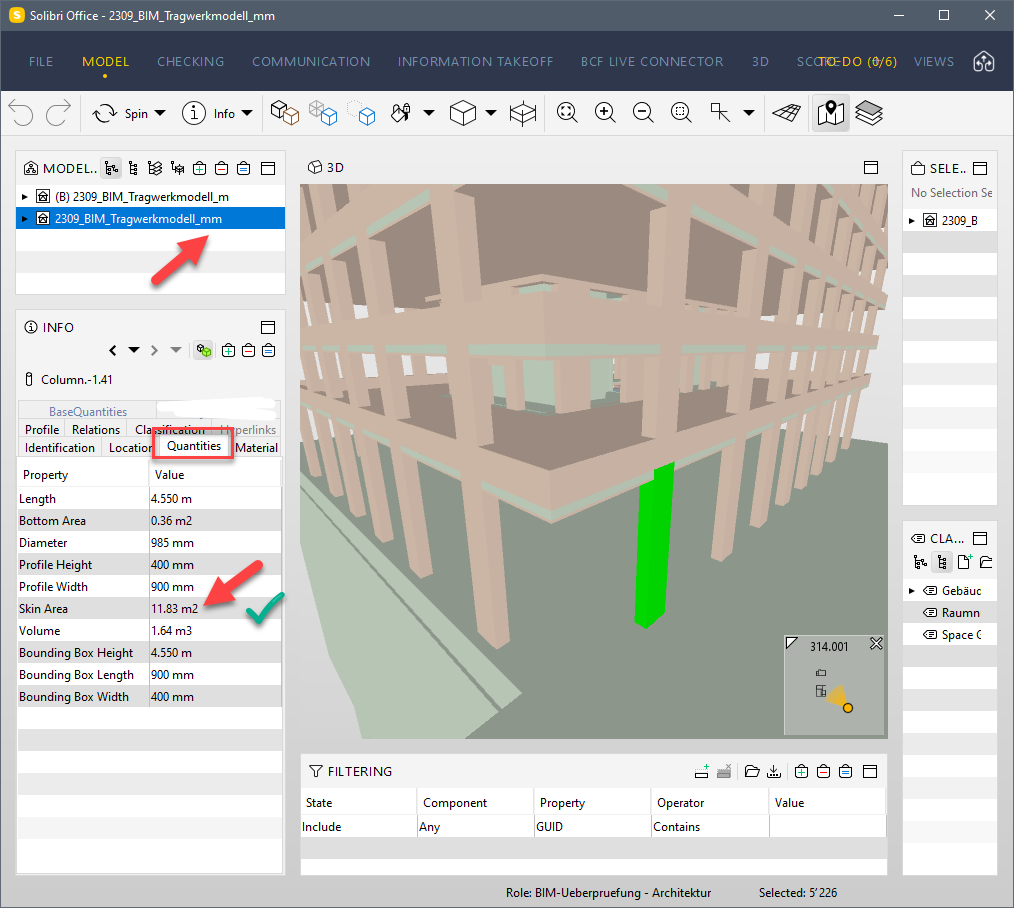
-**Quantities** are not affected:
-**CrossSectionArea** of structural beams is also wrong, both for Meter and Millimeter:
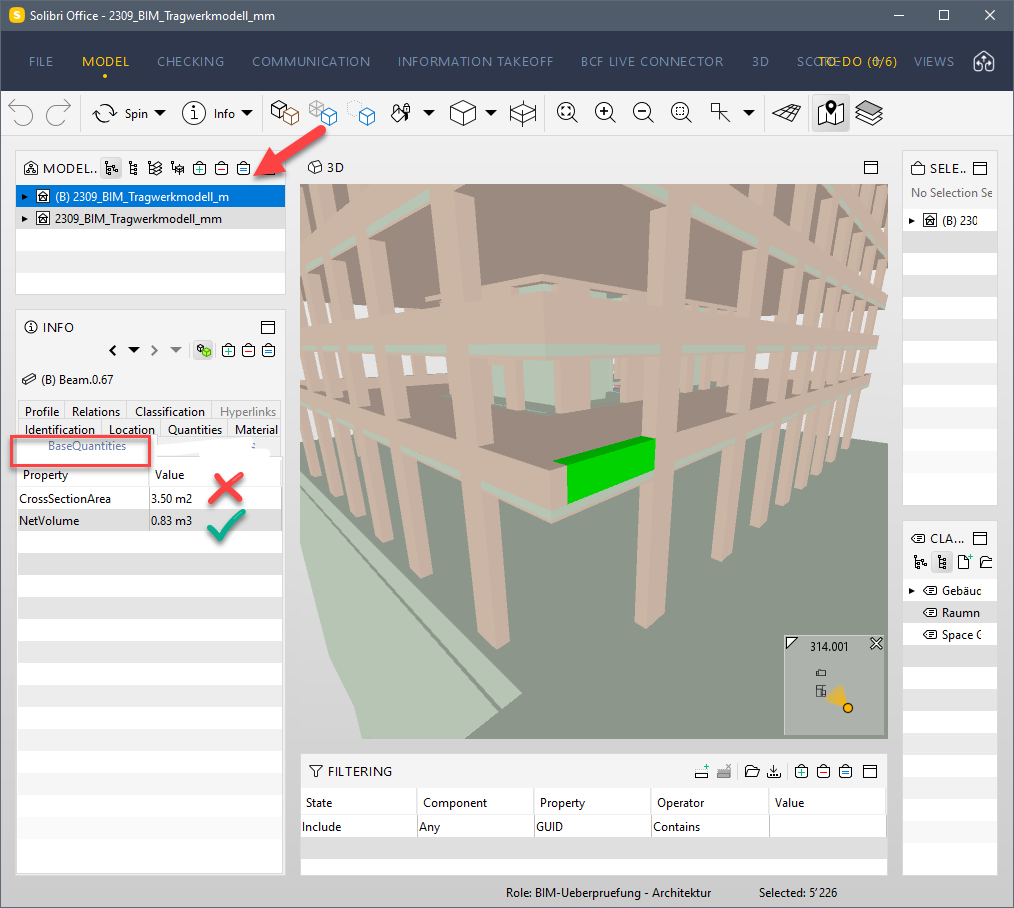
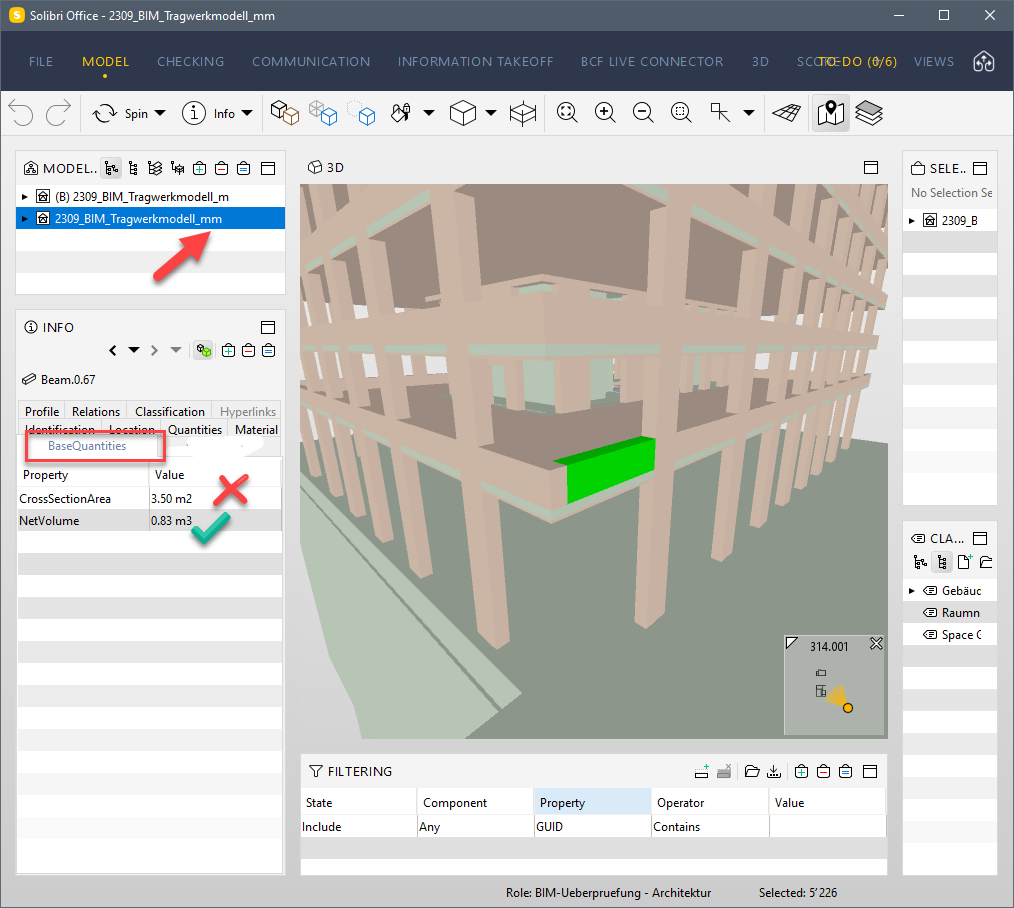
-there doesnt seem to be any issues with **BaseQuantities** of floors:
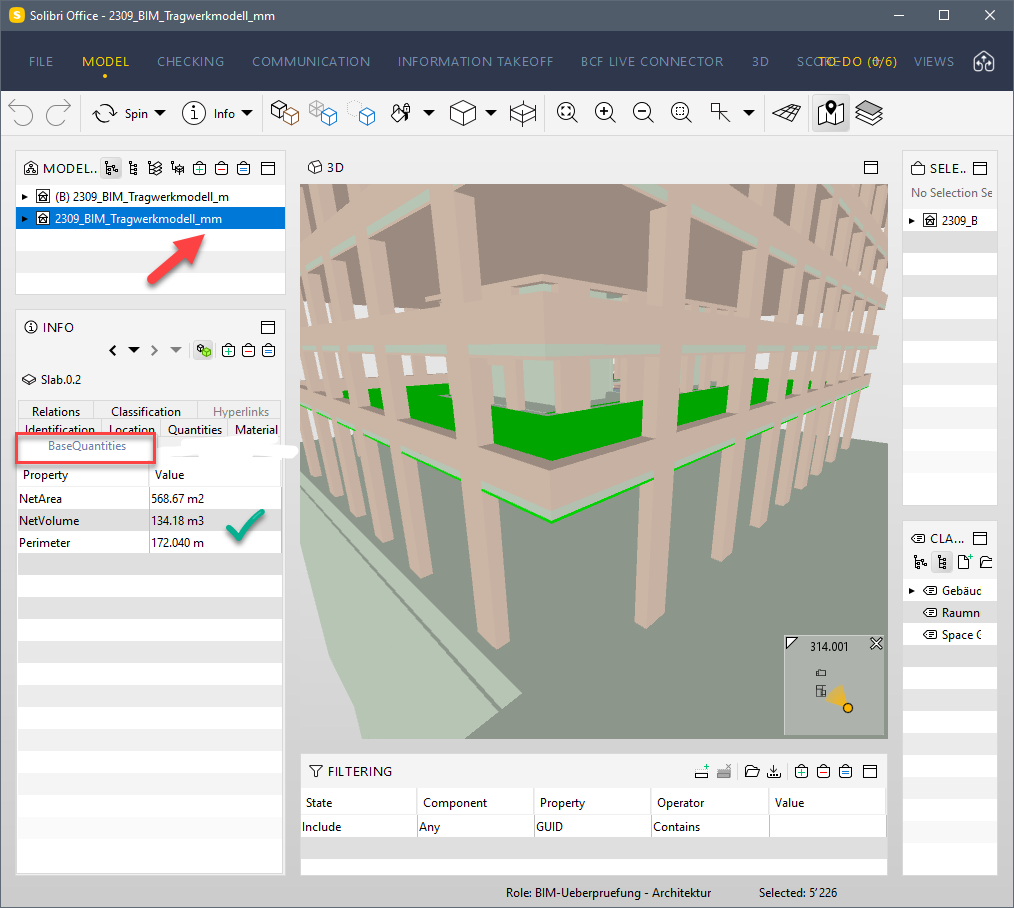
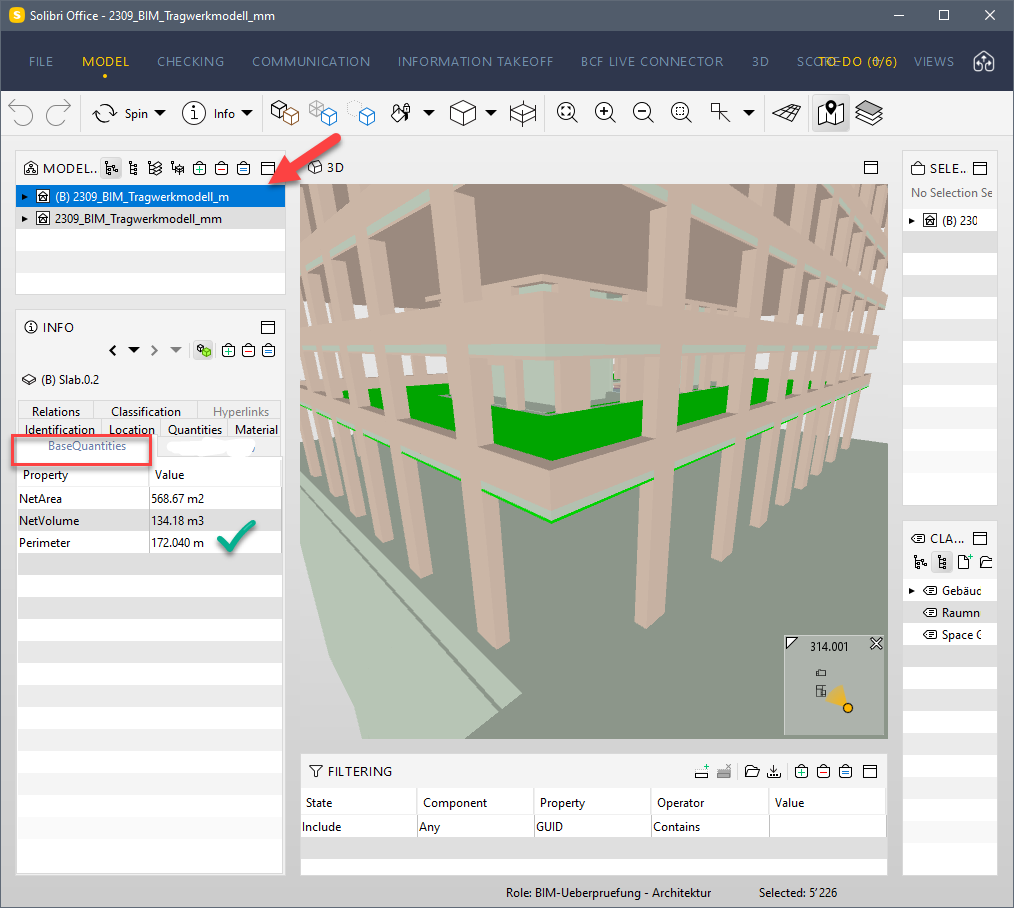
Any idea what might be causing this? We are heavily dependent on IFC here in Europe and having incorrect BaseQuantities in files is quite concerning for me...
Contributor guide
Research direction
No source files or tests are named in the issue. Start by reproducing the export in Revit 2022.1 with project units set to millimeters and meters, checking BaseQuantities for structural columns, beams, and floors. Done means GrossVolume, OuterSurfaceArea, and CrossSectionArea match the expected Revit quantities in the resulting IFC files.
Written by the indexing model from the issue text.
Assessment
- Tech stack
- csharp
- Domain
- backend
- Issue type
- Bug
- Difficulty
- 4/5
- Estimated time
- 3-5 days
- Activity status
- Stale
- Clarity
- Needs clarification
- Newbie friendliness
- 35/100