RuntimeError: is not a deformer.
- Dominant language
- Wolfram Language
- Stars
- 905
- Forks
- 223
- Avg merge
- 2d 9h
- Merged PRs (30d)
- 17
Description
**Describe the bug**
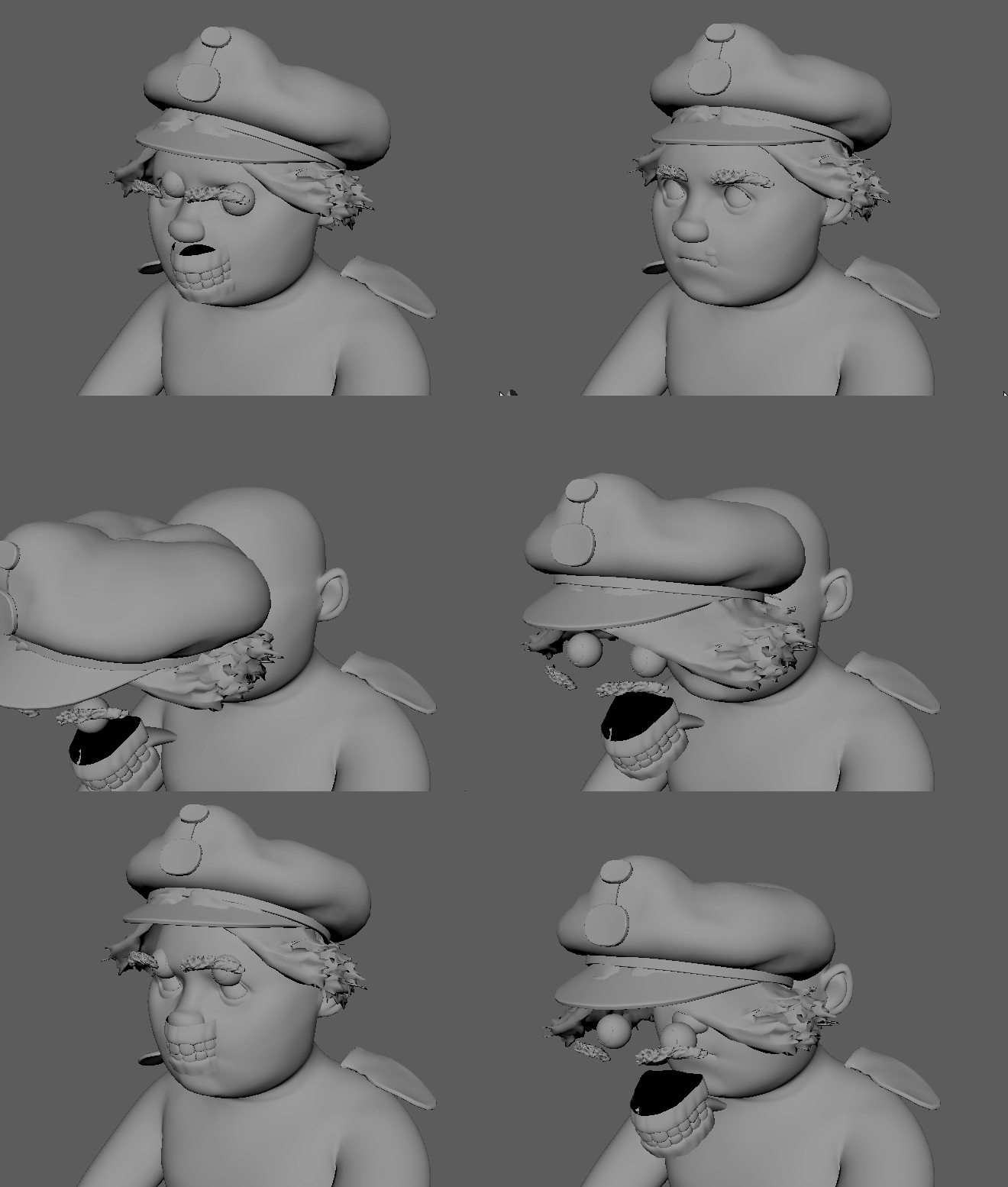
when i import animation from a usd file using **useAsAnimationCache**, i get the error inn the image below,
and all object is missing animation, except for transform animation

**Steps to reproduce**
Steps to reproduce the behavior:
1. import an animated usdfile using this flags
2. import pymel.all as pm
pm.mayaUSDImport(f=usdFile, pp = primPath, useAsAnimationCache=True, readAnimData=True)
**Expected behavior**
I expect the deformer to apply correctly to the objects in maya
**Attachments**
Transform anim only
**Specs (if applicable):**
- Windows 10
- Maya version 2022
- mayaUsd 0.12 and mayaUsd 0.11
Contributor guide
No contributing guide indexed for this repository
Research direction
Start by reproducing the USD animation import in Maya 2022 with pymel.all and mayaUSDImport using useAsAnimationCache=True and readAnimData=True. Compare the transform-only result with the missing deformer animation and verify that the deformer applies correctly to the imported objects; the report includes an image and animation attachments for comparison.
Written by the indexing model from the issue text.
Assessment
- Tech stack
- python
- Domain
- computer-graphics
- Issue type
- Bug
- Difficulty
- 4/5
- Estimated time
- 3-5 days
- Activity status
- Stale
- Clarity
- Mostly clear
- Newbie friendliness
- 35/100