ArduPilot / ArduPilot/MissionPlanner
Log Browser: scaling axis changes after "Set Scale to Default"
- Dominant language
- C#
- Stars
- 2.4k
- Forks
- 2.9k
- Avg merge
- 19h 16m
- Merged PRs (30d)
- 4
Description
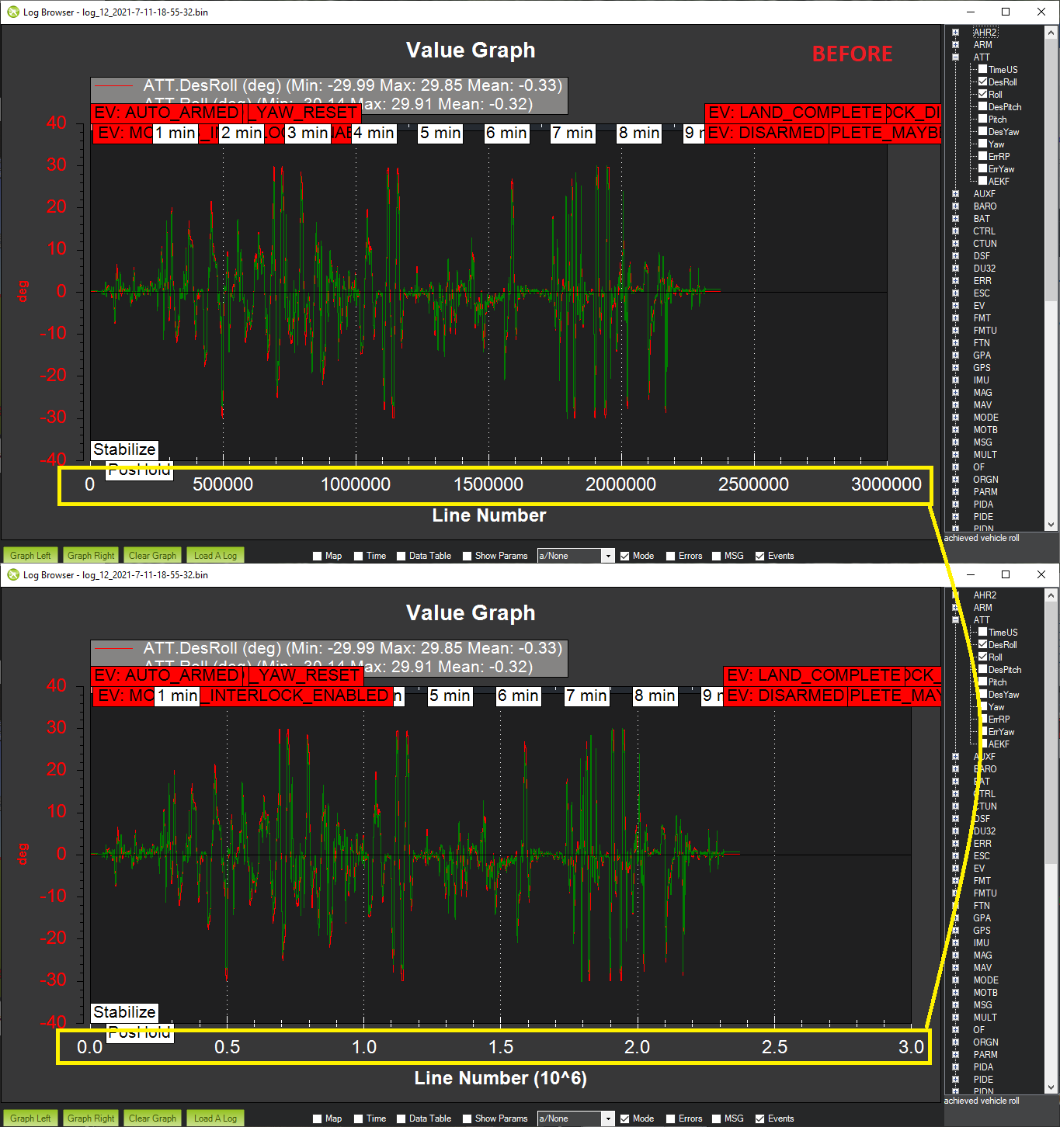
I've noticed that the scaling may not be set to the default when something is first graphed. It's not a big deal but it would be nice if it was consistent
To recreate the issue do this:
1. open a log file, ensure "Time" is not checked
2. log any item (e.g. ATT.Roll), note the scale of the bottom axis
3. right-mouse-button-click and "Set Scale to Default" and note the scale changes
Contributor guide
No contributing guide indexed for this repository
Research direction
Reproduce this in Mission Planner's Log Browser using the listed steps: open a log with Time unchecked, graph ATT.Roll, and record the bottom-axis scale before and after Set Scale to Default. Trace the Log Browser scaling behavior and ensure the initial scale matches the default-scale result, then repeat the steps to confirm the axis remains consistent.
Written by the indexing model from the issue text.
Assessment
- Tech stack
- csharp
- Domain
- data-visualization, desktop
- Issue type
- Bug
- Difficulty
- 3/5
- Estimated time
- 1-2 days
- Activity status
- Stale
- Clarity
- Mostly clear
- Newbie friendliness
- 45/100